Guide Hinto with Custom Instructions before generating articles
You can provide Hinto AI with specific instructions before generating an article to guide its focus and structure. This guide shows you how to use the "What should it cover?" field to create more tailored and accurate content directly from your video source. You will need an uploaded video to complete this process.
-
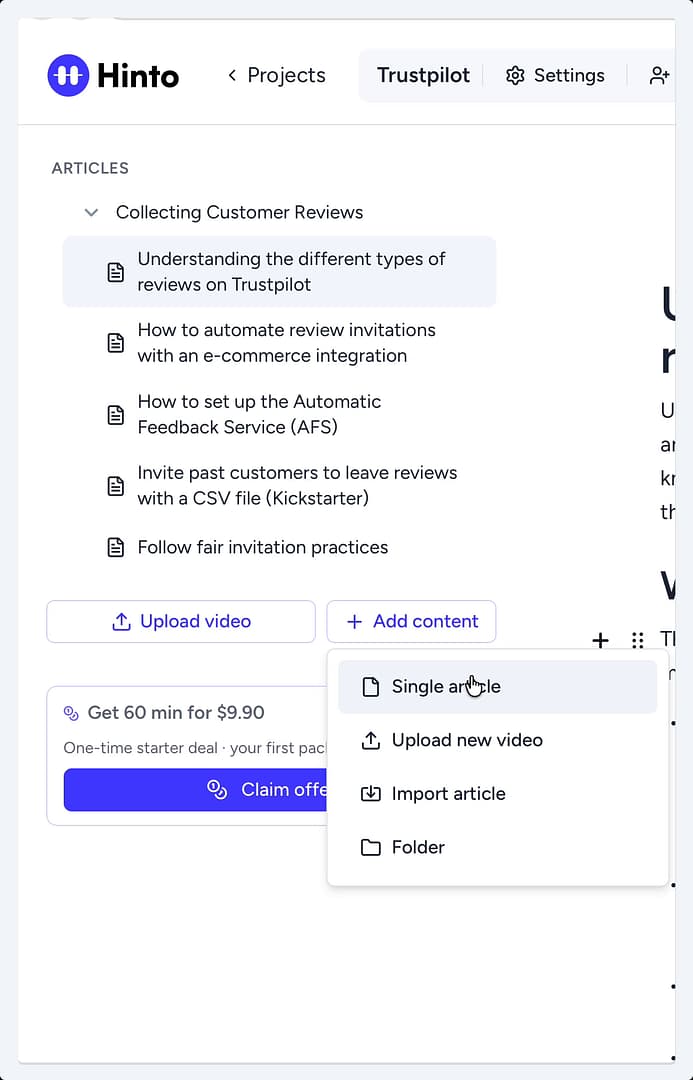
From your project dashboard, click the + Add content button in the left sidebar and select Single article.
-
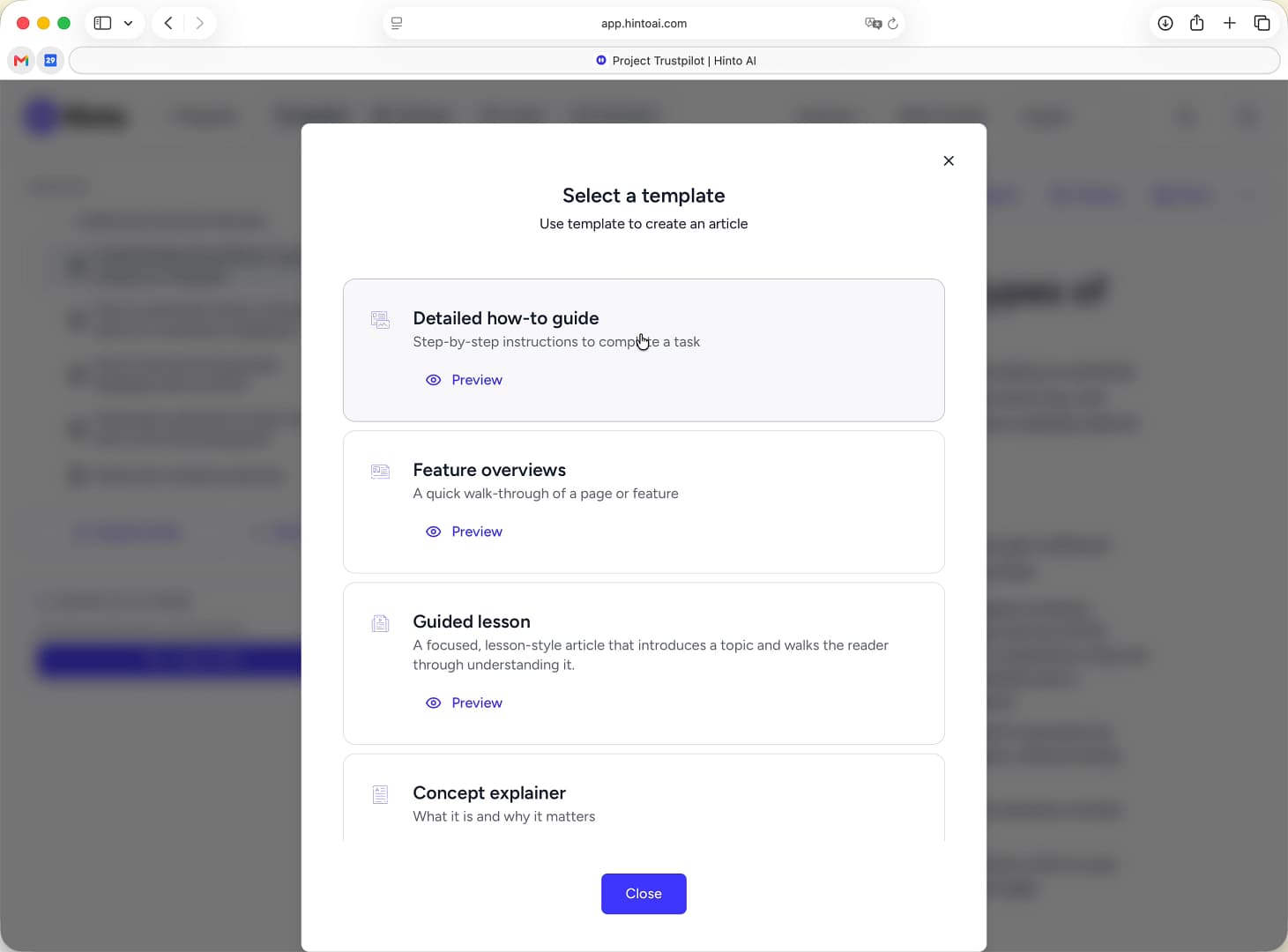
In the Select a template window, choose the template that best fits your content needs.
-
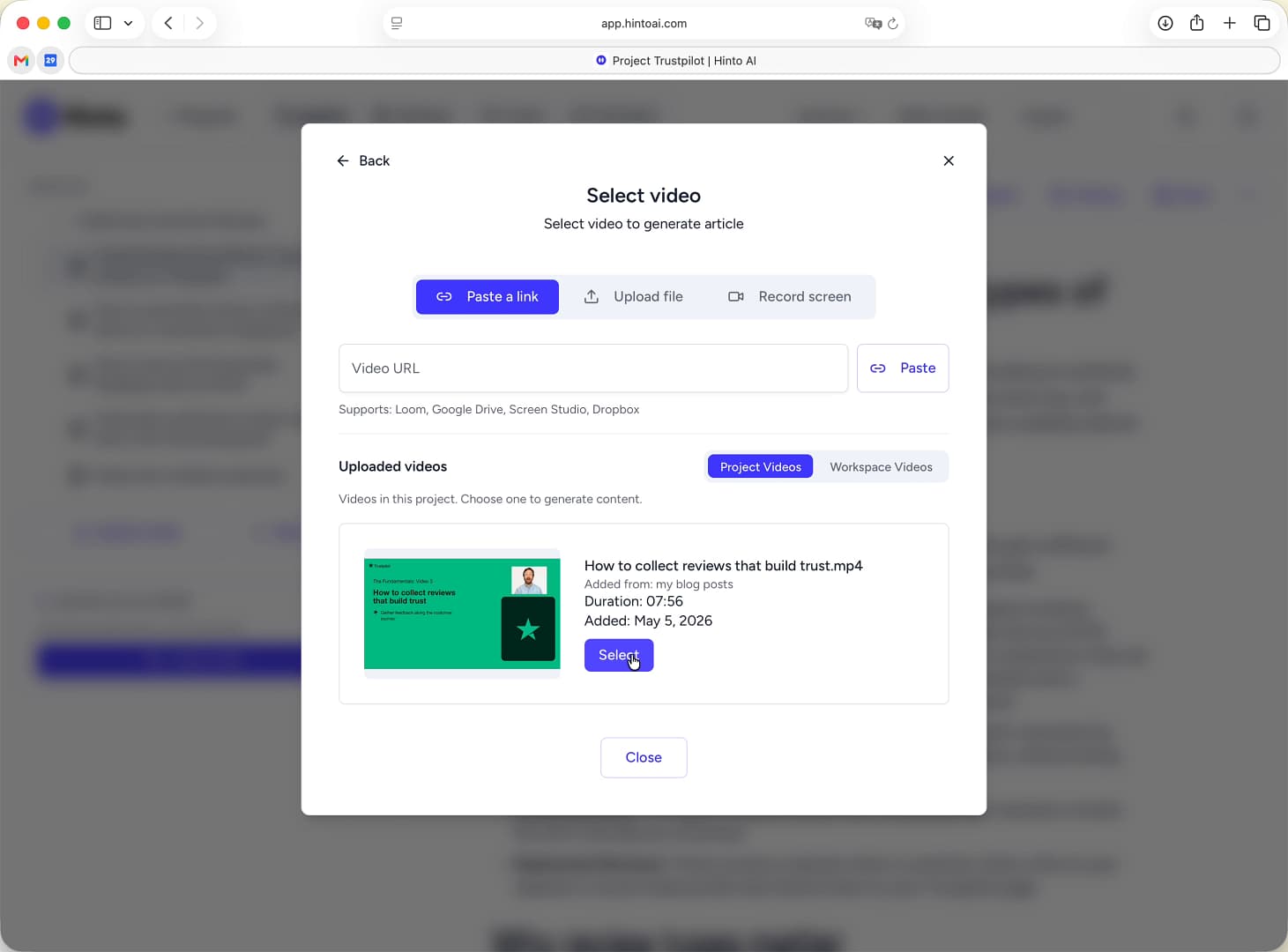
In the Select video window, find the video you want to use from the Uploaded videos list and click Select.
-
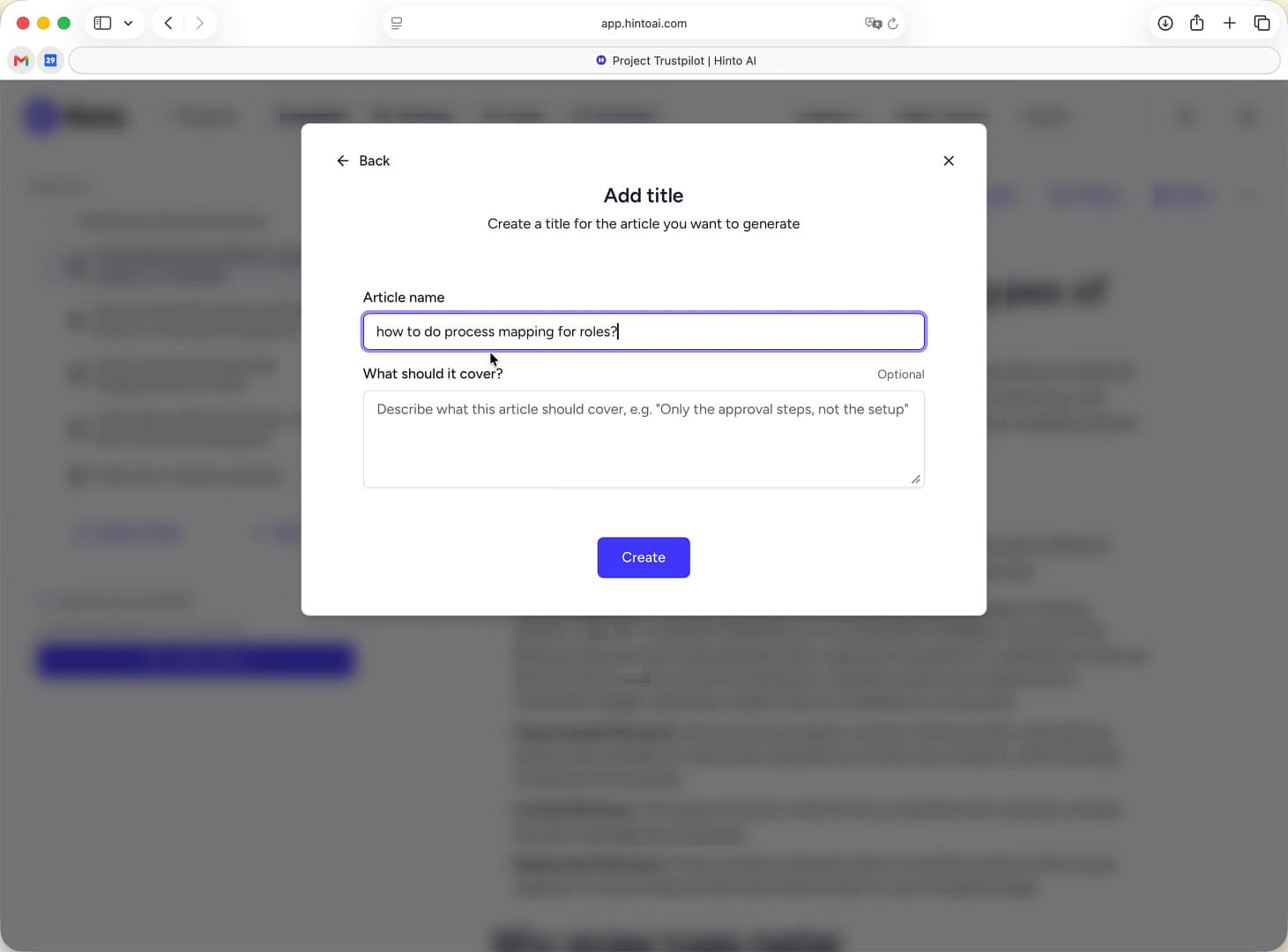
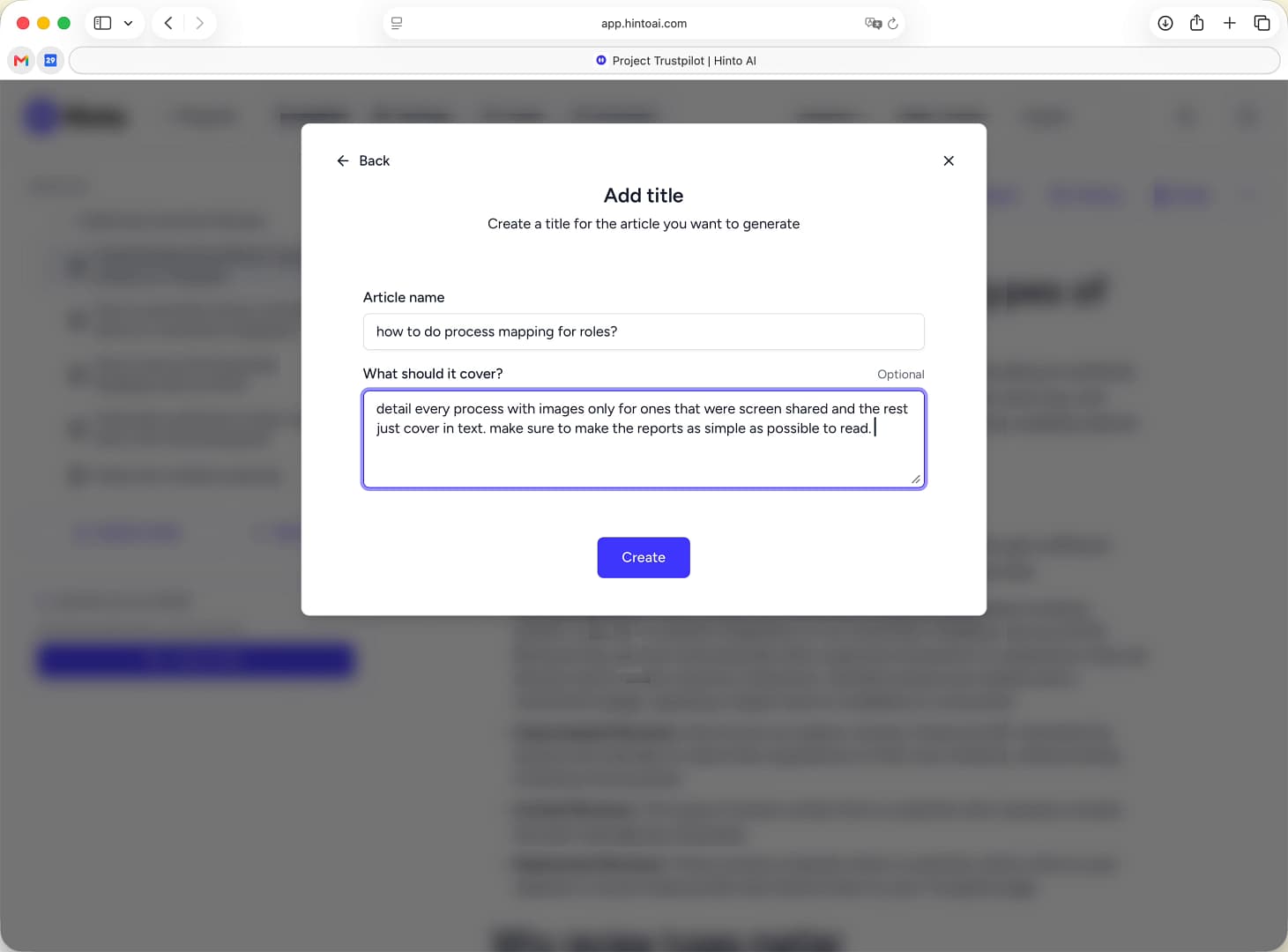
In the Add title window, enter a title for your new article in the Article name field.
-
In the What should it cover? text box, describe what you want the article to focus on. Be specific about what to include, what to exclude, and any formatting preferences. For example, you could ask the AI to only use images for specific steps or to simplify a complex topic.
-
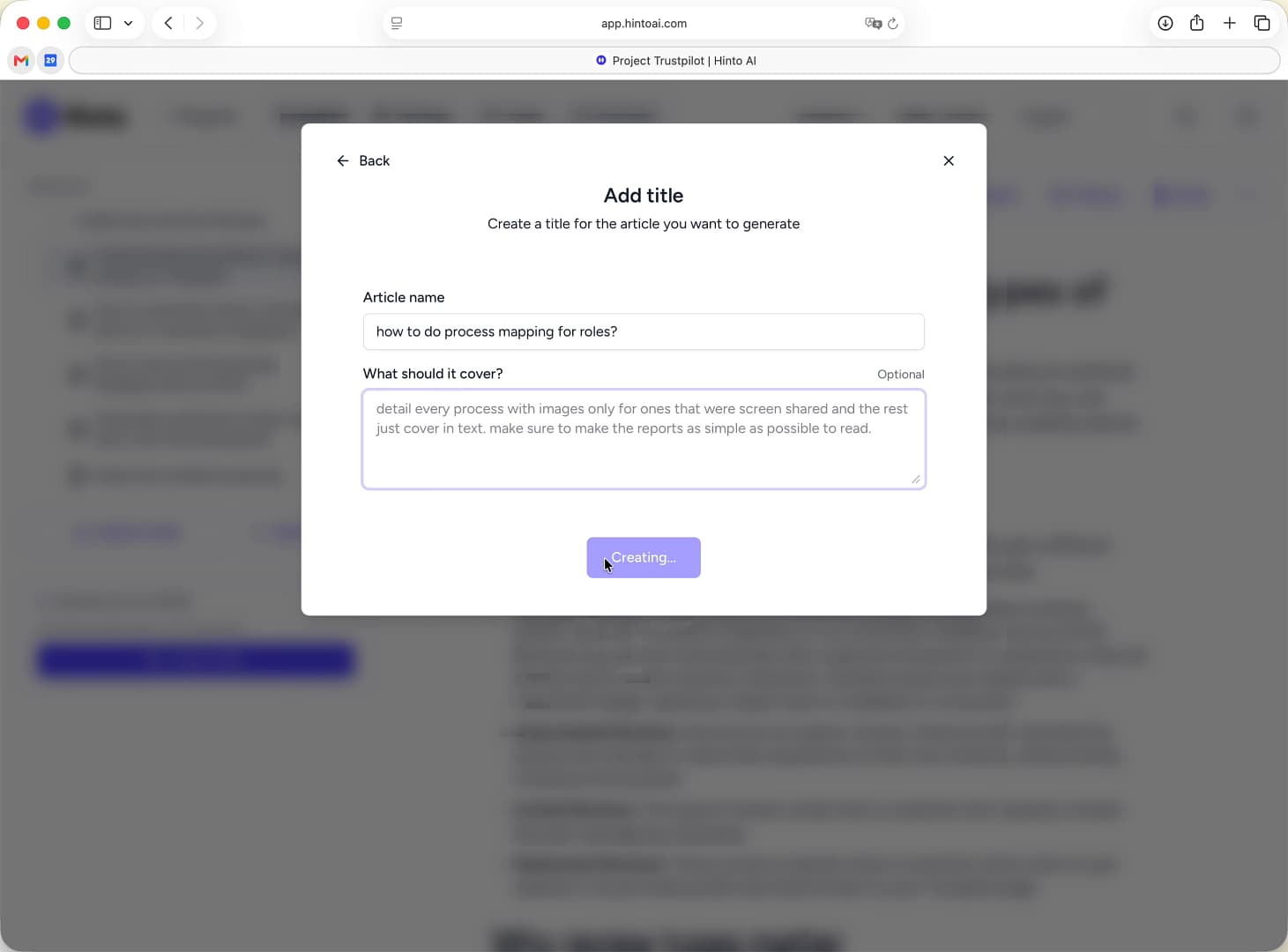
Click the Create button to start generating your article. Hinto AI will analyze the video and write the article based on your custom instructions.
Summary
Use custom instructions to gain more control over the AI generation process. By providing clear directions in the "What should it cover?" field, you can ensure the resulting article is highly relevant, accurately structured, and aligned with your specific goals, reducing the need for extensive manual edits later.