How to Generate a Knowledge Base from a Video
This guide demonstrates how to create a complete knowledge base with multiple articles from a single video. By following these steps, you can quickly transform a product demo or tutorial into structured, ready-to-use documentation. You will need a video file or a publicly accessible link to a video.
-
From the main dashboard, click the Create Project button.
-
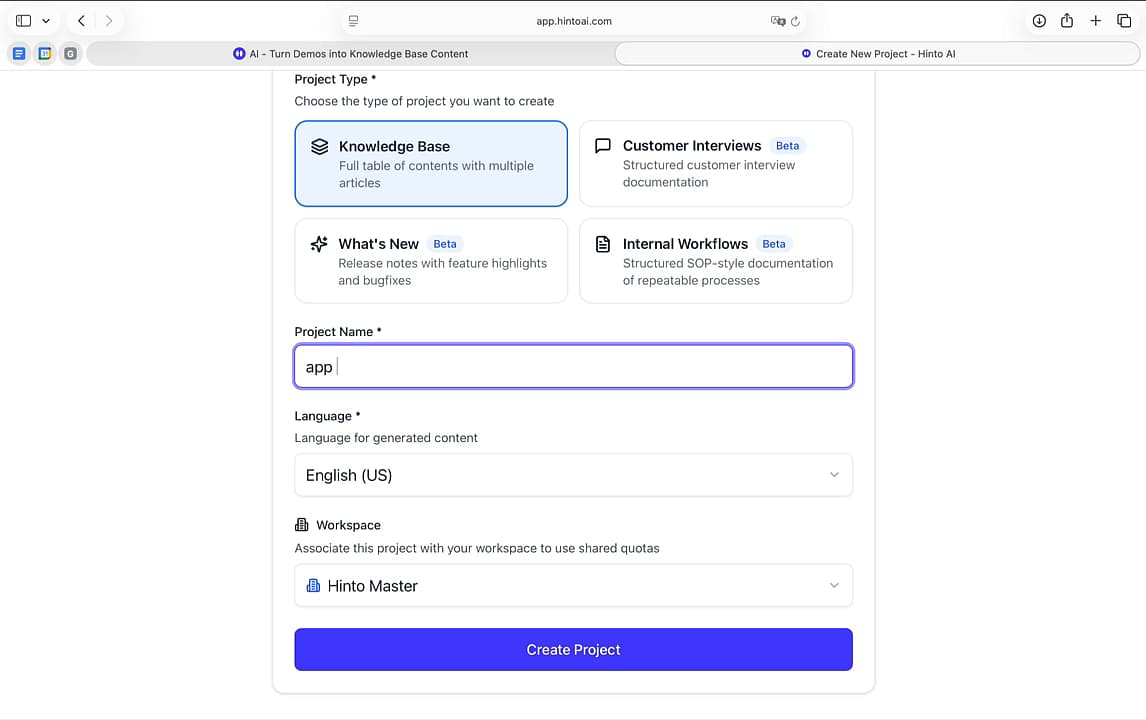
On the 'Create New Project' screen, select Knowledge Base as the project type.
-
Enter a title for your project in the Project Name field.
-
Select the primary language for your generated articles from the Language dropdown menu.
-
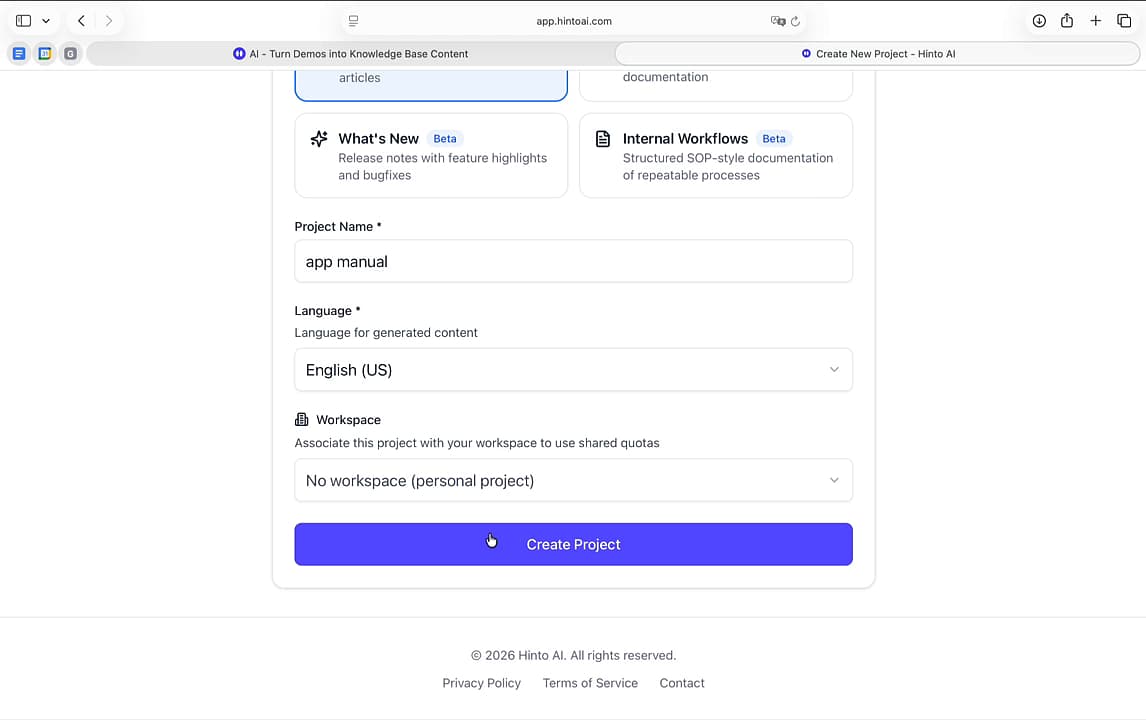
Choose a Workspace to associate the project with or select 'No workspace' for a personal project.
-
Click Create Project to continue.
Next, add the video you want to convert into a knowledge base. You can add a video by pasting a link, uploading a file, or recording your screen directly in Hinto AI.
- In the 'Select video' window, choose the Upload tab.
- Click Browse to open your file system, select your video, and click Upload to begin the upload process.
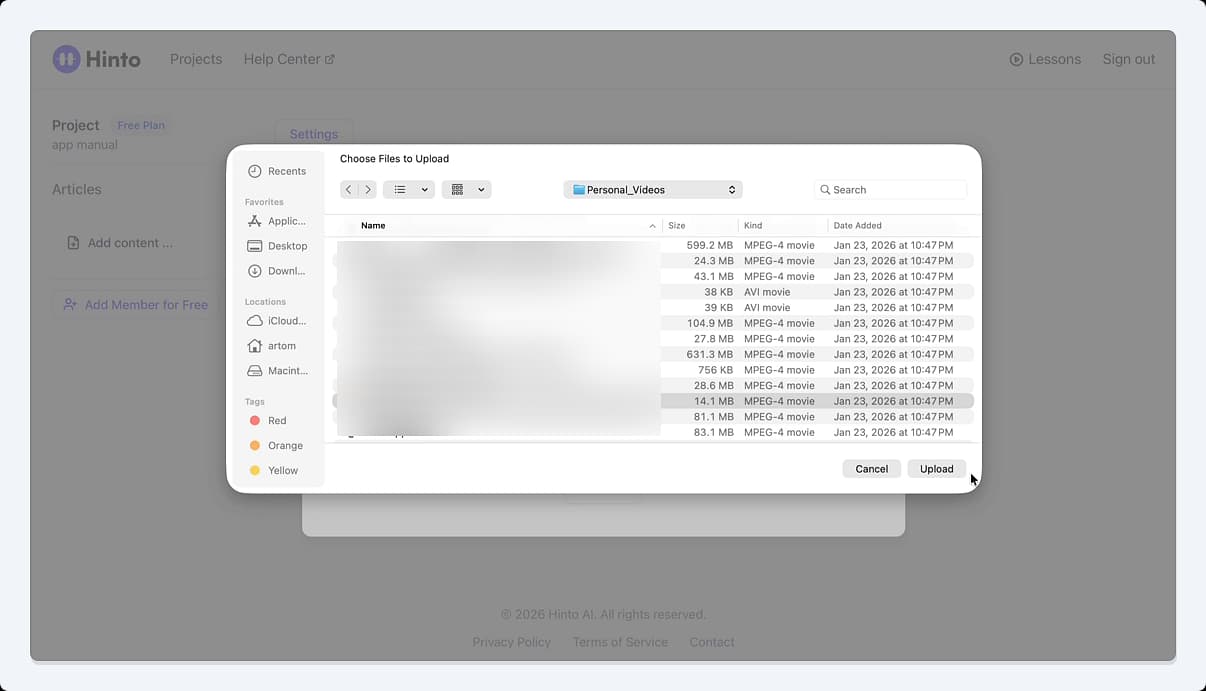
Hinto AI will upload and process your video. During this stage, the AI analyzes the video's content to identify distinct topics, which it then uses to structure a table of contents and generate individual articles. This may take a few minutes.
- When the analysis is complete, a 'Ready for Review' pop-up will appear. Click View.
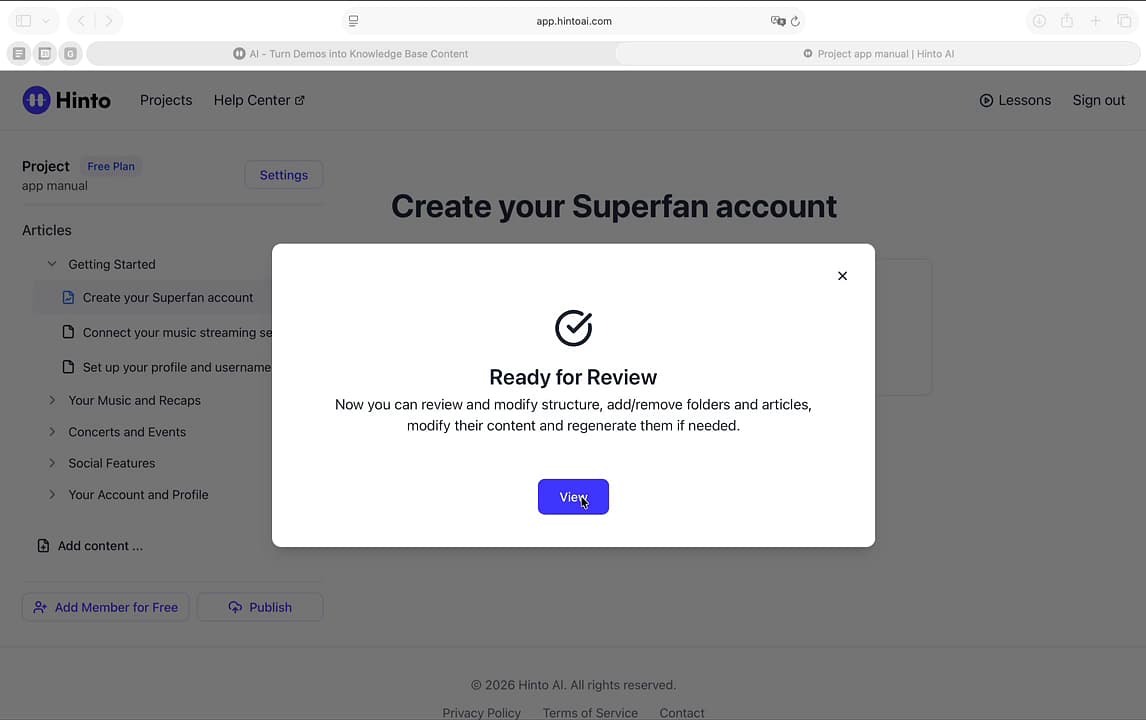
Your new knowledge base is now ready. You can see the complete article structure on the left-hand navigation panel and begin reviewing and editing the generated content.
Summary
This article outlines the complete workflow for generating a multi-article knowledge base from a single video. It covers creating a new project, selecting the Knowledge Base type, uploading a video, and reviewing the automatically generated content structure. This feature streamlines the documentation process by converting visual demonstrations into organized, editable articles.