How to Create a Blog Project from a Video
This guide demonstrates how to create a new blog project in Hinto by using a video as the source content. Following these steps allows you to repurpose existing video content, such as webinars, interviews, or product demos, into written articles. To get started, you will need a video file or a link to a supported video platform.
-
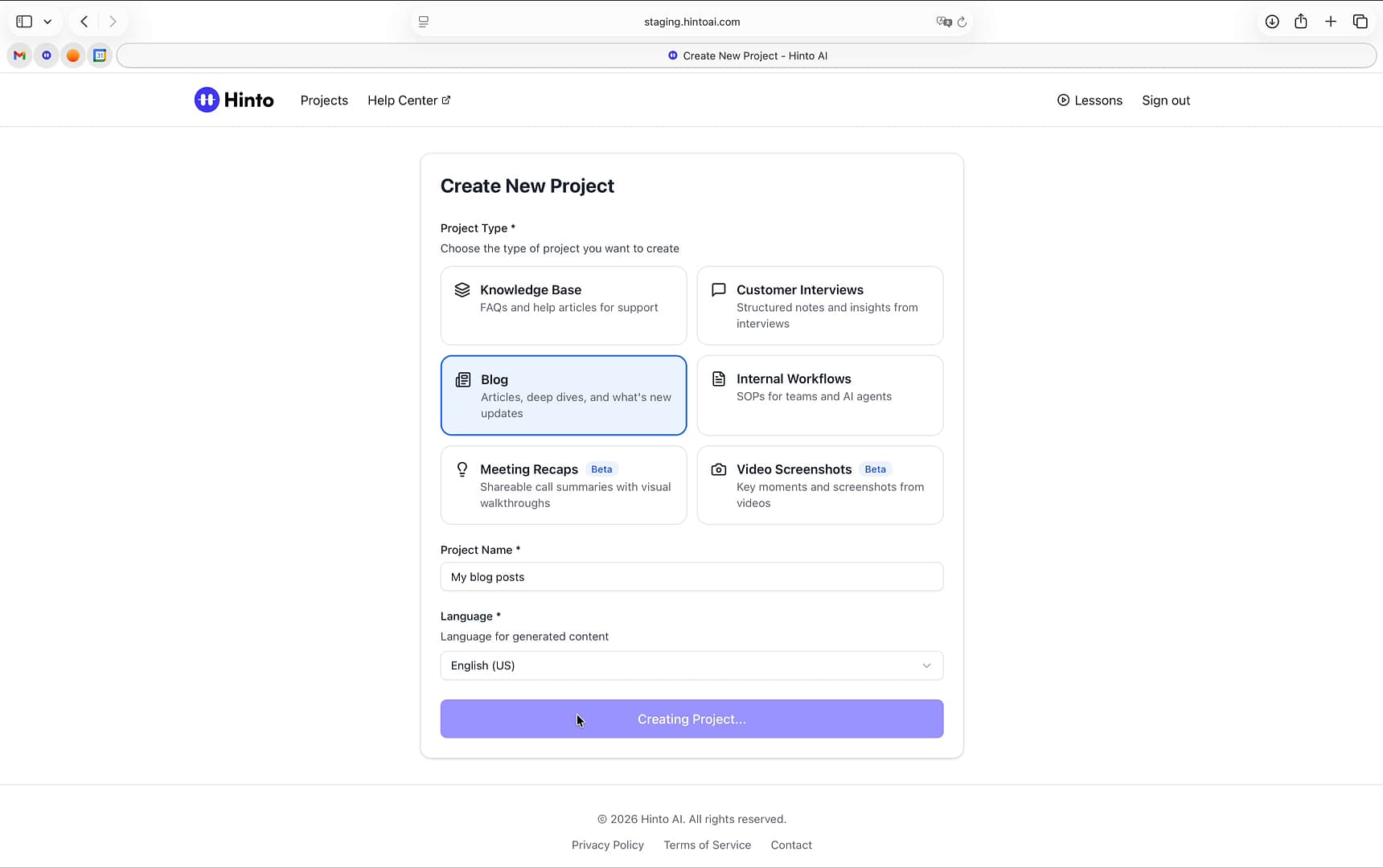
From your Hinto dashboard, navigate to the Create New Project page.
-
Select the Blog project type from the available options.
-
Enter a name for your project in the Project Name field. A general name like 'My blog posts' is useful if you plan to add multiple articles.
-
Choose the language for the generated content from the Language dropdown menu.
-
Click the Create Project button to proceed.
-
In the Select video window, choose how you want to add your video. You can use a Link, Upload a file, or Record a new video. This guide uses the Upload option.
-
Click Browse to open your file explorer.
-
Select your video file and click Upload. Wait for the file to finish uploading and processing.
-
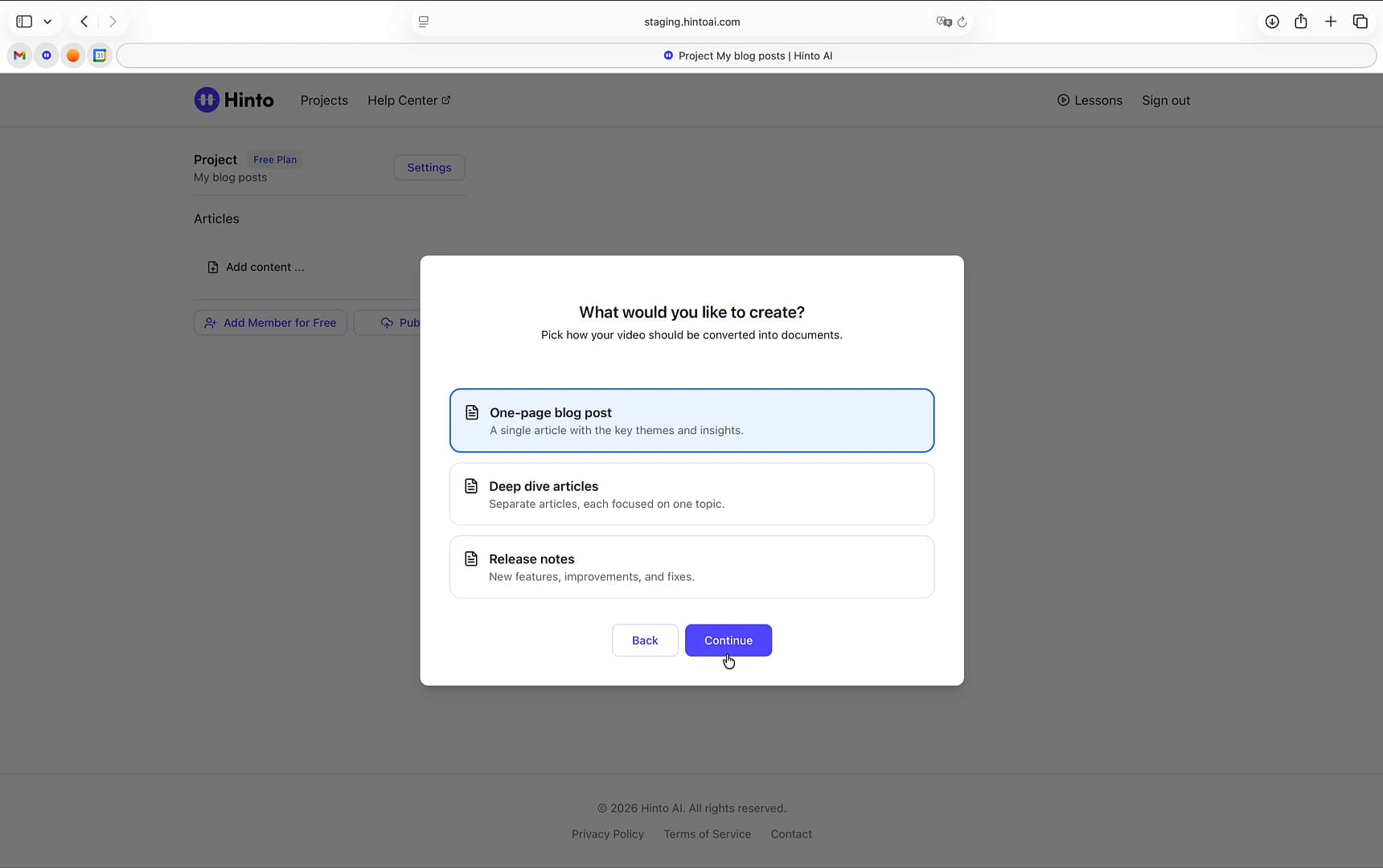
In the 'What would you like to create?' window, pick how your video should be converted. You can choose from One-page blog post, Deep dive articles, or Release notes.
-
Click Continue. Hinto will now analyze your video and generate the article(s).
Summary
This article provides step-by-step instructions on how to create a blog project using a video as the primary source material. It covers selecting the blog project type, uploading a video, and choosing from different article generation formats like a single post, deep dives, or release notes. This feature allows you to quickly repurpose video content into well-structured written articles for your audience.