How to Restore an Article to a Previous Version
This guide explains how to restore an article to a previously saved version using Hinto's version history. This feature is useful if you need to undo recent changes, compare drafts, or revert to an earlier state of your content. You will need to be in the editor for the article you wish to restore.
-
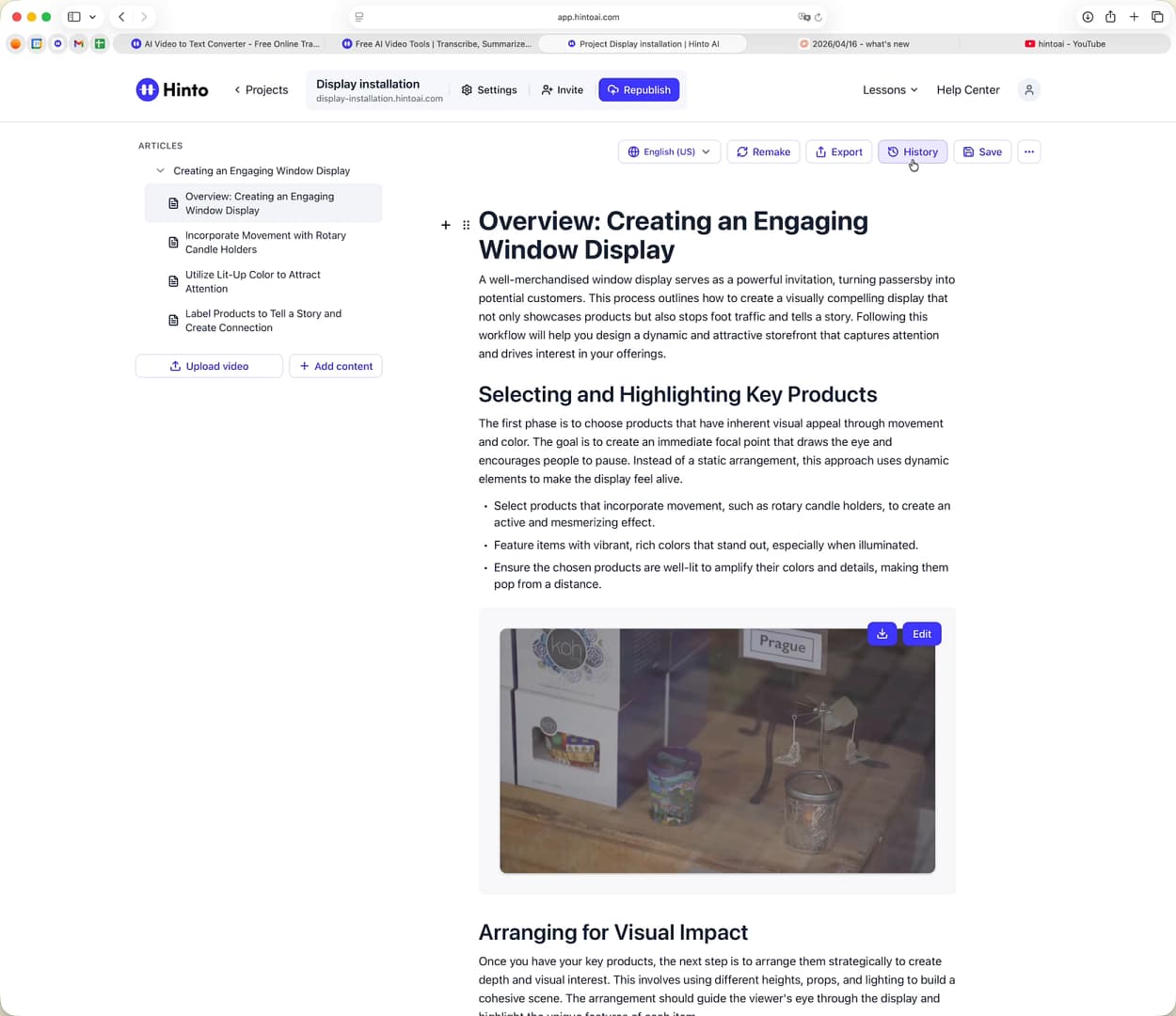
From the article editor, click the History button located in the top action bar.
-
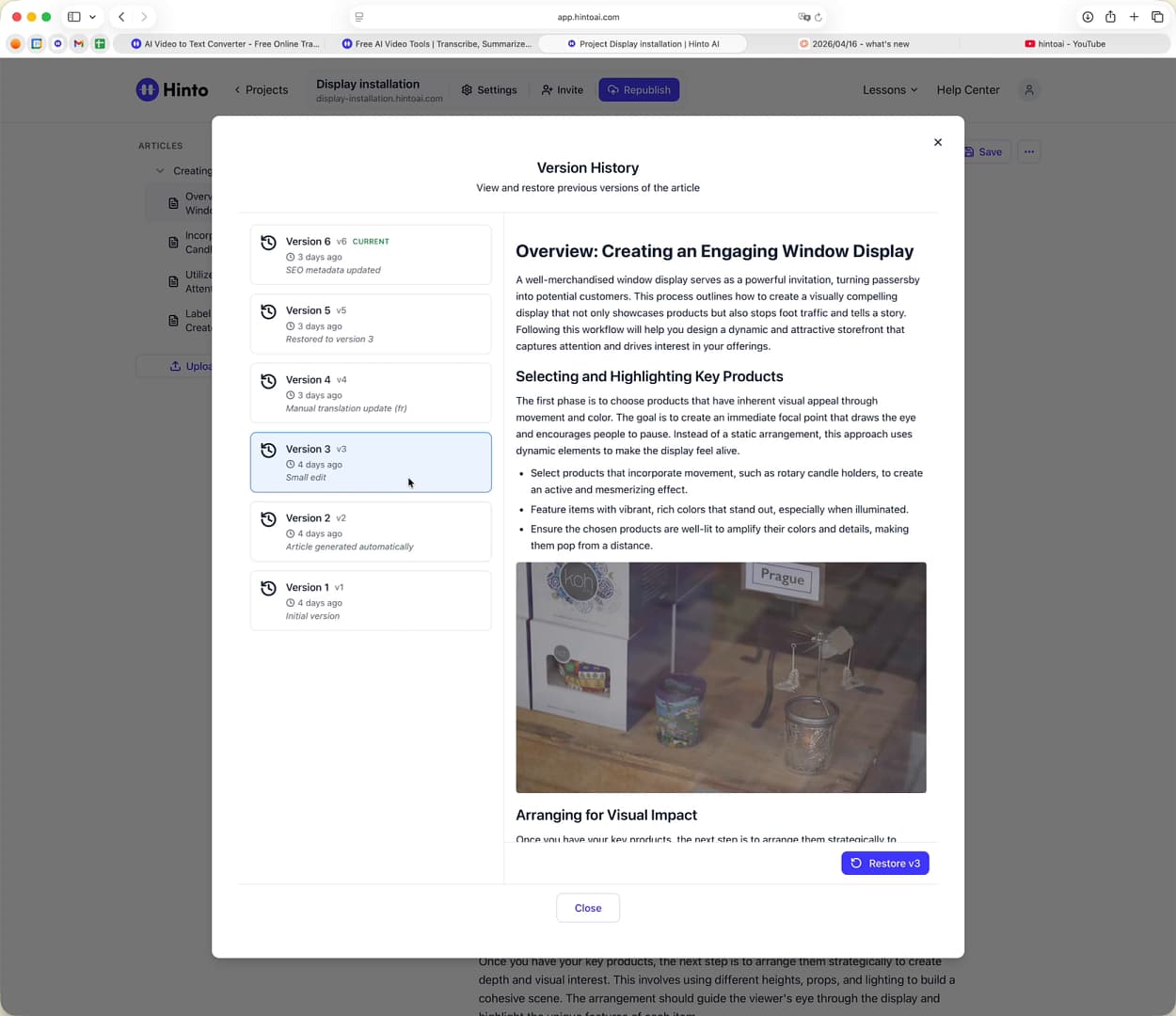
The Version History window will open. Select a version from the list on the left to see a full preview of it on the right.
-
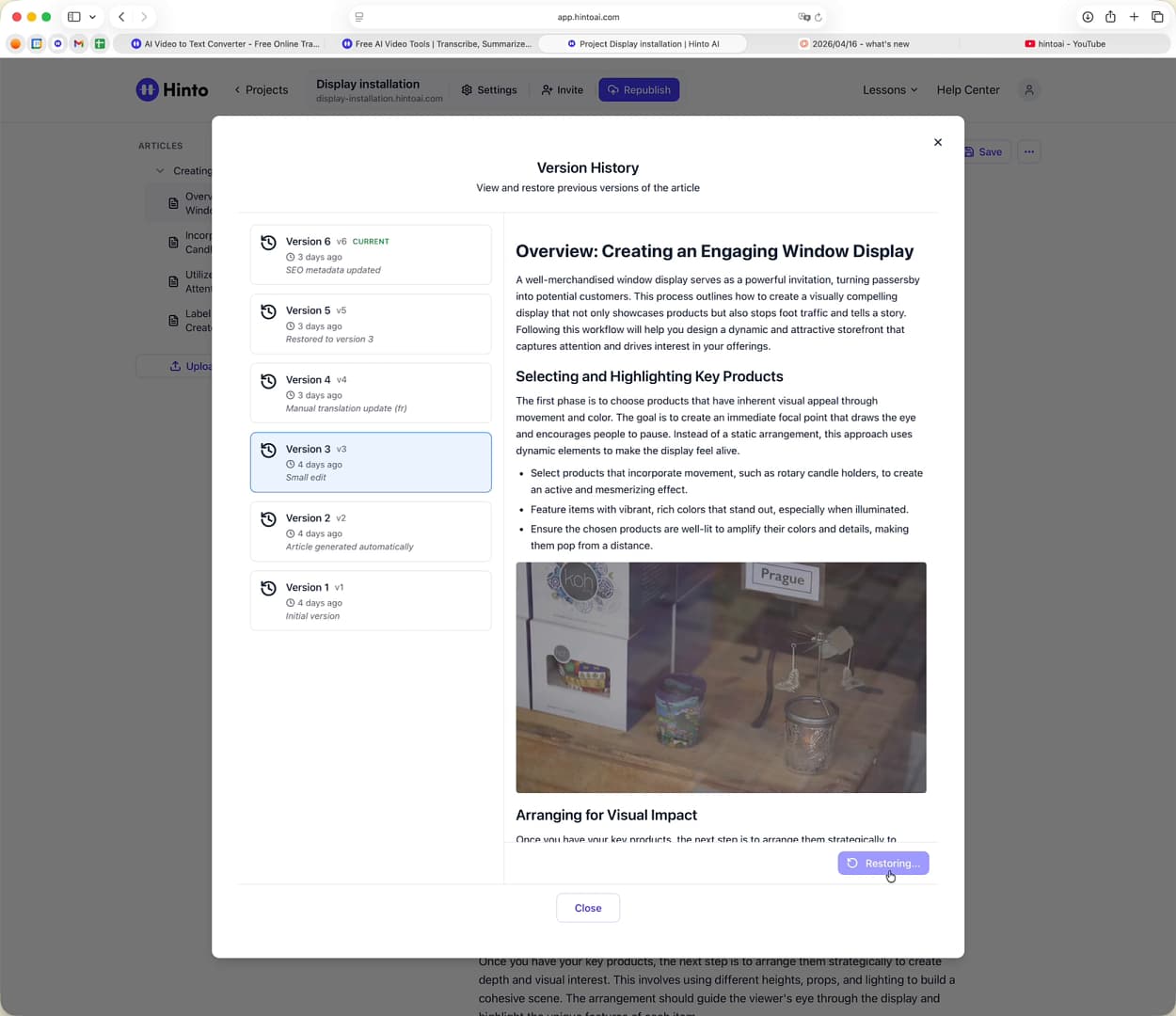
Once you have found the version you wish to restore, click the blue Restore button at the bottom of the window.
Summary
Hinto's version history provides a complete record of all saved changes to your articles. This guide shows you how to access this history, preview previous versions, and restore your article to any point in time with a single click. This functionality acts as a safety net, ensuring you can confidently edit content without fear of losing previous work.