How to Navigate a Published Hinto AI Blog
When you publish a project using the Blog layout, Hinto AI creates an engaging and easy-to-navigate website for your readers. This guide explains how to navigate the main components of a published blog, including the homepage grid and individual article pages.
-
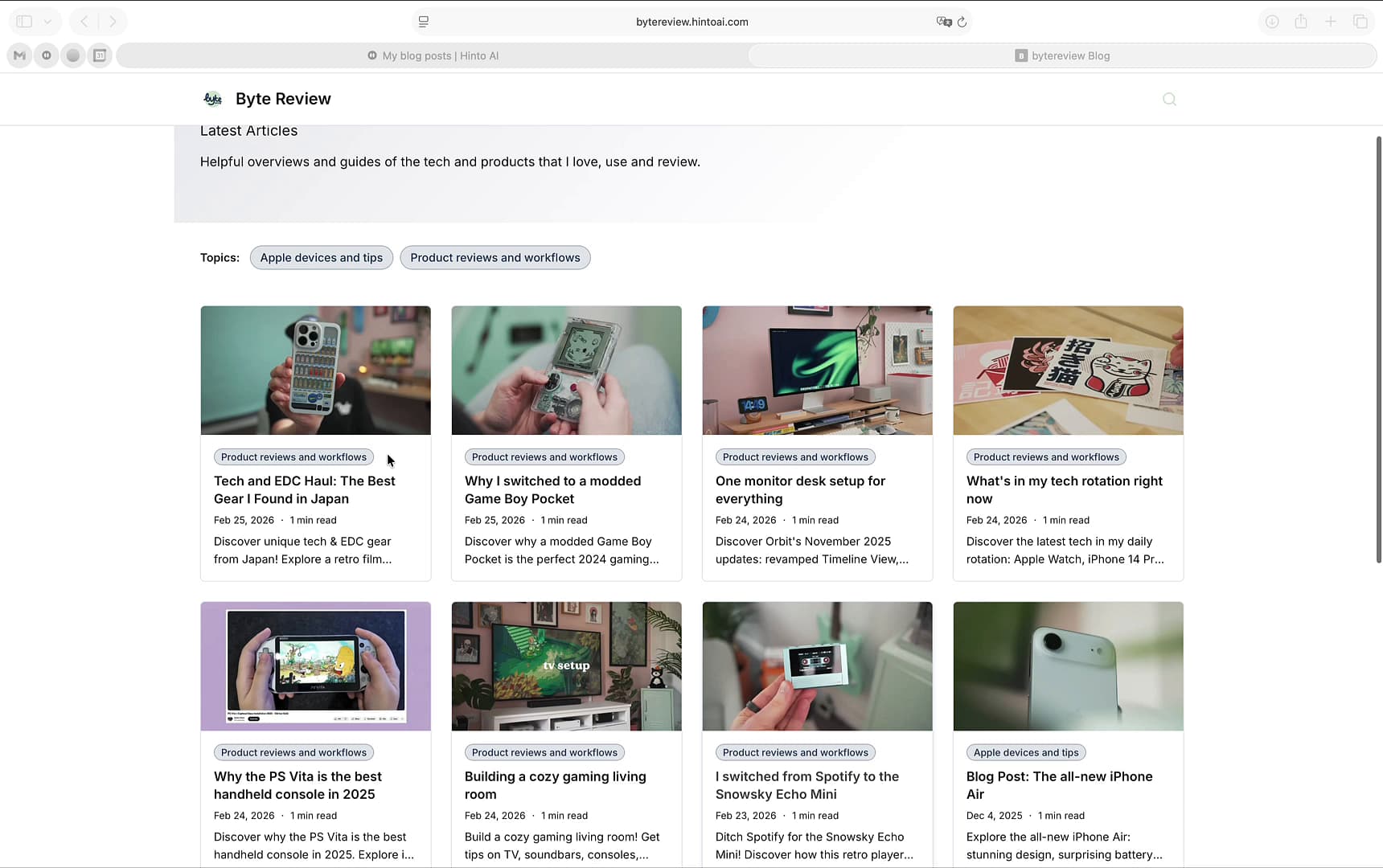
Your blog's homepage features a customizable Hero Section at the top, which displays the main title and description of your blog.
-
Below the hero section, you can use the Topics buttons to filter the articles by category, helping you find relevant content quickly.
-
Scroll through the grid of articles on the homepage. To read a full post, click on its title or featured image.
-
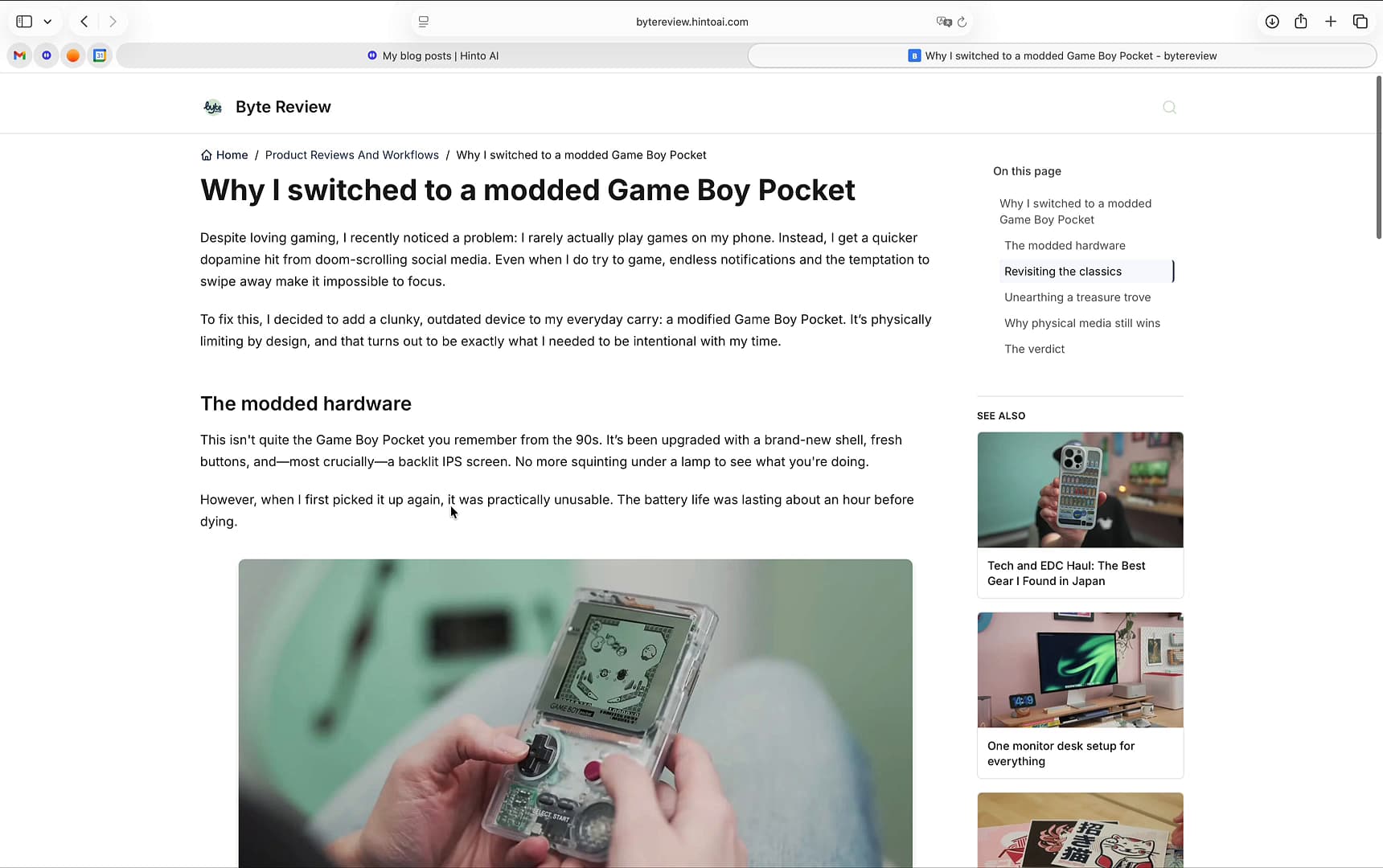
On an individual article page, use the **On this page **table of contents in the right sidebar to jump directly to specific headings within the article.
-
Discover more content in the SEE ALSO section, located below the table of contents, which displays a list of related articles.
-
Use the breadcrumb navigation at the top of the page to easily return to the homepage or a category page.
Summary
This article explains the user-facing navigation of a blog created with Hinto AI. It covers the key elements of the blog layout, including the homepage grid with topic filters, the individual article view, the in-article table of contents, and the section for related articles.