How to Configure the Homepage Hero Section for Your Blog
This guide explains how to customize the hero section for your published blog's homepage. The hero section is the main banner at the top of your page, including a title, subtitle, and description, which helps create a strong first impression for your visitors. You will need to have an existing blog project to complete these steps.
-
From your project dashboard, click the Settings button.
-
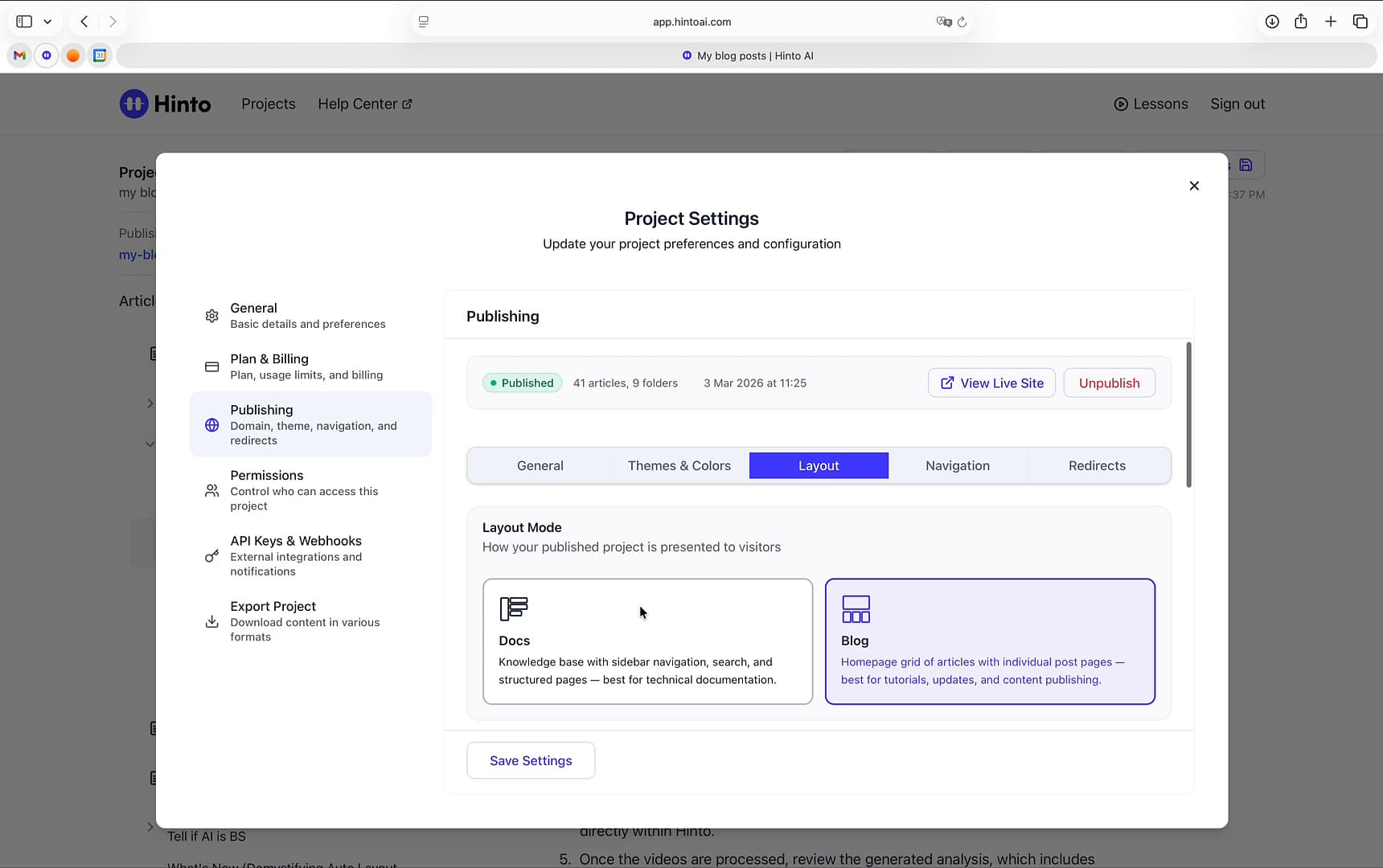
In the Project Settings window, select Publishing from the left-side navigation menu.
-
Navigate to the Layout tab.
-
Under Layout Mode, ensure that Blog is selected. This layout displays a homepage grid of your articles.
-
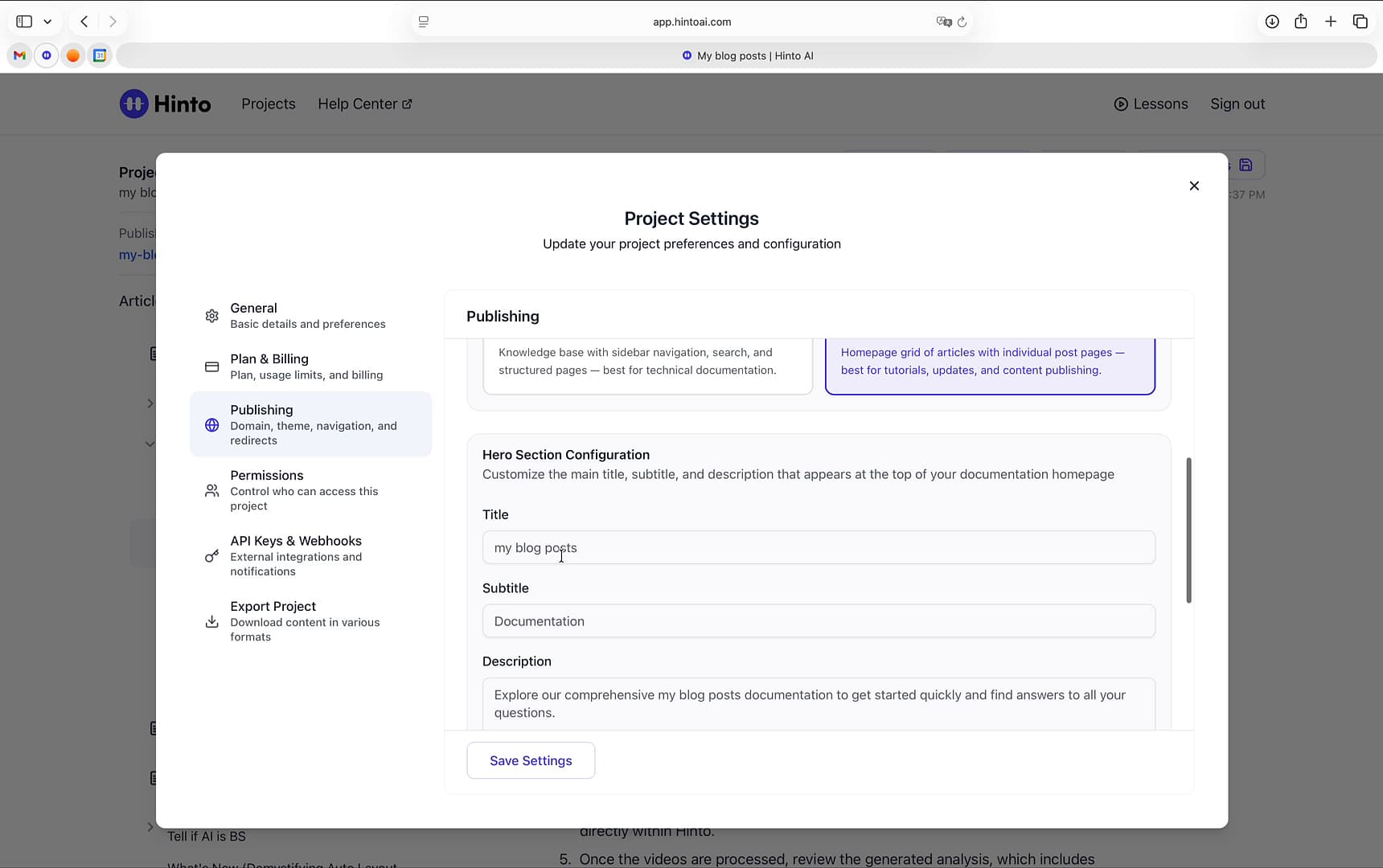
Scroll down to the Hero Section Configuration area.
-
Enter your homepage title in the Title field.
-
Add a brief subtitle in the Subtitle field.
-
Write an introductory message for your visitors in the Description field. A preview of the hero section will appear below.
-
Click Save Settings to apply your changes.
-
Make sure to save and republish your site for the changes to take effect.
Summary
This article provides step-by-step instructions on how to customize the hero section of your blog's homepage. By configuring the title, subtitle, and description, you can create a welcoming and informative entry point that aligns with your brand and sets the right context for your readers.