Use the Audit Log to Track Workspace Activity
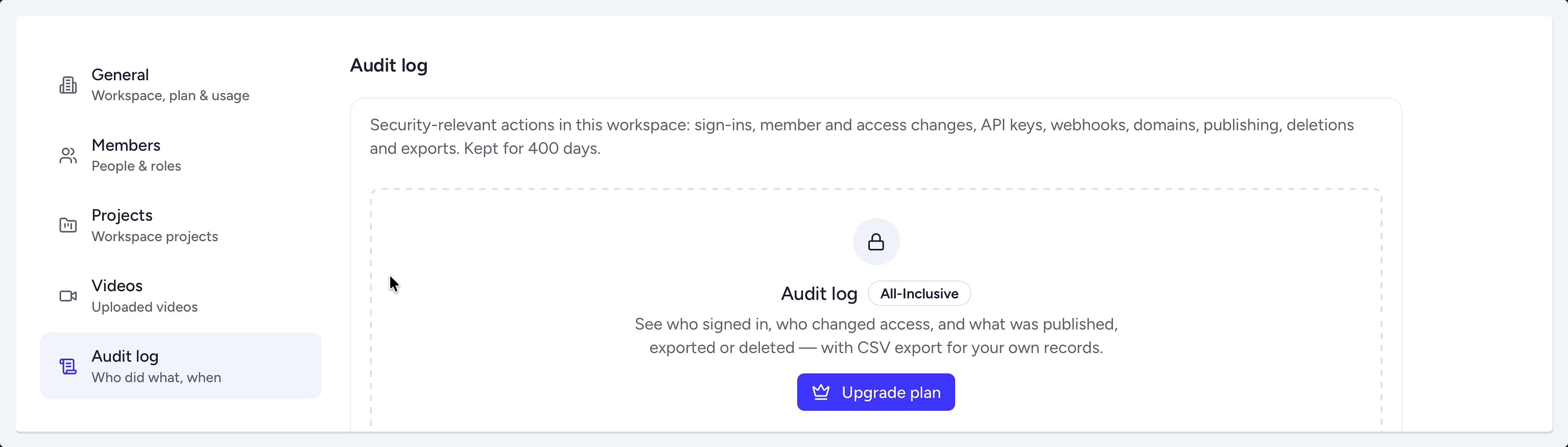
The Audit Log provides a detailed, chronological record of security-relevant actions taken within your workspace. It is an essential tool for monitoring activity, ensuring compliance, and troubleshooting access-related issues. You can find the Audit Log within your workspace settings.
Accessing the Audit Log
To view the activity history for your workspace, you first need to navigate to the workspace management area.
- From the main Projects dashboard, click the Manage Workspace button.
- In the workspace settings menu on the left, select the Audit log tab.
Understanding Logged Actions
The Audit Log captures a wide range of important events, giving you a clear picture of who did what, and when. This feature is available on the All-inclusive plan. All log entries are kept for 400 days.
Key actions tracked include:
- User Activity: Successful sign-ins by workspace members.
- Permission Changes: Updates to member roles and access levels.
- Integration Activity: Creation or modification of API keys and webhooks.
- Publishing Events: Changes to custom domains, publishing of projects, and deletions.
- Content Exports: Records of when projects or folders are exported.
Summary
The Audit Log offers a comprehensive and secure record of all critical activities performed within your Hinto AI workspace. This feature enables administrators to monitor user sign-ins, track permission changes, and oversee content publishing and exports, providing enhanced security and control. By maintaining a 400-day history of events, the Audit Log is an invaluable tool for compliance and governance.