How to Enable or Disable a Translated Article
This guide explains how to enable or disable specific language versions of your articles. Following these steps allows you to control which translations are visible to your audience, which is useful when content or features are not available in all regions. You will need an article that has already been translated.
-
Navigate to the article for which you want to manage a translation.
-
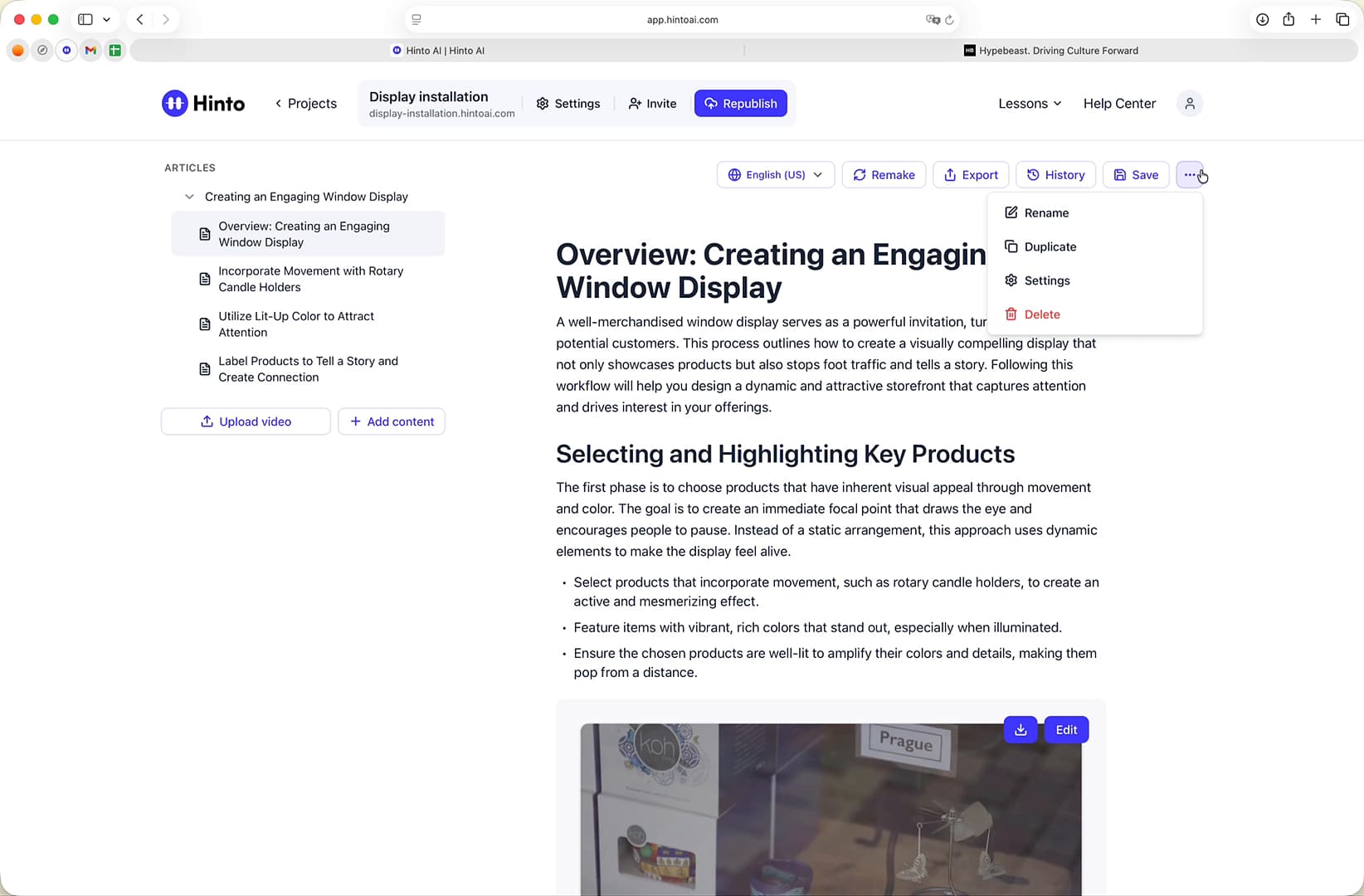
In the top-right corner of the editor, click the ... (More options) icon.
-
Select Settings from the dropdown menu.
-
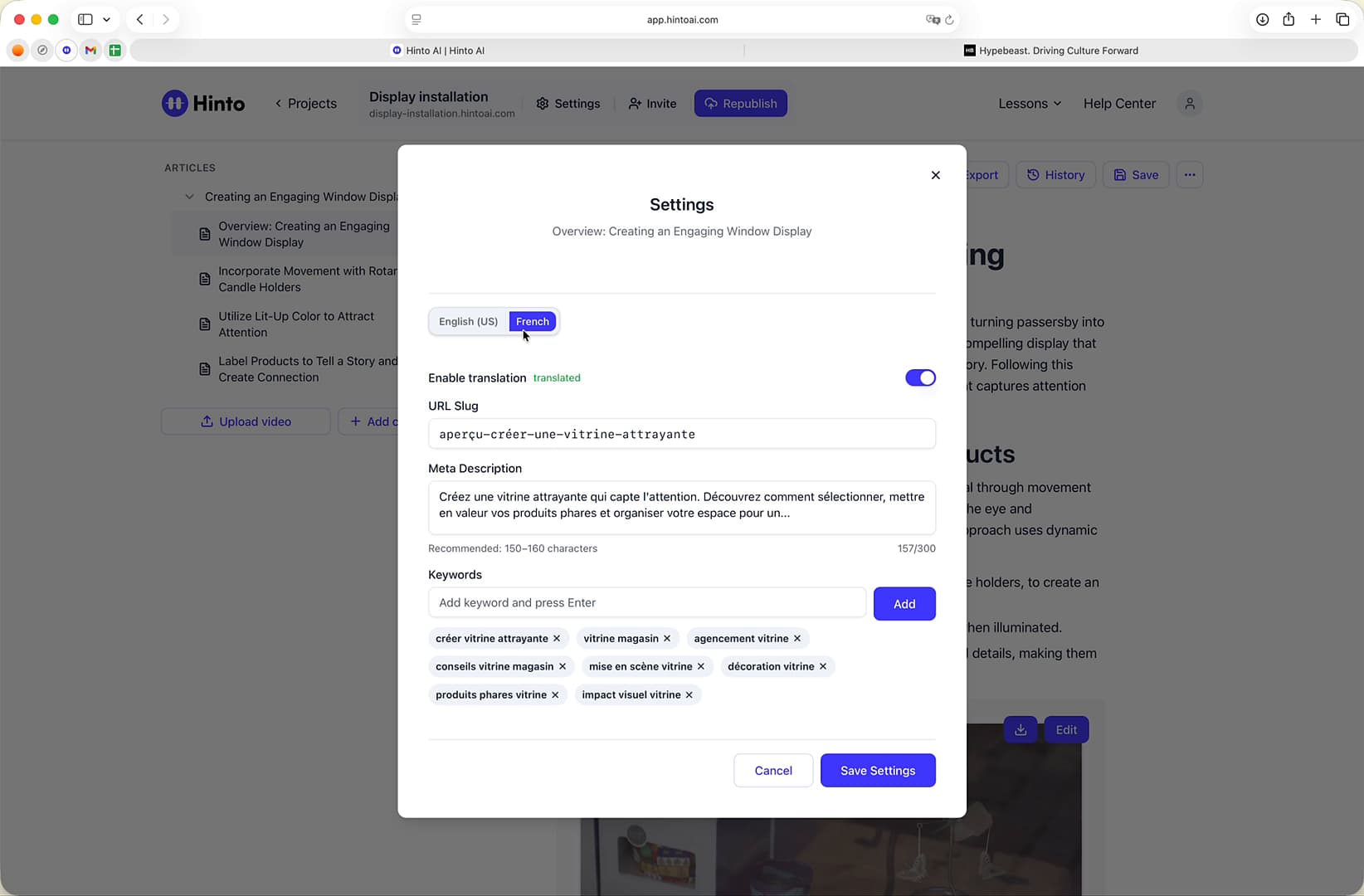
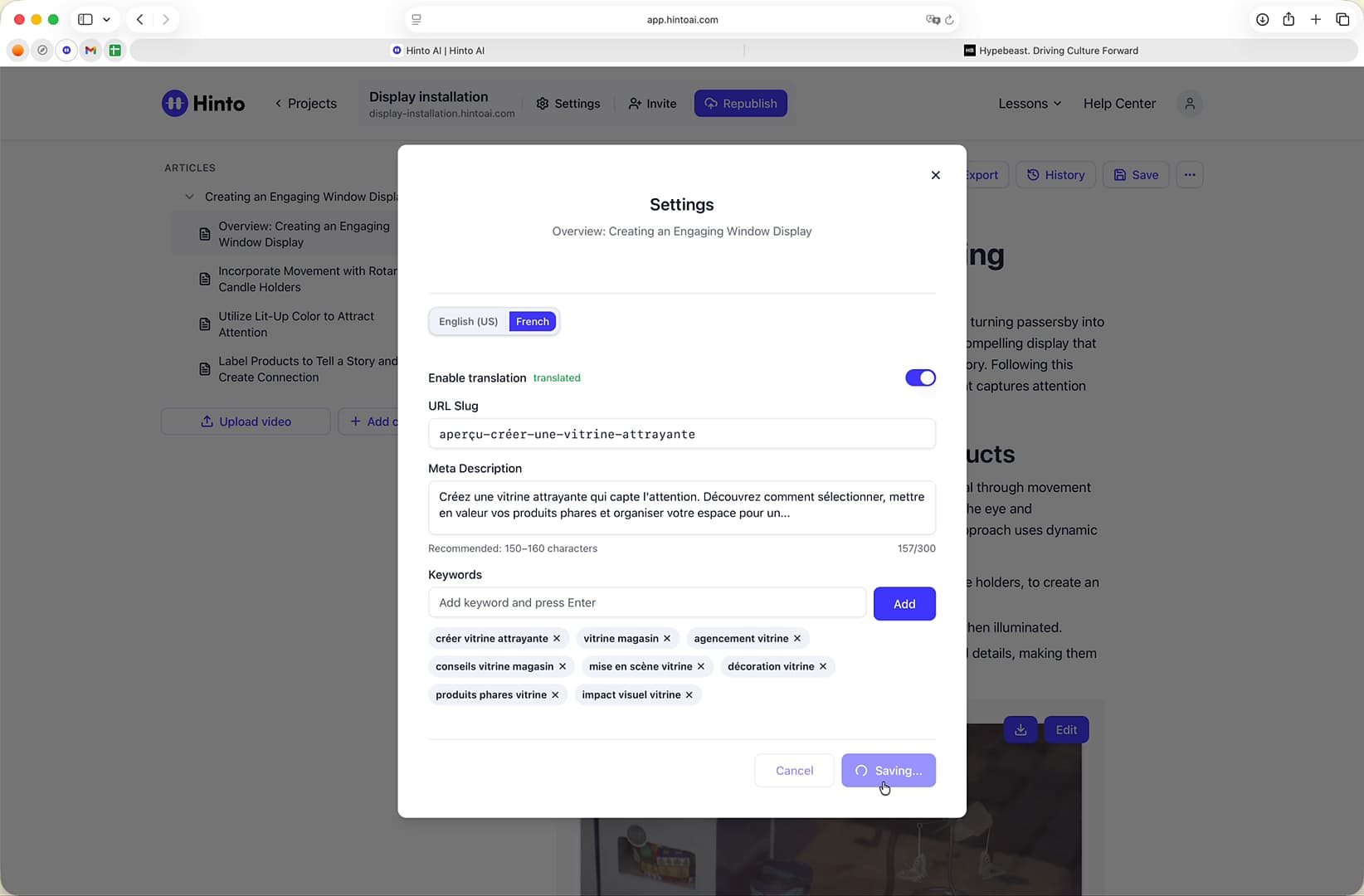
In the Settings window, select the tab for the language you want to manage (e.g., French).
-
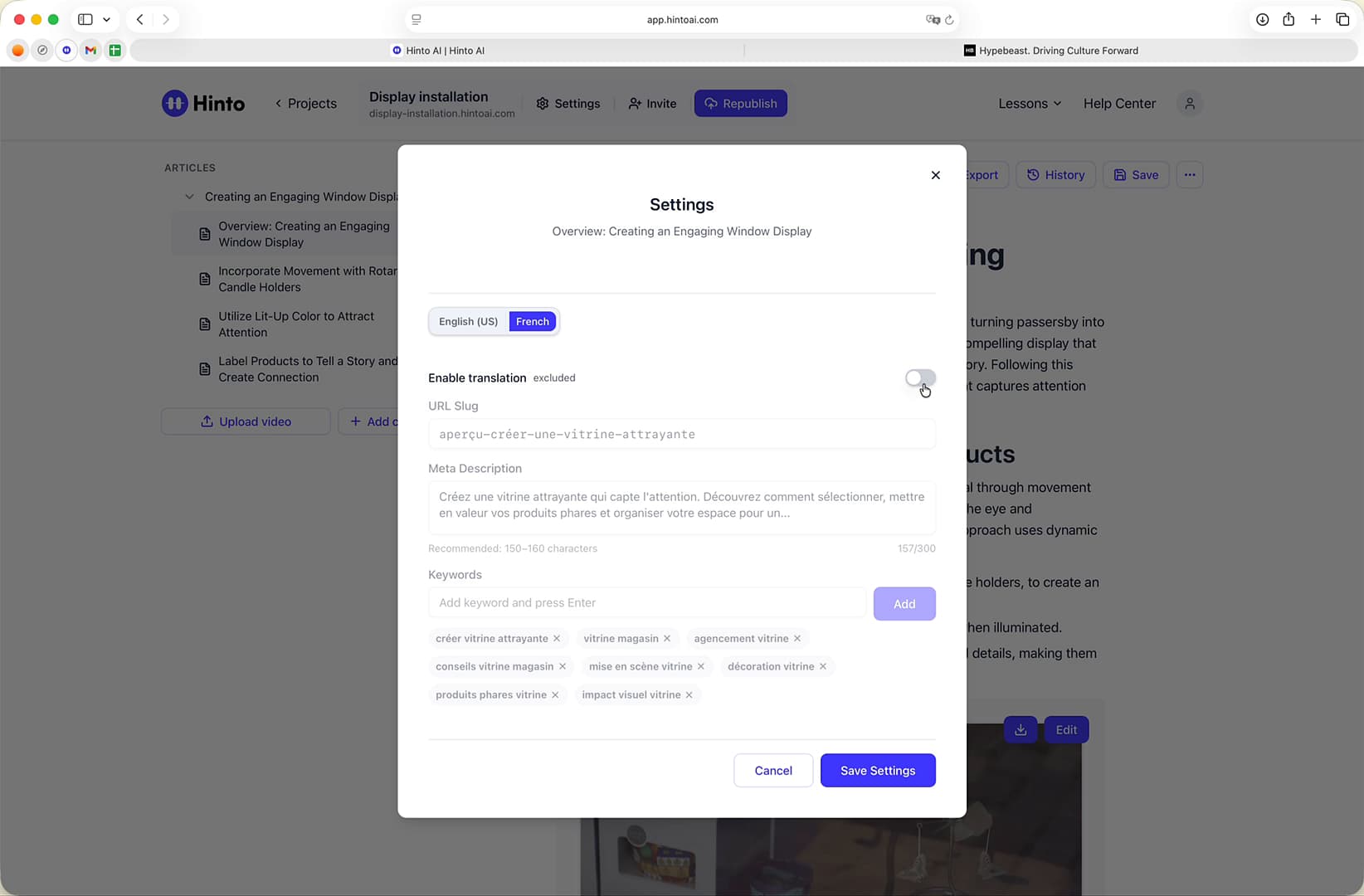
Click the Enable translation toggle to change its status.
-
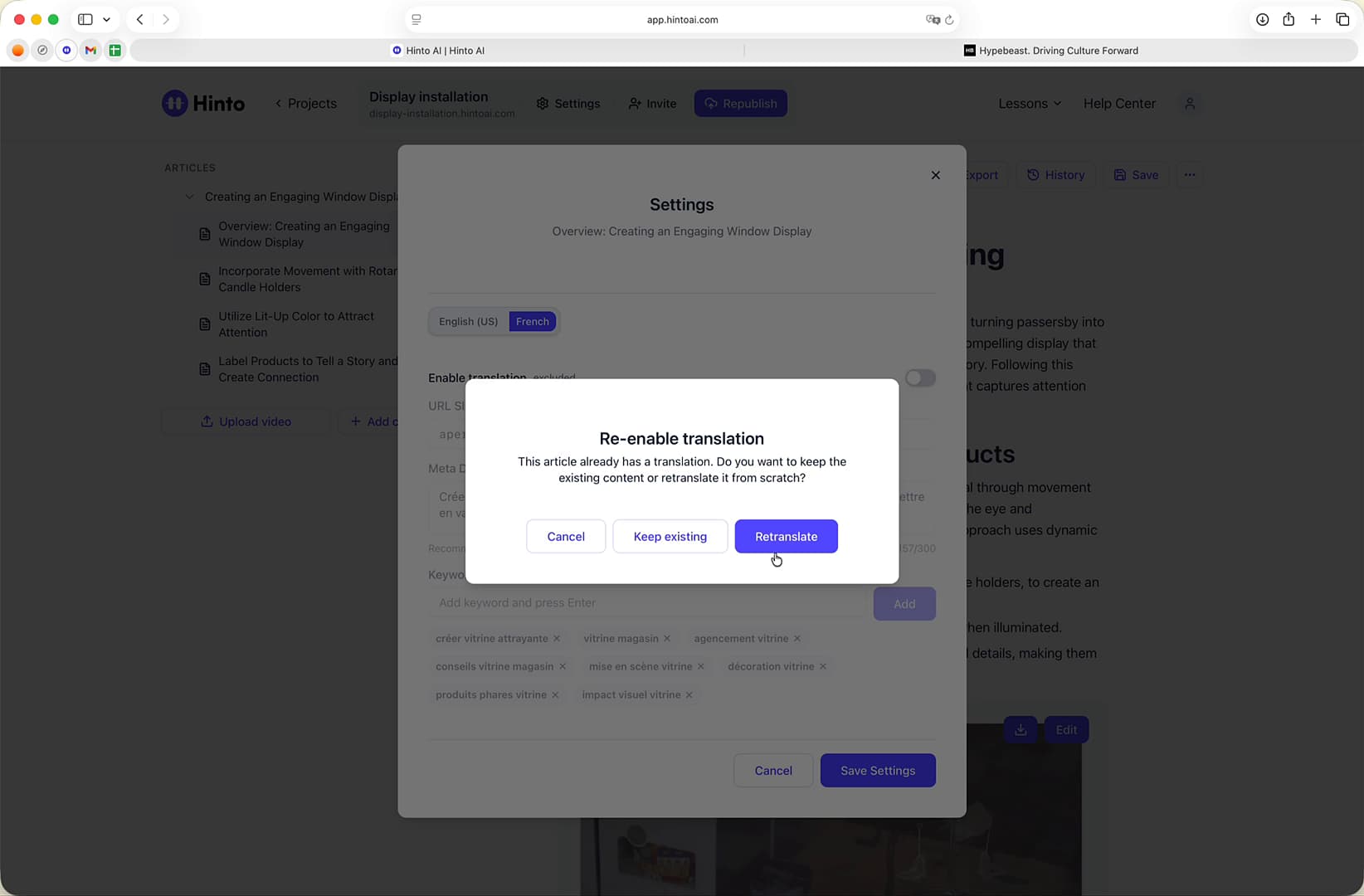
If you are re-enabling a translation that was previously disabled, a "Re-enable translation" window will appear. Choose one of the following options:
-
Click the Save Settings button to apply your changes.
-
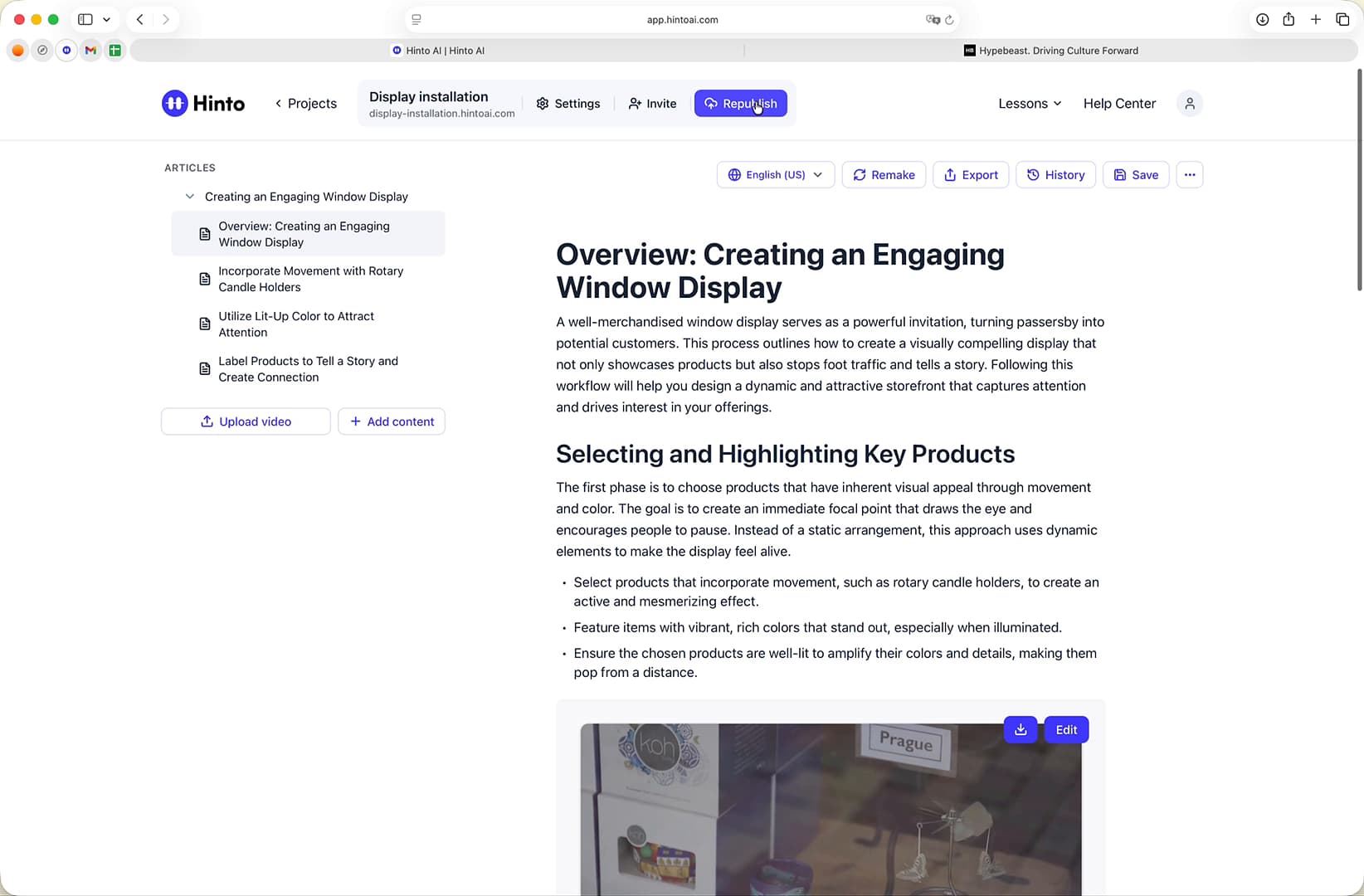
Click the Republish button at the top of the page to make your changes live.
Summary
This article demonstrates how to manage the visibility of your translated articles. By accessing the language-specific settings, you can enable or disable individual translations, providing granular control over your multilingual content. This functionality is essential for ensuring that only relevant and available information is published for each specific language audience.