How to Configure SEO Settings for Translated Articles
This guide shows you how to customize SEO settings for different language versions of your articles. Following these steps allows you to optimize the URL slug, meta description, and keywords for each translation, improving search engine performance in local markets. You will need an article that has already been translated into one or more languages.
-
Navigate to the article you want to configure.
-
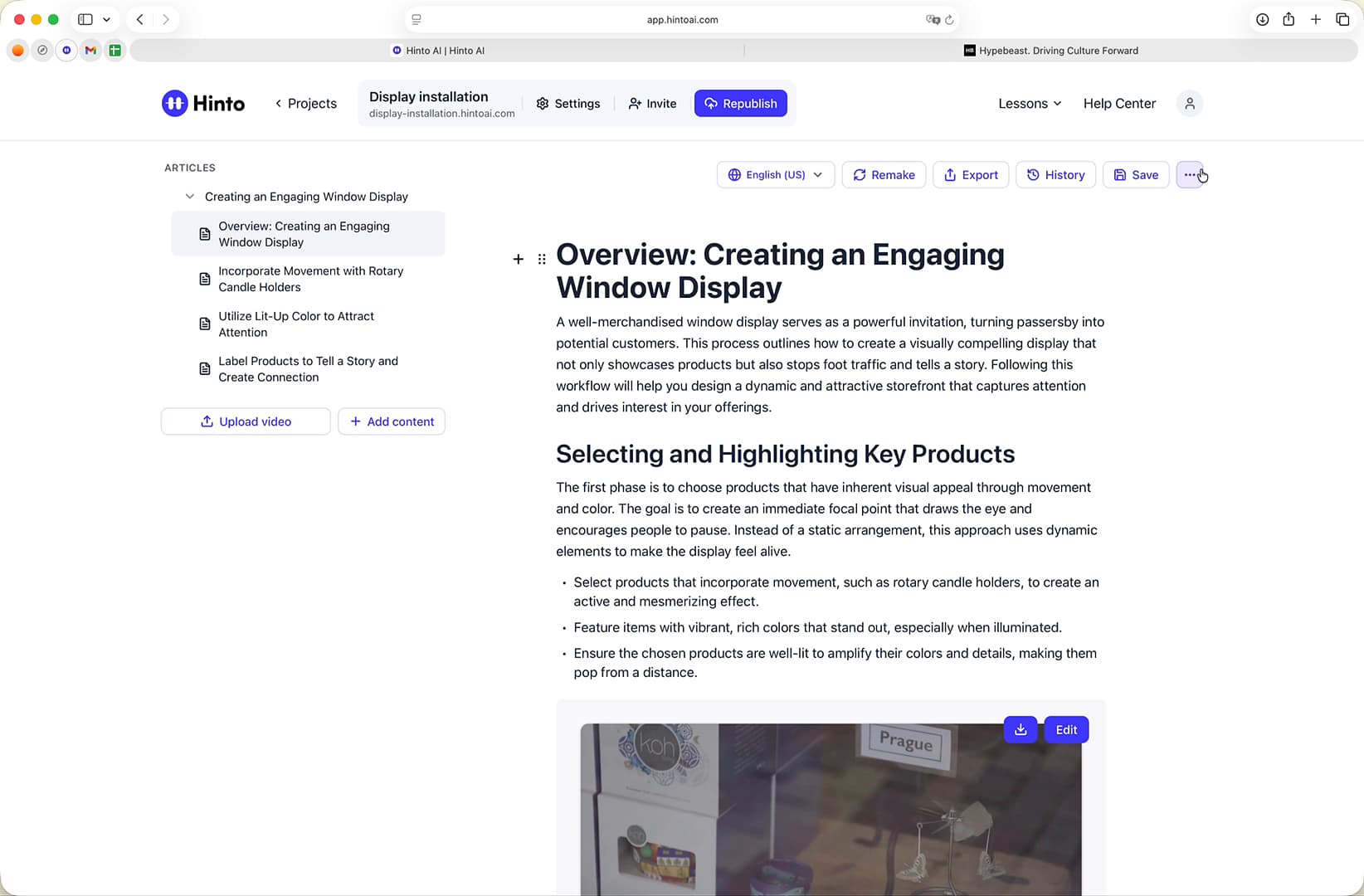
Click the three-dot menu icon located next to the Save button.
-
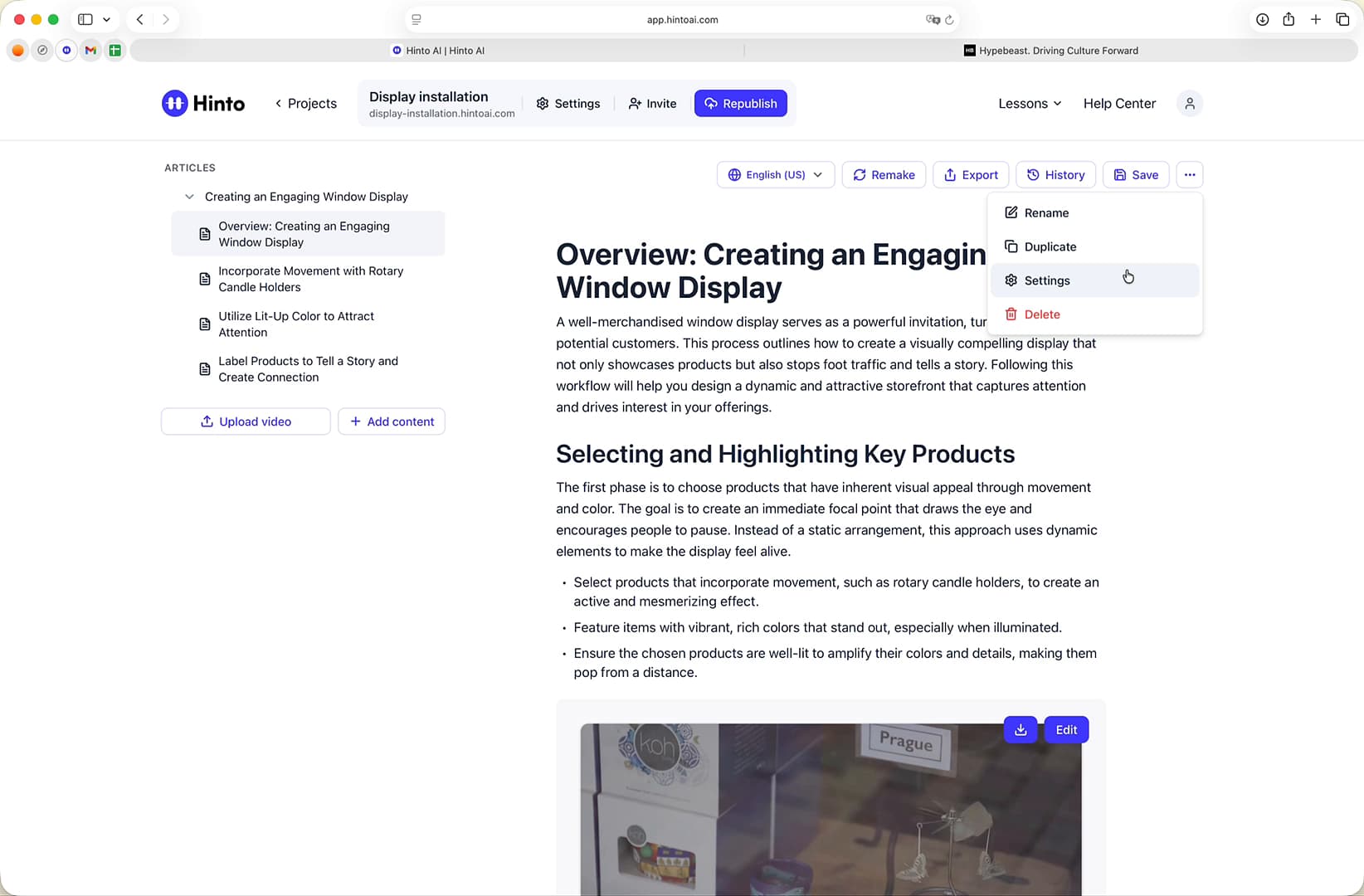
Select Settings from the dropdown menu.
-
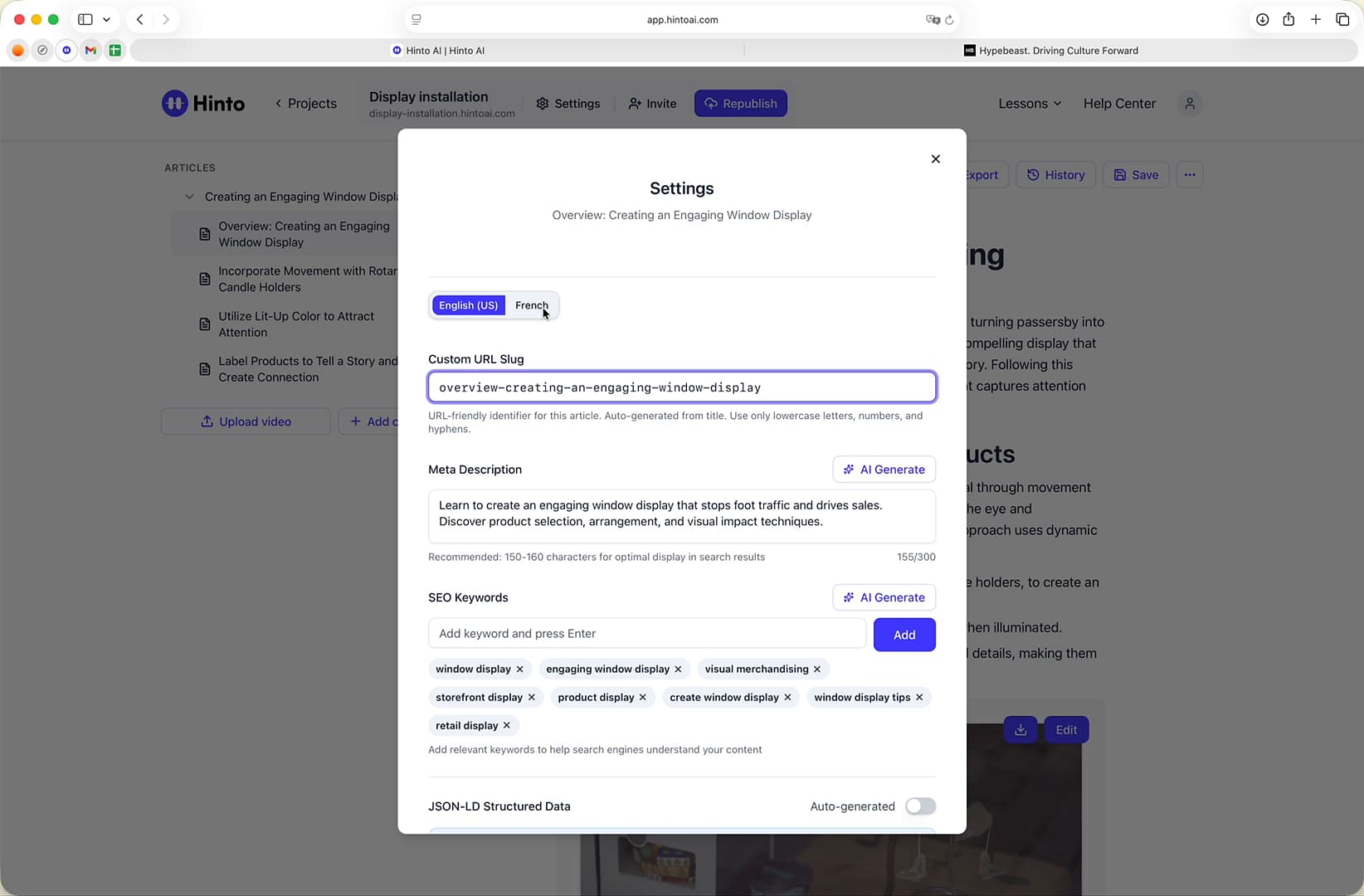
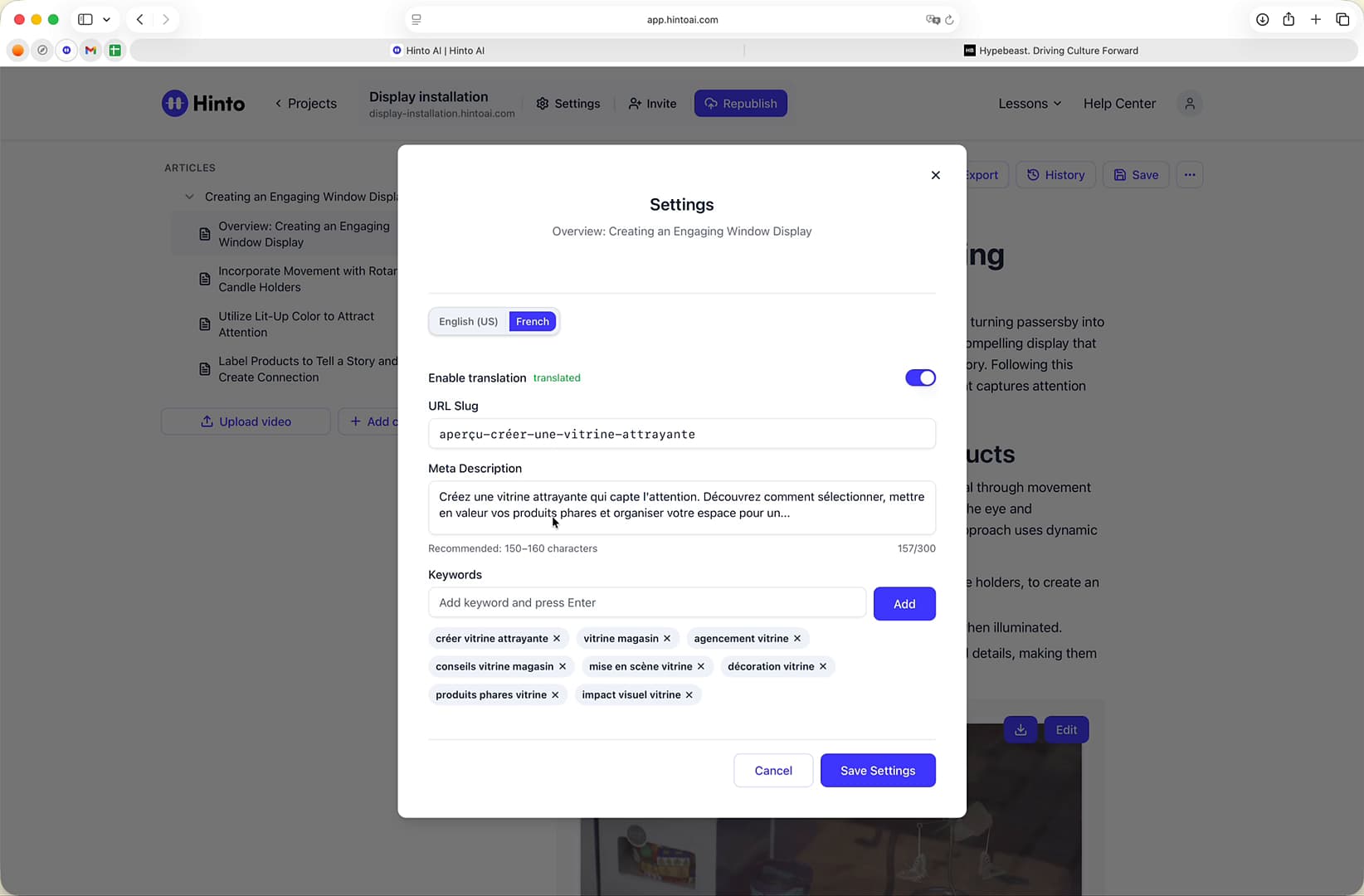
In the Settings window, click the tab corresponding to the language you wish to edit (e.g., French).
-
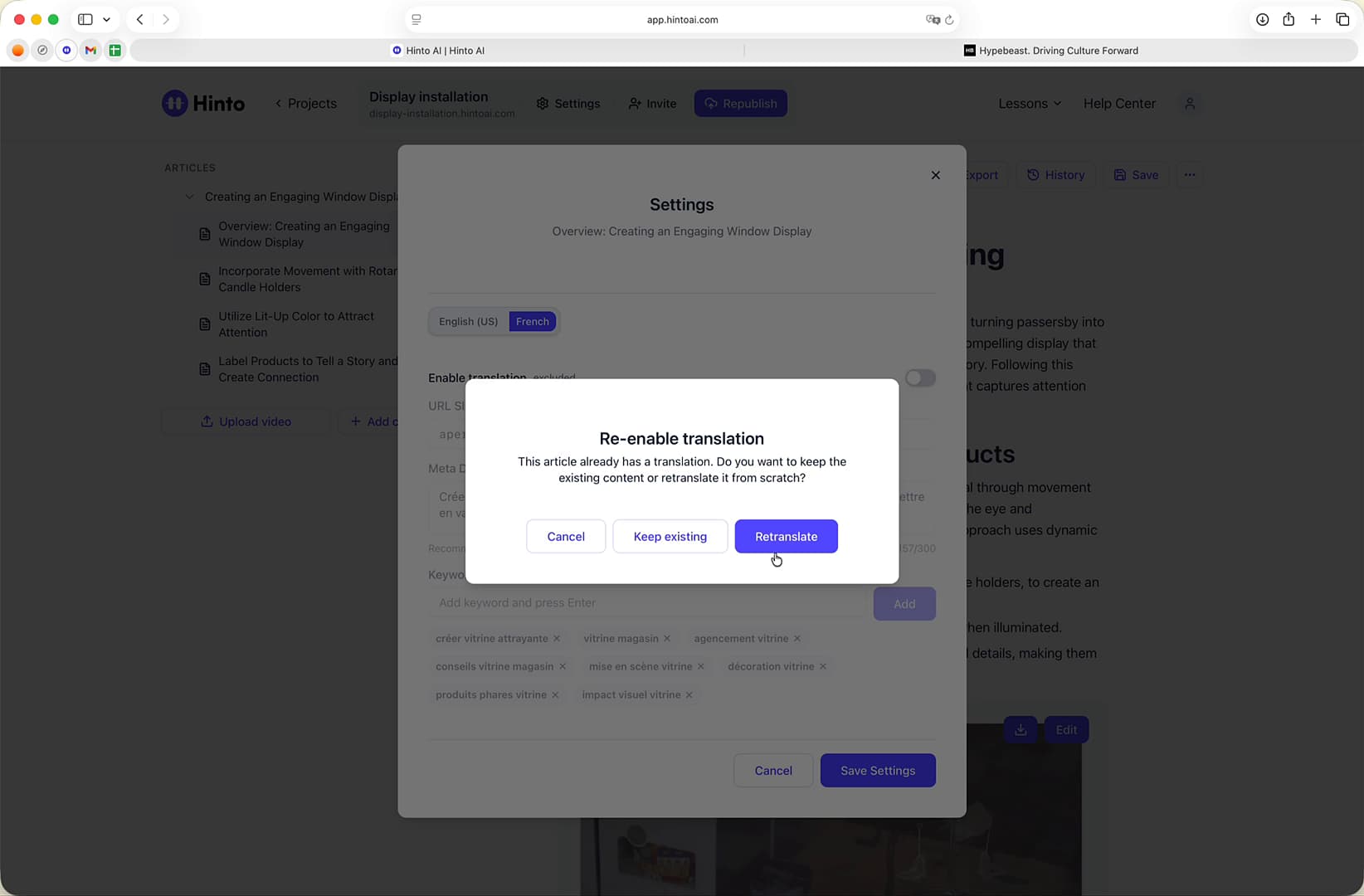
Ensure the Enable translation toggle is switched on. If you are re-enabling a translation, you may be prompted to keep the existing content or retranslate it from scratch.
-
Update the URL Slug, Meta Description, and Keywords to optimize them for the selected language.
-
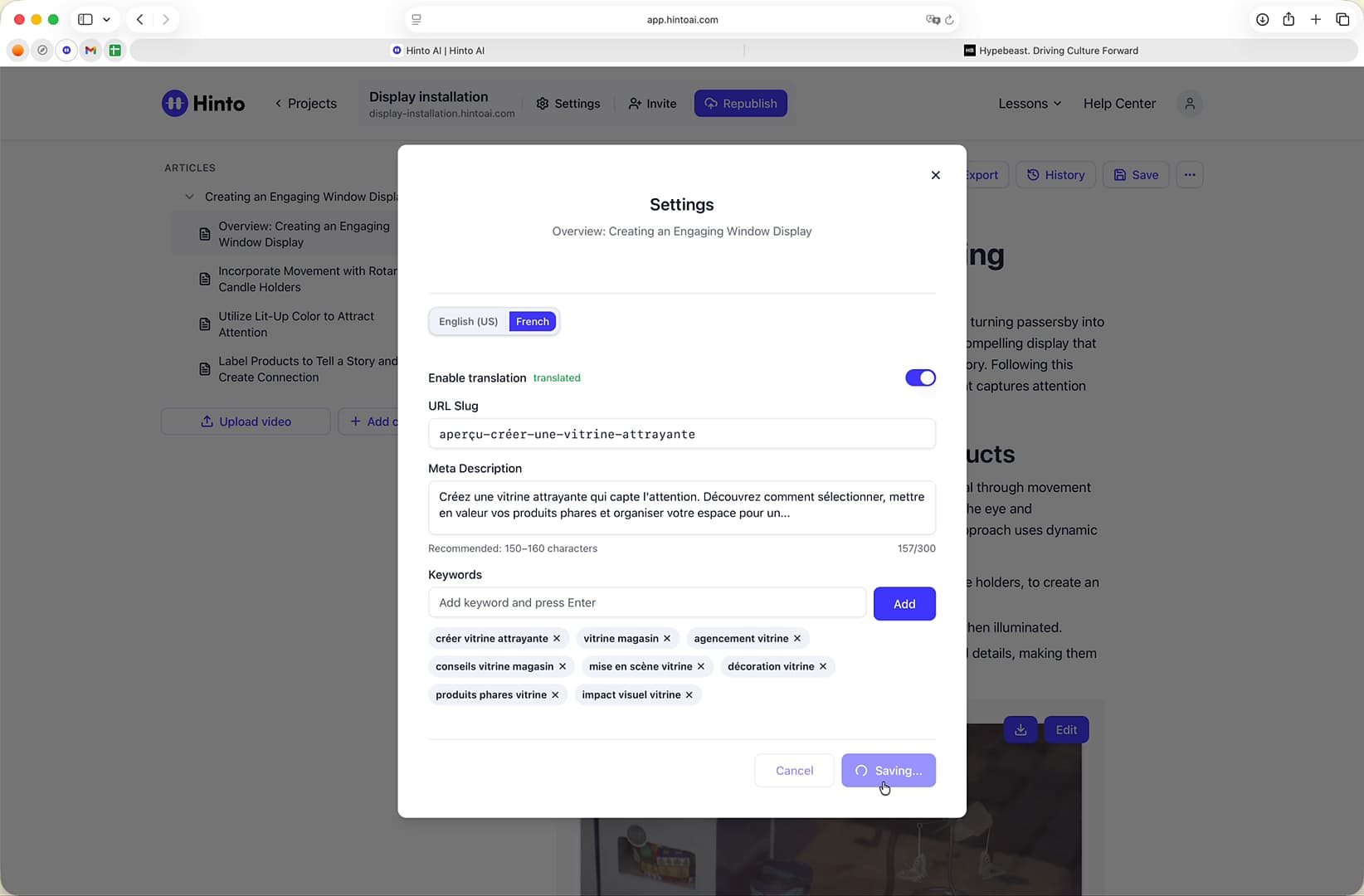
Click the Save Settings button.
-
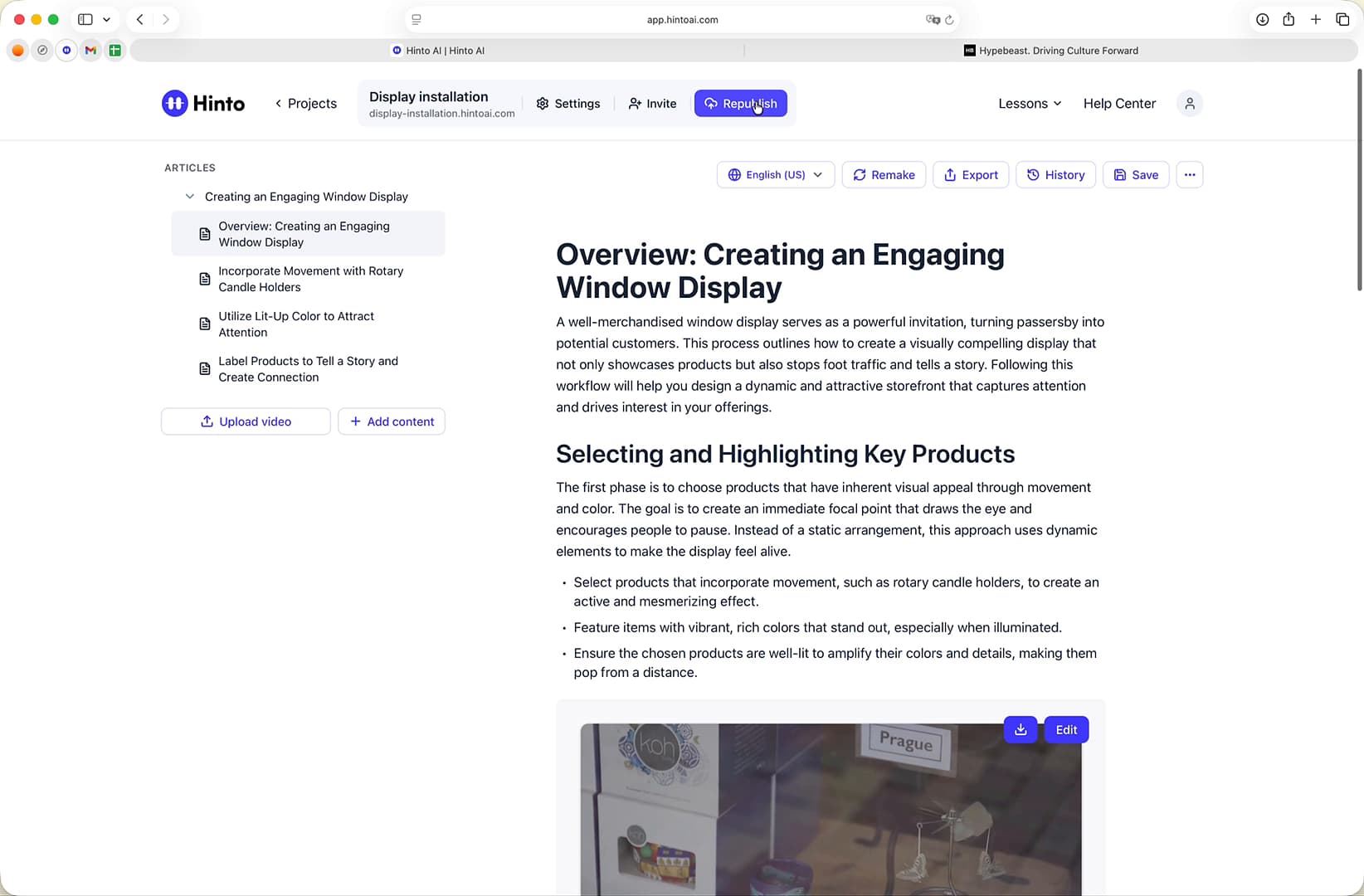
Click Republish at the top of the page to make your changes live.
Summary
This article provides a step-by-step walkthrough on how to configure unique SEO settings for each translated version of your content. By customizing the URL slug, meta description, and keywords for different languages, you can enhance your article's visibility and relevance in regional search engine results, ensuring it effectively reaches a global audience.