
Training Guide Template: Free to Copy or Download as a PDF
This training guide template gives managers and trainers a ready structure for teaching one task to a new hire or a colleague, from learning objectives to sign-off.
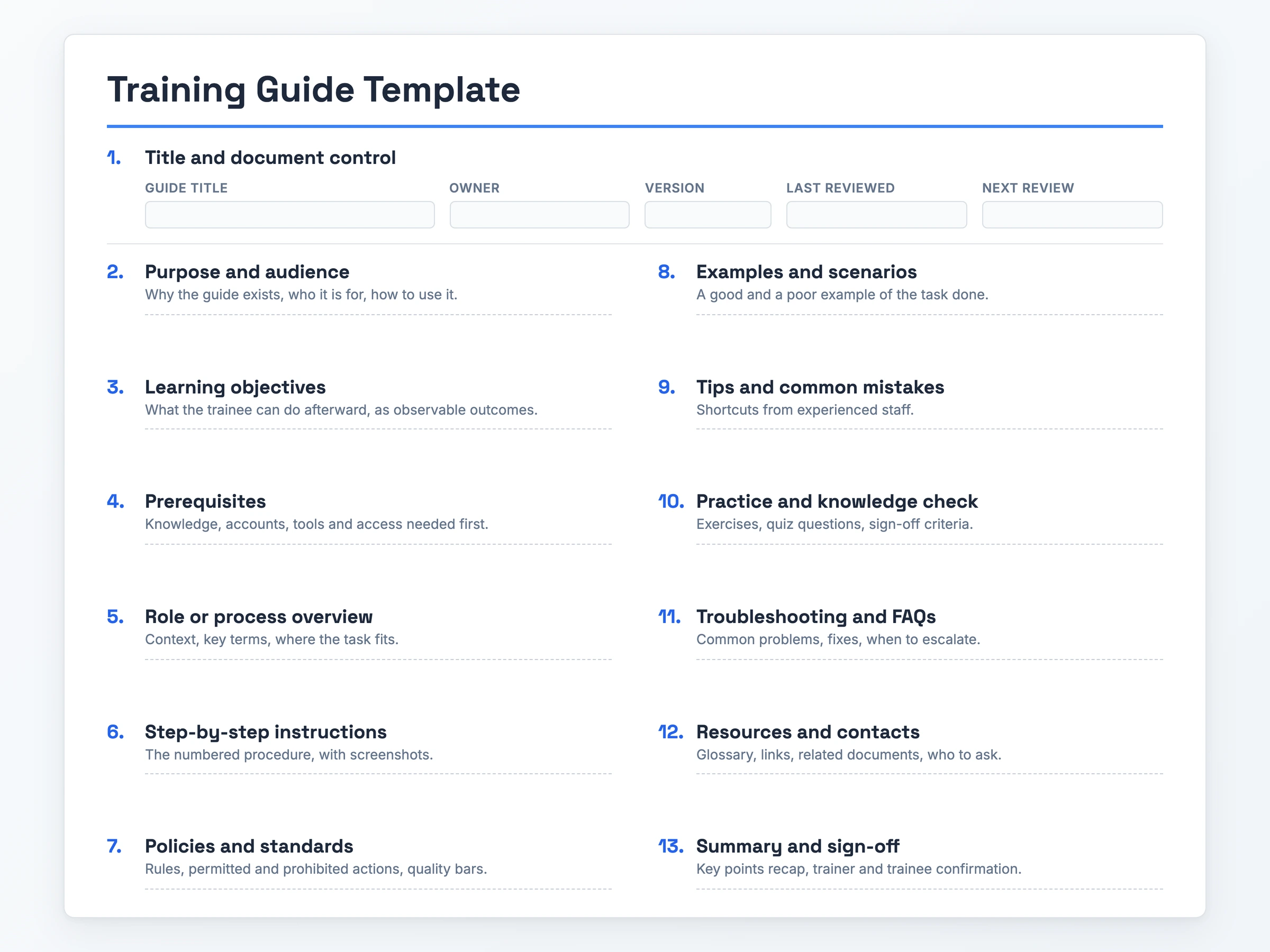
You can copy the full template into Word or Google Docs, or download the blank template and a filled-in example as a PDF, without creating an account.
What it is: a short document that teaches one task, while a training manual template bundles many tasks in more depth.
When to use it: onboarding new hires first, and later cross-training, software rollouts and customer service training.
What it must contain: purpose and audience, learning objectives, prerequisites, numbered steps with a screenshot for each on-screen step, a knowledge check and sign-off.
How to write it: plain language and short sentences. Use jargon only where the trainee needs the term.
The Training Guide Template (Copy-Paste Ready)
Training Guide: [Task name]

1. Title and Document Control
Guide title: [Title]
Owner: [Name, role]
Version: [Number]
Last reviewed: [Date]
Next review: [Date]

2. Purpose and Audience
Why this guide exists: [One sentence]
Who it is for: [Role, experience level]
How to use it: [When to read it]

3. Learning Objectives
After this guide, the trainee can:
- [Observable outcome]
- [Observable outcome]

4. Prerequisites
Knowledge: [What they must already know]
Accounts and access: [Systems, permissions]
Tools: [Software, equipment]

5. Role or Process Overview
Context: [Where this task fits]
Key terms: [Term: definition]

6. Step-by-Step Instructions
1. [Action] [Screenshot]
2. [Action] [Screenshot]
3. [Action] [Screenshot]

7. Policies and Standards
Rules: [Rule]
Permitted: [Action]
Not permitted: [Action]
Quality bar: [What a finished task looks like]

8. Examples and Scenarios
Good example: [Description]
Poor example: [Description]

9. Tips and Common Mistakes
Tip: [Shortcut from experienced staff]
Mistake to avoid: [Mistake]

10. Practice and Knowledge Check
Exercise: [Task to practice]
Quiz questions: [Question]
Sign-off criteria: [What passing looks like]

11. Troubleshooting and FAQs
Problem: [Symptom] | Fix: [Action]
Escalate when: [Condition] | To: [Name or team]

12. Resources and Contacts
Glossary: [Link]
Related documents: [Link]
Who to ask: [Name, channel]

13. Summary and Sign-Off
Key points: [Recap]
Trainer: [Name, date]
Trainee: [Name, date]
The headings paste into Word or Google Docs as plain text. Set each numbered heading to a Heading style after you paste, so the document outline picks up all 13 sections.
What Goes Into a Training Guide Template
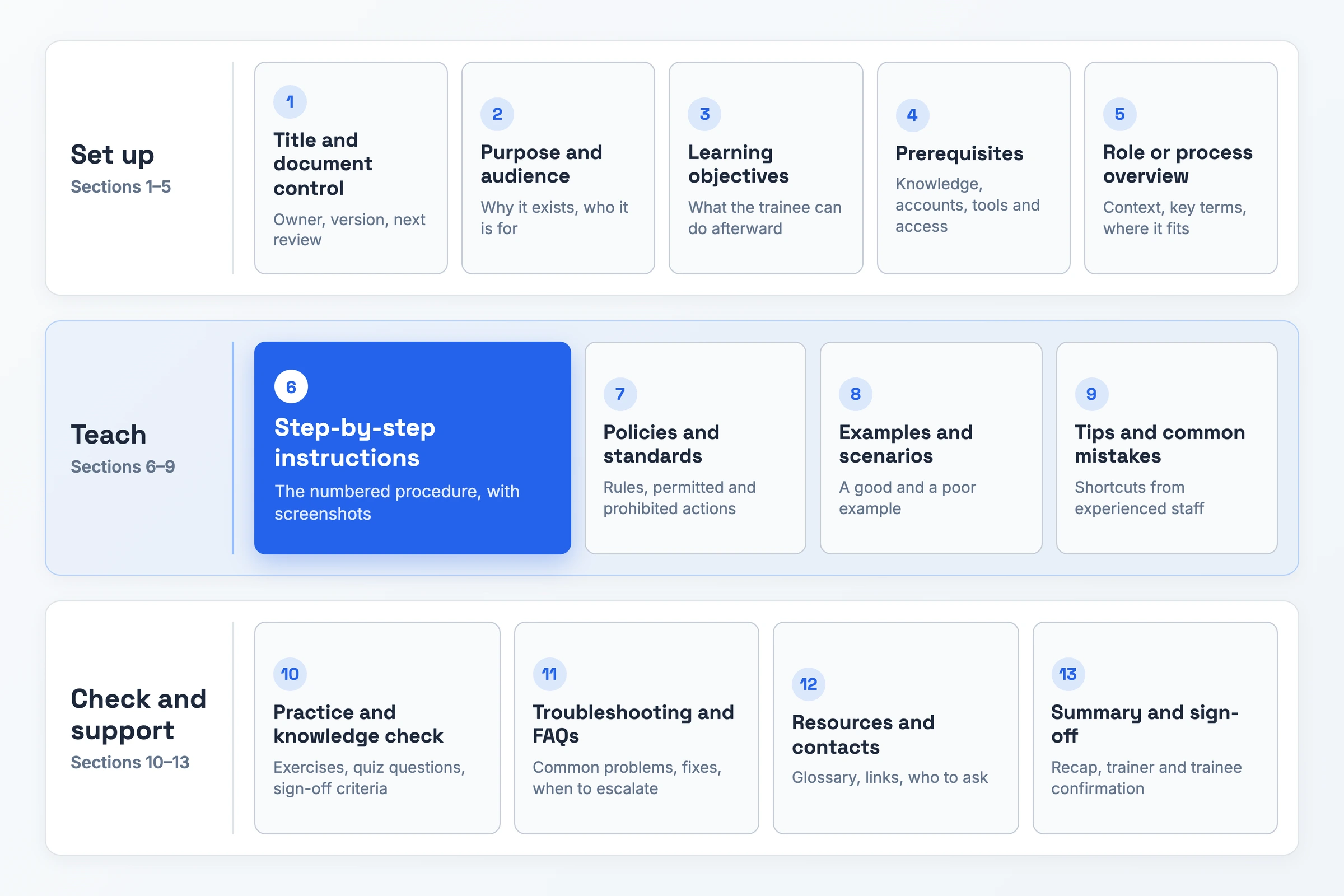
Sections 1 to 5 set the guide up, 6 to 9 teach the task, and 10 to 13 check and support the trainee.
- Title and document control: "Version 1.2, owner: support lead, next review: March" tells readers the guide is current.
- Purpose and audience: One sentence on why the guide exists and one naming the reader, such as first-month warehouse staff.
- Learning objectives: Outcomes a trainer can watch, written as verbs such as "process a return without help".
- Prerequisites: The accounts, permissions, tools and knowledge needed before step one. Listing them lets trainees request access early.
- Role or process overview: Where the task sits in the wider process, plus the key terms the steps use.
- Step-by-step instructions: Each step holds one numbered action. Add a screenshot when the step happens on screen. This is the core of the guide.
- Policies and standards: The rules, the permitted and prohibited actions, and the quality bar.
- Examples and scenarios: The task done well and done poorly, side by side.
- Tips and common mistakes: Shortcuts from experienced staff and the errors new starters make most.
- Practice and knowledge check: An exercise, a few quiz questions and the pass criterion.
- Troubleshooting and FAQs: Problems paired with fixes, plus when to escalate and to whom.
- Resources and contacts: A glossary, related documents and the named person to ask.
- Summary and sign-off: A recap, followed by dated names from trainer and trainee confirming completion.
How to Use the Training Guide Template
To make a training guide, work through one task at a time, in this order.
- Pick one task and name the guide. Fill in Title and document control with the task name, an owner and a version number.
- Write the purpose and audience. State in Purpose and audience why the task matters and who will read the guide, including what they already know.
- Set the learning objectives. Write two or three outcomes in Learning objectives that a trainer can watch the trainee perform.
- List what the trainee needs first. Fill Prerequisites with the accounts, tools and prior knowledge, and add the glossary and named contacts to Resources and contacts.
- Do the task yourself and capture each step. Number each action in Step-by-step instructions and take a screenshot each time the screen changes.
- Add the context around the steps. Fill Role or process overview, Policies and standards, Examples and scenarios, and Tips and common mistakes, keeping each one short.
- Write the knowledge check and sign-off. Give an exercise, a few quiz questions and a pass criterion in Practice and knowledge check. Recap the key points in Summary and sign-off.
- Test the guide with one trainee. Watch a new reader follow it, add the problems they hit to Troubleshooting and FAQs, and set the next review date in Title and document control.
Training Guide Template: A Filled-In Example
Below, a finance lead fills in the template for new employees, using one invented week-one task.
Training Guide: Logging a Supplier Invoice
- Title and document control: Owner: Lena Brooks, Finance Lead · Version 1.0 · Reviewed 2 Sep 2026 · Next review 2 Mar 2027
- Purpose and audience: Gets suppliers paid on time. For new accounts assistants, to read before their first invoice run.
- Learning objectives: Log an invoice unaided, match its purchase order (PO) and flag mismatches.
- Prerequisites: Finance induction done. "Payables entry" login and invoices inbox access. Tools: Payables and the shared drive.
- Role or process overview: Assistants log, the finance lead approves, payment runs Thursdays.
Step-by-step instructions
- Step 1: Save the invoice PDF to Invoices 2026 (screenshot: folder)
- Step 2: Open Payables, click New Invoice (screenshot: menu)
- Step 3: Enter PO, supplier, date and total with VAT (screenshot: form)
- Step 4: Attach the PDF, click Submit for Approval (screenshot: banner)
- Policies and standards: Log within two working days. Bank-detail changes go to the finance lead. Permitted: logging and attaching invoices. Not permitted: approving your own entries. Quality bar: PO, supplier, date and VAT total match the invoice.
- Examples and scenarios: Good: logged against PO 4471, totals match. Poor: no PO, VAT missing.
- Tips and common mistakes: Copy the PO from the email subject. Check resent invoices for duplicates.
- Practice and knowledge check: Log three sample invoices correctly and explain how to handle a PO mismatch. Pass: all three logged without errors.
- Troubleshooting and FAQs: PO not found: ask the buyer. Supplier missing: escalate to Lena Brooks.
- Resources and contacts: Finance glossary and payables approval policy on the shared drive. Questions go to #finance-help.
- Summary and sign-off: Log within two days, match the PO. Trainer: Lena Brooks, 9 Sep 2026 · Trainee: Sam Patel, 9 Sep 2026
Training Guide Template Variants
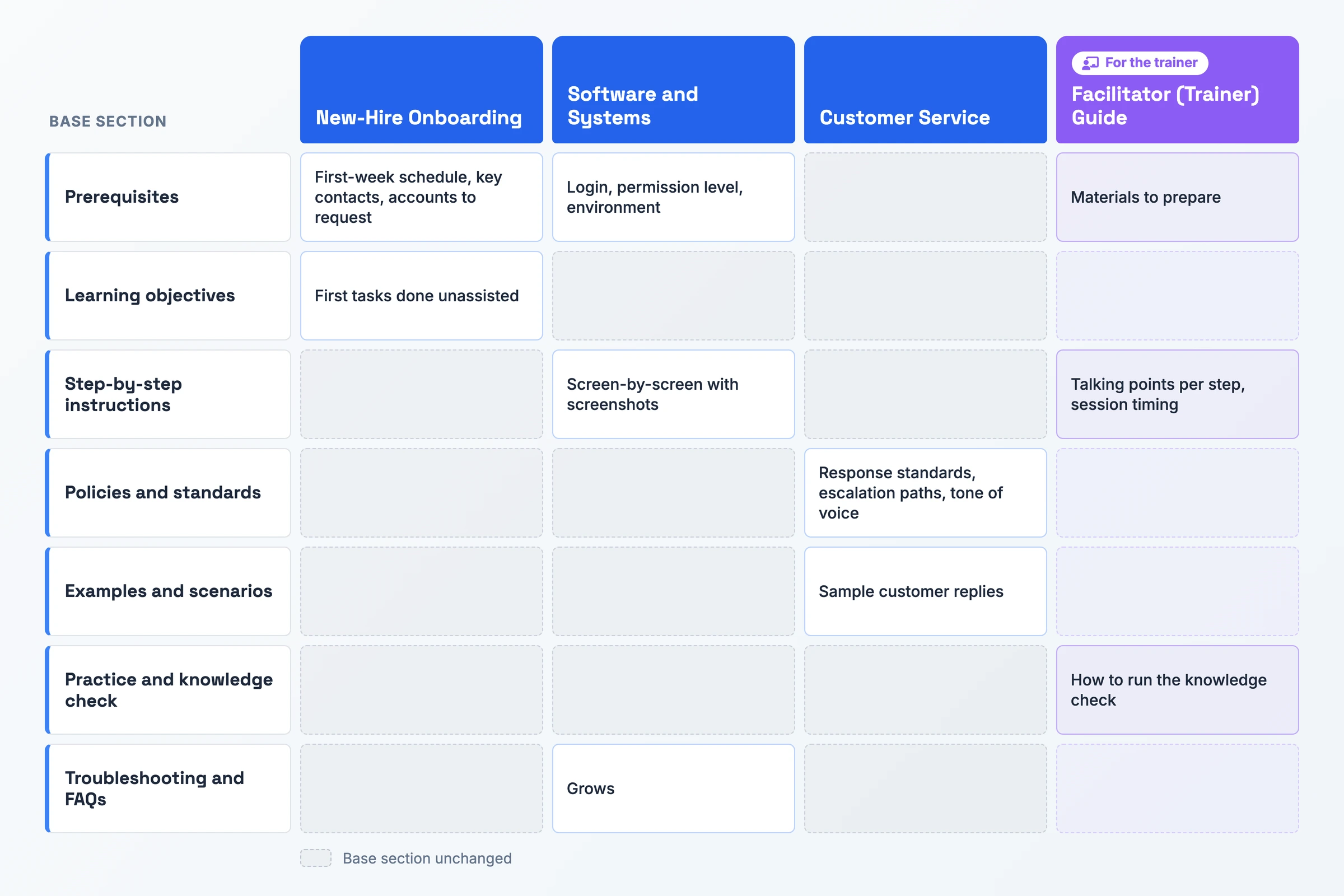
Each variant keeps the 13 base sections and changes only the ones listed under it.
New-Hire Onboarding Training Guide Template
A manager working out how to create a training guide for new employees can use this version in the hire's first week.
- Prerequisites: Add a first-week schedule, the key contacts the hire will meet, and the accounts they need to request. Name the person who grants each one.
- Learning objectives: Limit them to the first tasks the new hire must do unassisted. The guide ends where independent work begins.
Software and Systems Training Guide Template
Teams rolling out a new tool, or teaching a system staff log into daily, can start from this version.
- Prerequisites: Replace general knowledge with the login, the permission level the trainee needs, and the environment they will work in.
- Step-by-step instructions: Go screen by screen, with a screenshot of each screen the trainee sees before they act.
- Troubleshooting and FAQs: Expand it to cover the error messages and blocked screens trainees hit most, and give the fix for each.
Customer Service Training Guide Template
This version fits support and customer-facing teams training reps on one type of request.
- Policies and standards: Add response standards, the escalation paths for each kind of issue, and the tone of voice the team uses with customers.
- Examples and scenarios: Turn them into sample customer replies, one strong and one weak, so the rep sees the standard applied to real wording.
Facilitator (Trainer) Training Guide Template
The person who delivers the session uses this training facilitator guide template alongside the trainee's copy.
- Prerequisites: List the materials to prepare before the session, such as sample files, test accounts and printed copies.
- Step-by-step instructions: Add session timing and talking points for each step. The trainer then knows what to say and how long to spend.
- Practice and knowledge check: Explain how to run the check, what to watch for while the trainee works, and the point at which to sign them off.
When to Use a Training Guide Template
Start one the week you hire someone. A new starter needs each core task on paper before a colleague has time to show them twice.
Reach for it again when existing staff take on new work: cross-training a colleague to cover a role, teaching a team a new software system, or training sales and support reps on a task specific to their role. Because the trainee already knows the company, the guide can focus on the steps.
It also fits work that has to run the same way wherever it happens. Examples are a process shared across teams or locations, a safety or compliance procedure, and a customer service routine. A multi-session program with a budget, KPIs and a schedule needs a training program template instead, since this guide covers one task.
Skip the Blank Document: Record It Instead
Step-by-step instructions take the longest to fill. You do the task, stop at each screen, take a screenshot and type the step. Recording the task once gives you that material faster.
Record. Capture your screen, camera and microphone with Hinto AI's built-in recorder in the web app or Chrome extension. You can also start from a video you already have: a Loom, a Zoom training session, a YouTube video or a local MP4, MOV or WebM file, even one recorded months ago.
Generate. Hinto detects the button clicks and screen changes in the video and extracts screenshots and written steps. Blur sensitive data on any screenshot with the image editor, then move the steps into the Step-by-step instructions section of your template.
Publish. Host the documentation on a public URL for your team to read online. The free plan covers 20 generations and video uploads up to 20 minutes.
Training Guide Template FAQ
Can I use a training guide template to cross-train existing employees?
Yes, with two changes. Trim Prerequisites to the access the colleague lacks for the new task, and pitch the detail at their level. A senior rep does not need basic terms defined. Keep the knowledge check, since experienced staff still need sign-off on work that is new to them.
How often should a training guide be updated?
Review it on a fixed date and whenever the tool or process changes. The worked example above uses a six-month cycle. Record the last reviewed and next review dates in the document control section. Readers can then see the guide is current. A stale guide teaches steps that no longer match the screen.
Should a training guide include screenshots?
Yes, one per step wherever the trainee works on a screen. A screenshot shows the trainee what they should see before they act, which replaces the dense paragraphs that lose new readers. Mark the button or field the step names, and blur any customer data before you share the guide.
How do I write a training guide for a software tool?
Start by listing the login, permission level and environment the trainee will use in Prerequisites. Write the instructions screen by screen with a screenshot for each, then expand Troubleshooting and FAQs with the errors trainees hit. For a whole system, write one guide per task and collect them in a training manual template.

Product leader focused on building consumer products with empathy. Former Head of Product at Chime and Craft, specializing in AI-assisted workflows and platform innovation.
Ready to Build a Better
Knowledge Base, Faster?
Get Started Free & Create Your First Article in Minutes