What Is a Knowledge Base?
A knowledge base is a searchable library of articles that lets people find answers to common questions on their own.
Most teams already answer the same questions over and over, in email replies, support tickets, and Slack threads. A knowledge base moves those answers into one place a reader can search. A customer resets their own password, a new hire finds the onboarding steps, and the person who used to field the question gets their afternoon back.
How a Knowledge Base Works
An example: a help-center article a reader opens themselves, like a customer-facing "how to reset your password" guide.
A person's knowledge base: loosely, the body of knowledge one person holds; this page covers the software sense, a searchable library of articles.
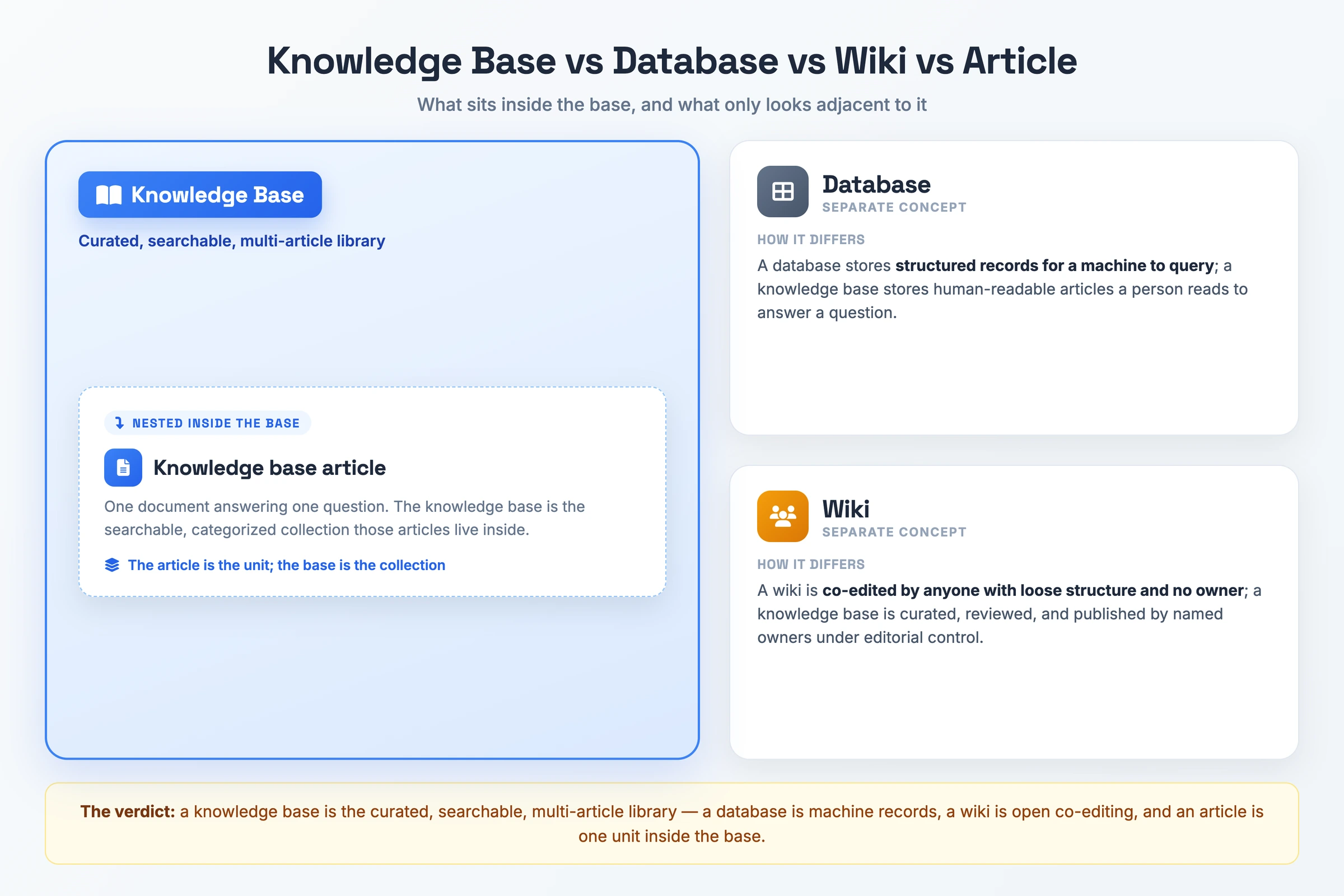
Database vs knowledge base: a database stores structured records for a machine to query; a knowledge base stores human-readable articles a person reads to find an answer.
What Makes Something a Knowledge Base
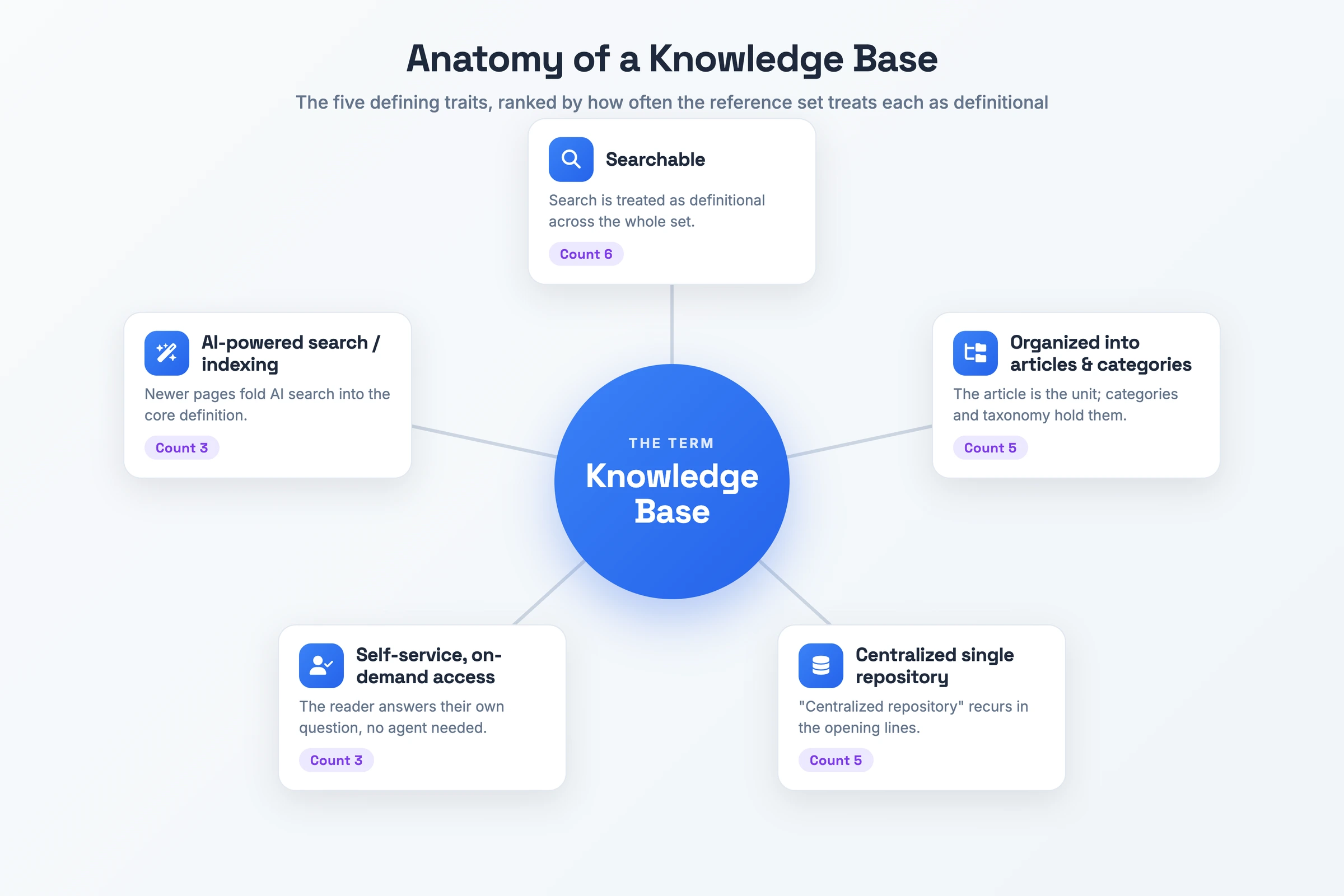
- Searchable: A reader types a question and gets the matching article back. Search is the primary way people reach an answer rather than browsing folders.
- Organized into articles and categories: The article is the unit of content, and categories group related articles so a taxonomy holds the whole collection together.
- Centralized single repository: Every answer lives in one place instead of scattered across inboxes and chat threads, which gives the team a single spot to look and to maintain.
- Self-service, on-demand access: A reader resolves their own question without waiting for an agent, which is the point of the format.
- AI-powered search: Newer knowledge bases layer AI-powered search and indexing over the articles, letting a reader ask in plain language and still land on the right one.
Why a Knowledge Base Matters
Ticket deflection is the headline reason teams build one. Every question a reader answers themselves is a ticket that never reaches an agent, and that deflection is the measurable payoff teams are after. Without one, the same handful of questions keeps arriving, and each answer costs an agent's time to type out again.
The second consequence is onboarding and retention. When a process lives only in one experienced person's head, their week of leave stalls the work and their resignation takes the knowledge with them. Writing it into articles preserves what the team knows. A new hire then ramps by reading instead of interrupting a colleague.
The third is availability and consistency. A knowledge base answers questions outside support hours, so a customer in a different timezone is not stuck until morning. It also gives the team one answer to give: when the steps live in one reviewed article, two agents no longer tell a customer two different things, and the team spends less time hunting for information it already documented.
Knowledge Base vs Database vs Wiki vs Knowledge Base Article
| Term | What it is | How it differs |
|---|---|---|
| Database | A structured store of records | A database holds records for a machine to query, while a knowledge base holds human-readable articles a person reads to answer a question |
| Wiki | A collaboratively edited set of pages | A wiki is co-edited by anyone with loose structure and no owner, while a knowledge base is curated, reviewed, and published by named owners under editorial control |
| Knowledge base article | One document answering one question | An article is a single unit, while the knowledge base is the searchable, categorized collection those articles live inside |
| FAQ page | A single page listing common questions with short answers | An FAQ answers in a line or two on one page, while a knowledge base gives each question its own article with the steps, screenshots, and detail a reader needs to finish the task |
The knowledge base itself is the curated, searchable, multi-article library. A database is machine records, a wiki is open co-editing, an article is one unit inside the base, and an FAQ page is a shorter cousin that lists common questions instead of full articles.
How to Create a Knowledge Base
- Audit the questions you already answer. Pull your support tickets and recurring chat threads and list the questions that repeat. That way the first articles cover real demand rather than guesses.
- Define the audience and goals. Decide whether this base serves employees or customers, and what "done" looks like, since scope drives everything you write next.
- Choose your knowledge base software. Pick a platform that handles search, categories, and publishing, because the tool sets what your taxonomy and access controls can do.
- Plan the taxonomy and categories. Group the audited questions into a broad-to-granular category structure, so a reader can find their topic in a click or two.
- Write and review the articles. Draft one article per question, keep the format consistent, and have a second person check each one before it ships.
- Publish and set access. Set permissions for who can read and who can edit, then publish the articles to your audience.
- Track analytics and update. Watch which articles get opened and which searches return nothing, then fix gaps and refresh stale steps on a schedule.
Knowledge Base Example
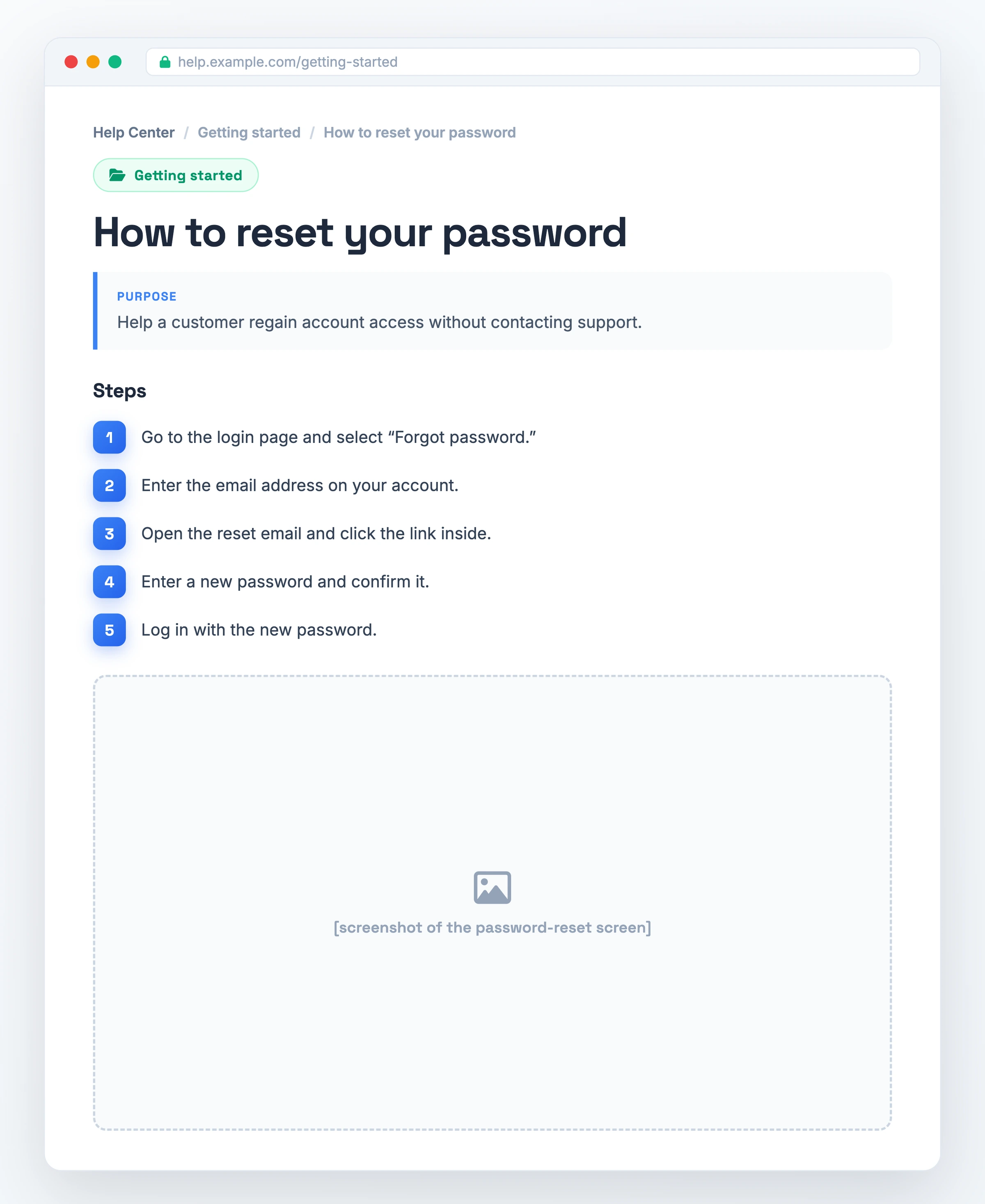
Competitors describe examples in the abstract; here is one customer knowledge base article you can open and copy.
- How to reset your password
- Category: Getting started
- Purpose: Help a customer regain account access without contacting support.
- Step 1: Go to the login page and select "Forgot password."
- Step 2: Enter the email address on your account.
- Step 3: Open the reset email and click the link inside.
- Step 4: Enter a new password and confirm it.
- Step 5: Log in with the new password.
- See the reset screen in the screenshot above.
This is a single article filed under a "Getting started" category, the kind of top-level grouping a customer-facing base uses. You search "reset password," land here, follow five numbered steps, and skip the support ticket. Multiply that across the common questions your customers ask and you have the collection the rest of this page describes.
A reusable knowledge base article template with a title line, a purpose line, numbered step rows, and screenshot slots, laid out as the blank version of the example above for you to fill in and keep.
Download the article template (PDF)From Recording to Knowledge Base in One Pass
Most teams stall at writing a knowledge base from a blank page. Hinto AI turns a screen recording of the process into a finished, structured document. The thing this page defines becomes a recording you already made rather than a document you still have to write.
Record the process however you already work: common sources such as Loom, Zoom, YouTube, and local uploads in MP4, MOV, or WebM all fit, subject to file-size and access requirements. Hinto AI transforms those screen recordings and video walkthroughs into structured, multi-article documentation, converting a single long-form video into a full table of contents with multiple organized articles.
The AI detects UI state changes and button clicks in the video to extract high-quality screenshots and the written steps that go with them. From there, one-click live hosting puts the finished articles on a public URL with a custom domain and SSL included, so the collection is live the same day you recorded it.
Knowledge Base FAQ
What is a knowledge base?
A knowledge base is a searchable library of articles that lets people find answers to common questions on their own, without asking a person. It centralizes the answers a team gives over and over, so a reader can search, open the right article, and resolve their question in a self-service way.
What is an example of a knowledge base?
A customer-facing help article such as "How to reset your password," filed under a category like "Getting started," is a typical example. The reader searches the question, opens the article, follows its numbered steps, and regains access without contacting support, which is the self-service behaviour the format is built for.
What is a person's knowledge base?
Colloquially, a person's knowledge base is the body of knowledge that one individual holds in their head. This page covers the software sense instead: a searchable library of articles that a whole team maintains and that others can read, rather than expertise locked inside a single person.
What's the difference between a database and a knowledge base?
A database stores structured records for a machine to query, such as rows a program reads to run a report. A knowledge base stores human-readable articles a person reads to answer a question. The audience is what splits them: software queries a database, while a person reads a knowledge base.