How to Enable Dark Mode in Hinto AI
This guide shows you how to enable dark mode for a more comfortable viewing experience in low-light environments. You can apply this setting to both the Hinto AI application and the public marketing website.
In the Hinto AI App
- Log in to your Hinto AI account.
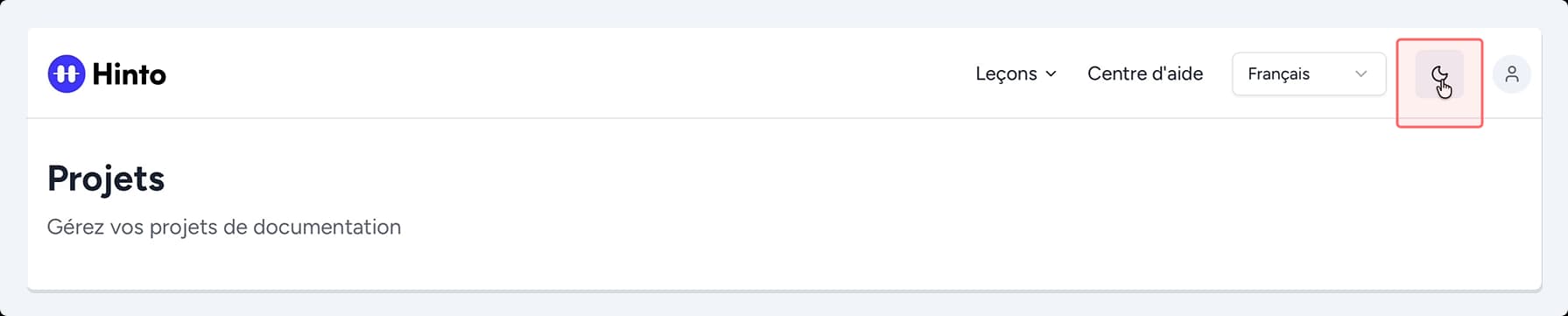
- In the top navigation bar, click the theme toggle icon. This icon will appear as a sun in light mode and a moon in dark mode.
On the Hinto AI Website
- Navigate to the Hinto AI website.
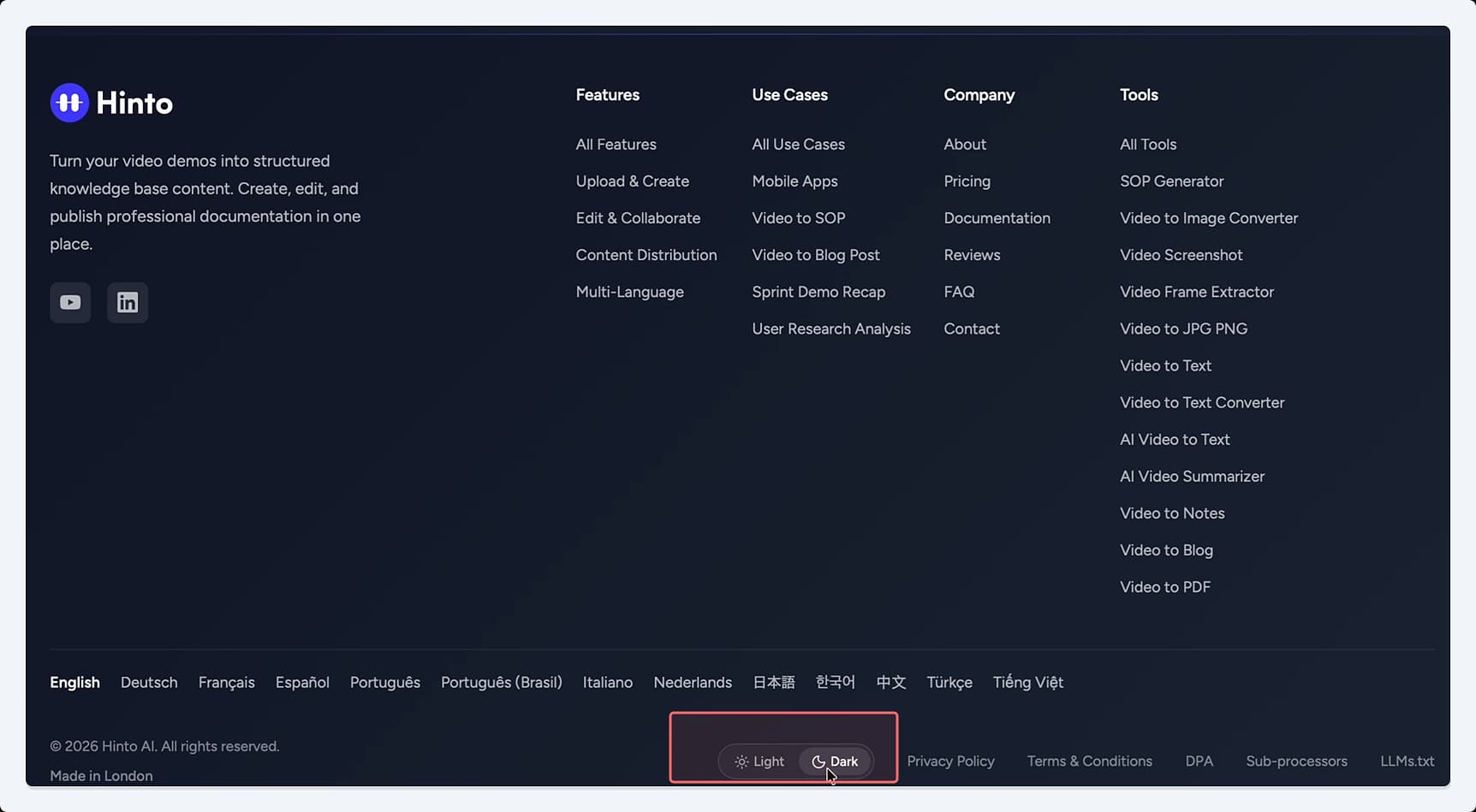
- Scroll to the footer at the bottom of the page.
- Click the Dark button to switch to dark mode. To revert, click the Light button.
Summary
This article explains how to switch between light and dark modes in Hinto AI. This feature allows you to customize the user interface for optimal viewing comfort, reducing eye strain in different lighting conditions. The setting can be applied independently to the Hinto AI app and the public marketing website.