
6 Best Confluence Alternatives 2026 (Free & Paid)
Stop hand-writing SOPs and publish them to your wiki: Hinto AI (records or imports video, then auto-generates the docs)
Open-source wiki you run on your own server: BookStack or Wiki.js (no licensing, you handle hosting)
One cloud workspace that bends to any workflow: Notion (combines documents, databases, and AI)
Confluence makes a solid home for internal docs and a reliable source of truth. The friction lives one step earlier: writing SOPs and keeping pages current is manual, slow work that someone has to redo every time a process changes. That authoring tax is what pushes teams to look at alternatives to confluence in the first place.
This guide compares the best confluence alternatives across deployment model, price, and how much writing they save you. You will see Notion, BookStack, GitBook, XWiki, and Wiki.js stacked against Confluence, plus Hinto AI, which records (or imports any existing video) and converts it into structured, screenshot-rich SOPs that publish straight to Confluence. Maybe you are after atlassian confluence alternatives with open code you can audit, or maybe you want something that does the writing for you. Either way, the tools like confluence covered below span the full range of confluence competitors worth a look.
Which Confluence Alternative Is Right for You?
Answer the questions below to find your match. Download as PDF to keep it handy.
Confluence Alternatives at a Glance
Two factors the price column glosses over actually separate these Confluence alternatives: where the software runs and whether its code is open. Picks you host yourself with open licenses (BookStack, XWiki, Wiki.js) cut out per-seat fees, but you maintain the server in return; the cloud entries bill either per user or per plan. Detailed reviews follow.
| Tool | Deployment | Free Tier | Starting Price | Open Source | Best For |
|---|---|---|---|---|---|
| Confluence | Cloud (Data Center on request) | Up to 10 users, 2 GB storage | ~$5.16/user/mo | No | Atlassian-ecosystem teams and enterprises |
| Hinto AI | Cloud | 20 generations, 50 hosted articles, unlimited users | $15/mo (flat, unlimited users) | No | Turning recordings into docs, SOPs, and help centers |
| Notion | Cloud | Unlimited blocks (solo); block-limited for teams | £8.50/member/mo | No | All-in-one docs, wikis, and projects |
| GitBook | Cloud | 1 user, 1 site, Git sync | Premium: $65 per site monthly, plus $12 per user | No | Treating product and developer docs as code |
| BookStack | Self-hosted | Fully free, no limits (you host) | Free (optional support £450/yr) | Yes (MIT) | Simple, self-managed team wikis |
| XWiki | Self-hosted or Cloud | Community: up to 25 users, 1 sub-wiki | Custom quote | Yes (LGPL) | Large orgs needing deeply customizable open-code wikis |
| Wiki.js | Self-hosted | Fully free, no limits (you host) | Free (self-hosted) | Yes (AGPL-v3) | Teams running their own server who want Git-backed pages |
Prices as of June 2026. Notion figures are GBP as listed on its pricing page. Check each tool's pricing page for current rates.
Choose the Right Tool in 30 Seconds
- Choose Hinto AI if you already record processes on video and want SOPs and help centers generated automatically, then published to Confluence.
- Choose Notion if a single adaptable workspace covering documents, databases, and AI agents matters more to you than IT-enforced structure.
- Choose BookStack if you can host it yourself, want zero licensing cost, like its nested shelf-and-book layout, and won't miss vendor support.
- Choose GitBook if your work is developer docs or help centers and you want a Git-synced (GitHub or GitLab) docs-as-code flow with AI-ready content.
- Choose XWiki if your enterprise needs a knowledge base it can run on its own servers, built on open code with heavy structured-app customization.
- Choose Wiki.js if you run your own Markdown wiki, prefer Git-backed content, and want freedom in picking database, storage, and auth back ends.
What Pushes Teams to Replace Confluence
Confluence works well until a few hard limits start to bite, and those limits push teams toward a confluence replacement:
- Free version caps: The confluence free version stops at 10 users and 2 GB of file storage, with no SLA and only a 7-day trial, so a growing team outgrows confluence free fast.
- Per-seat cost scaling: Pricing runs roughly $5.16/user/mo on Standard and $10.34/user/mo on Premium, so confluence cost climbs linearly with every hire.
- Self-hosting status: Confluence Server is gone. A confluence self hosted setup now means Data Center (latest LTS 10.2.13), which is why "self hosted confluence" and "confluence server alternative" come up so often in the r/atlassian threads.
- Gated admin controls: Atlassian Guard SSO/SCIM, IP allowlisting, and data residency sit on higher tiers.
- Authoring friction: Your team writes and screenshots every page by hand, and keeping them current is ongoing manual labor.
If per-seat scaling, the loss of a true self hosted confluence option, or the writing workload is your sticking point, the next section sets the criteria we used to rank every alternative.
Skip the manual page-writing entirely
Record a process once and let Hinto AI generate the SOP, then publish it to Confluence.
How We Evaluated These Confluence Alternatives
For a knowledge base, the deployment model and the authoring workload matter as much as price, so the ranking weighs both alongside the usual cost and feature checks.
We evaluated tools on:
- Deployment model: cloud SaaS versus self-hosted open source
- Pricing and pricing model: free tier, per-seat, flat plan, or self-host cost
- Authoring effort: manual page writing versus AI or video generation
- Documentation depth: flat notes, hierarchical wiki, or full knowledge base
- Open-source and self-hosted availability
- Migration from Confluence, including import support
- Best-fit team or use case
Which Output Format Do You Need?
The wrong tool for your output goal means re-work. Match the kind of documentation you ship to the tool built for it before you compare prices.
| Output needed | Best tools | Avoid if... |
|---|---|---|
| Step-by-step SOPs and how-to guides from a recording | Hinto AI | You never record processes on video |
| Public developer docs, API reference, or help center | GitBook | You need internal project pages and whiteboards |
| Flexible internal wiki plus databases and project pages | Notion | You want a lean, IT-governed doc tool |
| A neatly organized internal wiki hosted on hardware you control | BookStack, Wiki.js | You want managed cloud with a vendor SLA |
| Large-scale structured knowledge base extended with custom apps | XWiki | You want transparent published pricing and zero setup |
Use this table to match output intent to a tool, then check the at-a-glance table above for deployment and price.
The Best Confluence Alternatives Reviewed
Below are six tools, each broken down by what it does well, what it costs, and who it suits best. Hinto AI leads off.
Not sure which fits your team? Download the role matrix (PDF). best tool by team role.
Hinto AI: Turn Videos Into Confluence-Ready SOPs
Hinto AI is a video-to-documentation engine: record a process (or upload an existing Loom, Zoom, YouTube, or MP4 file) and its AI Action Detection extracts the screenshots and writes the steps into a multi-article knowledge base. You keep Confluence as the home and let Hinto do the writing.

Key Features
- Capture anywhere: Built-in screen recorder plus a Chrome extension, or import any existing video.
- Generation templates: SOPs, Help Centers, "What's New" release notes, and User Research, each tuned to its output.
- Image editing: In-app editor to crop, frame, focus, or blur sensitive data, plus a GIF engine for motion.
- AI-ready publishing: One-click hosting with a custom domain, automatic llms.txt and llms-full.txt, and generation in 50+ languages.
Strengths
- No manual writing: video goes in, structured documentation comes out.
- Keeps Confluence for hosting while removing the authoring labor, and publishes generated docs to Confluence, Notion, GitHub, or GitLab.
Limitations
- Runs on a monthly generation-credit system rather than unlimited per-seat usage.
- The free plan caps at a 20-minute video and 1 project, and it is a newer vendor than the incumbents.
Pricing
- Free tier: Yes. $0 for 20 total generations, 1 project, 20-minute video upload.
- Paid plans: From $15/mo (Small Team, 30 generations and a custom domain) up to Growth $99/mo and All-Inclusive $499/mo with multi-language. Flat per plan, not per seat, with unlimited users on paid tiers.
Who It Suits
If your operations, support, or product team is already capturing processes on video, Hinto handles the SOP writing and pushes the result into Confluence on its own.
How it compares to Confluence
Hinto AI does not replace Confluence's permission-controlled spaces; it replaces the writing. Confluence stays the governed source of truth, and Hinto removes the hours spent hand-authoring and screenshotting pages by generating them from a recording instead. For teams where authoring volume drives the real cost, that trade pays off, and you can still host the output on Hinto directly if you prefer.
Prices verified June 2026.
Notion takes the opposite path, putting maximum flexibility in your hands.
Turn one recording into a full SOP and publish it to Confluence in minutes.
Get started freeNotion: One Adaptable Workspace That Replaces Several Tools
Notion bills itself as "the AI workspace that works for you," folding docs, wikis, databases, projects, and AI agents into one canvas. In the confluence vs notion matchup, Notion trades Confluence's IT-governed structure for near-total flexibility, and that openness is what makes it strong while also being what limits it.

Key Features
- AI agents: Custom Agents, Plan Mode, AI Meeting Notes, and Enterprise Search across the workspace.
- Databases: Tables with merged cells, custom forms, and multiple views (board, calendar, gallery).
- Developer Platform: Workers and a CLI for programmatic builds.
- Versioning: Page version history to roll back changes.
Strengths
- One flexible workspace replaces a stack of separate tools.
- Strong databases, customization, and deep native AI agents.
Limitations
- Performance lags on large, media-heavy workspaces.
- A steep learning curve, with rollups and database views overwhelming new users, and notion vs confluence billing can surprise teams since read-only shares can quietly add billable members.
Pricing
- Free tier: Yes. £0/member, but block-limited for 2+ members, with 5MB uploads, 7-day history, 10 guests, and limited AI trial.
- Paid plans: From £8.50/member/mo (Plus), £16.50/member/mo (Business), Enterprise custom. Per seat. USD not confirmed; the pricing page rendered in GBP.
Rated 4.6/5 on G2 (11,932 reviews) · 4.7/5 on Capterra (2,745 reviews) · 4.8/5 on Product Hunt (1,363 reviews)
"A powerful tool to use that excels when working at higher levels or individually. As it is expanded to larger teams and/or enterprise however it might be worth exploring dedicated solutions - but in this regard Notion absolutely stands great in it's own corner." Capterra
Who It Suits
Cross-functional groups looking for one tailorable hub that holds documents, databases, and AI together, and who can spend the upfront time configuring it.
Notion vs. Confluence
Notion is far more flexible than Confluence, but reviewers warn that flexibility "creates work disguised as productivity," with heavy setup and a learning curve, while Confluence gives you structured simplicity out of the box. Confluence wins for governed permissions and Atlassian-ecosystem fit, while Notion wins when you want one tool to shape around your own process. Pick Notion over Confluence when customization beats IT governance for your team.
Prices verified June 2026.
For teams that would rather own the server than rent the cloud, BookStack is next.
BookStack: Simple Free Self-Hosted Wiki
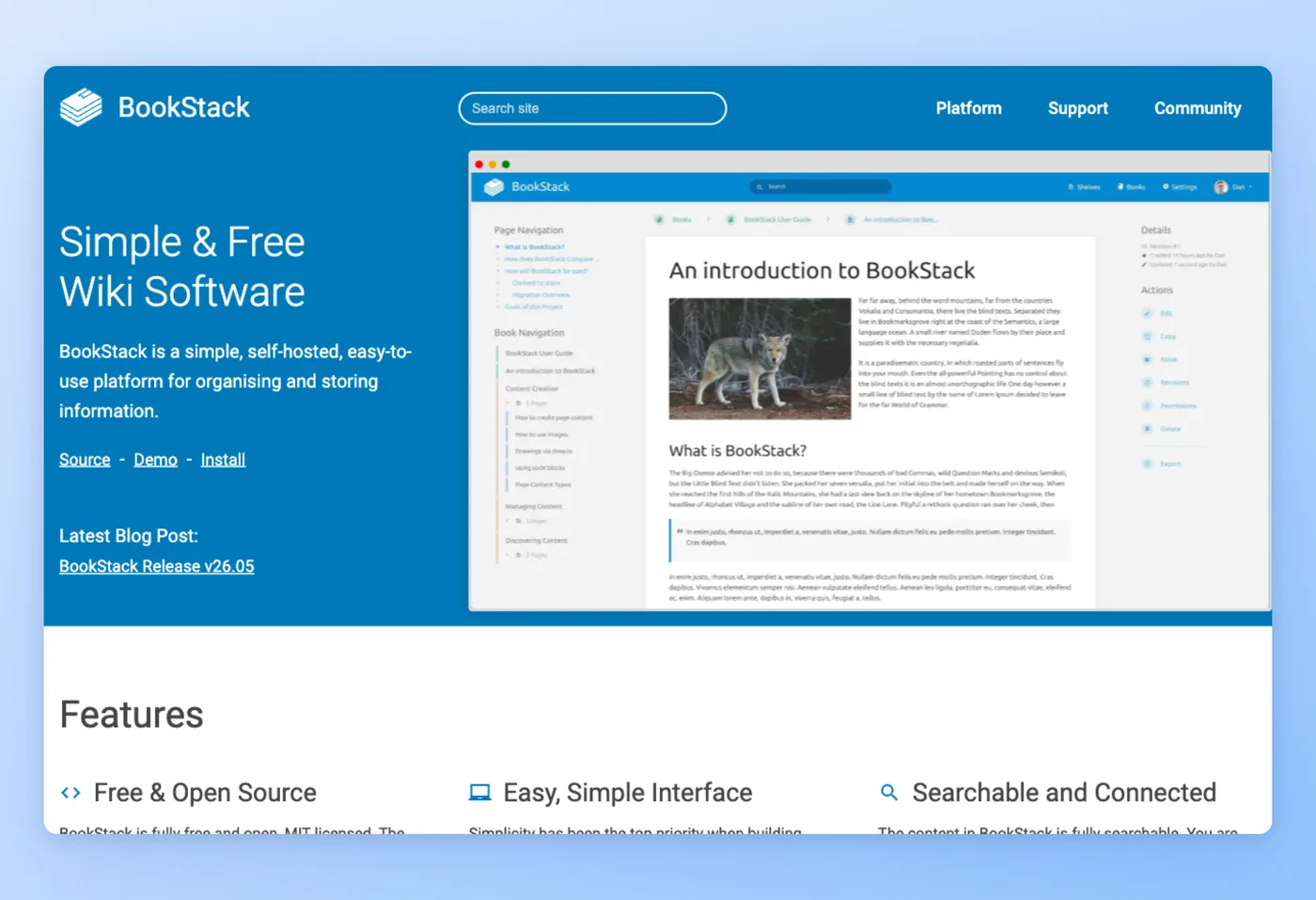
BookStack bills itself as "Simple & Free Wiki Software": an MIT-licensed wiki you host yourself, where content lives in a four-level hierarchy of shelves down to pages. Among confluence alternatives with open code, it hands you complete control of your data and drops per-seat fees entirely.
Key Features
- Editors: WYSIWYG with an optional Markdown mode and built-in diagrams.net.
- Search: Full-text search across the whole instance.
- Access control: Roles and permissions, MFA, and OIDC, SAML2, or LDAP auth.
- Stack: PHP/Laravel plus MySQL, with page revisions; runs on modest specs.
Strengths
- Free with no per-seat cost and full data ownership.
- Organizes content into shelves, books, chapters, and pages, which keeps onboarding quick.
Limitations
- Self-hosting is required; there is no managed cloud.
- Free community support carries "no assurance of response," the pre-made structure can feel limiting, and visual customization is limited.
Pricing
- Free tier: Yes. Free OSS that you self-host, with no per-user licensing.
- Paid plans: Optional Professional Support at £450/yr or Enterprise Support at £4,500/yr.
Rated 5.0/5 on Capterra (3 reviews) · 3.5/5 on G2 (1 review). Sample sizes are very small, so read those scores with caution rather than as a broad consensus.
"The support of Markdown and the preview of the documentation. The automatic creation of a page contents using headings. Pre-made structure of Shelves > Books > Chapters > Pages helps to get started." Capterra
Who It Suits
Teams with the technical chops and ops bandwidth to run a no-cost, Confluence-style wiki on their own boxes, with no managed cloud or vendor support to lean on.
BookStack vs. Confluence
BookStack trades Confluence's managed convenience and SLA for zero licensing cost and complete control of your data. Confluence still wins when you want hosting, support, and Atlassian integrations handled for you, while BookStack wins on cost and ownership for teams with the ops capacity to run a server. Pick BookStack over Confluence when budget and data control outrank hand-holding. Weighing Confluence vs BookStack really comes down to whether you would rather pay for managed hosting or trade that cost for full ownership.
Prices verified June 2026.
GitBook narrows the focus to developer-facing docs.
GitBook: Documentation Built for Engineers
GitBook describes itself as "the knowledge layer for AI," built for help centers, developer portals, and product docs that run through a code-driven authoring flow. Its Git sync and AI agent layer give it an edge over Confluence for outward-facing developer docs, though it is more limited as an everyday wiki.

Key Features
- AI layer: GitBook Agent and Assistant, with AI-ready docs over MCP.
- Docs-as-code: GitHub and GitLab Git Sync plus IDE editing.
- Authoring: Block-based visual editor with reviews and merge, and API playgrounds.
- Security: carries SOC 2 and ISO 27001 audits, meets GDPR, adds SAML-based SSO plus RBAC, and supports preview deployments.
Strengths
- Clean editor with strong page and section organization.
- Code-style authoring synced to GitHub or GitLab, with built-in AI features (MCP, Agent) that answer end-user questions.
Limitations
- Per-site plus per-user pricing scales poorly across many spaces.
- Published output can differ from the editor (tables), the UI is occasionally unstable after updates, and it is not a general wiki, with no native project pages or whiteboards.
Pricing
- Free tier: Yes. $0/site for 1 user.
- Paid plans: Premium runs $65 per site each month with an added $12 per user; Ultimate runs $249 per site monthly plus the same $12 per user; Enterprise is custom-quoted. A 14-day trial is offered. AI translation is metered, $25 for the first 50k words, then $0.20 per 1k after.
Rated 4.8/5 on G2 (183 reviews) · 4.7/5 on Product Hunt (23 reviews) · 4.5/5 on Capterra (23 reviews)
"What i like best about GitBook is that it helps keep all information more organized in one place without making documentation work feel confusing. ease of use feels very comfortable because pages, sections, and different guides can be managed in simple way." G2
Who It Suits
Engineering and product teams that ship outward-facing developer docs or help centers and want a code-driven workflow alongside built-in AI answers.
GitBook vs. Confluence
For refined, public-facing developer docs handled through a code-driven workflow, GitBook outdoes Confluence, but it covers less ground as an internal wiki, lacking whiteboards and project pages. Confluence wins as a broad internal knowledge base across non-technical teams, while GitBook wins for external API docs and help centers. Watch the per-site pricing, which climbs once you run several spaces. In a Confluence vs GitBook decision, the split is broad internal wiki versus polished external docs.
Prices verified June 2026.
XWiki goes deeper into enterprise, fully open-source territory.
XWiki: Enterprise Open-Source Knowledge Base
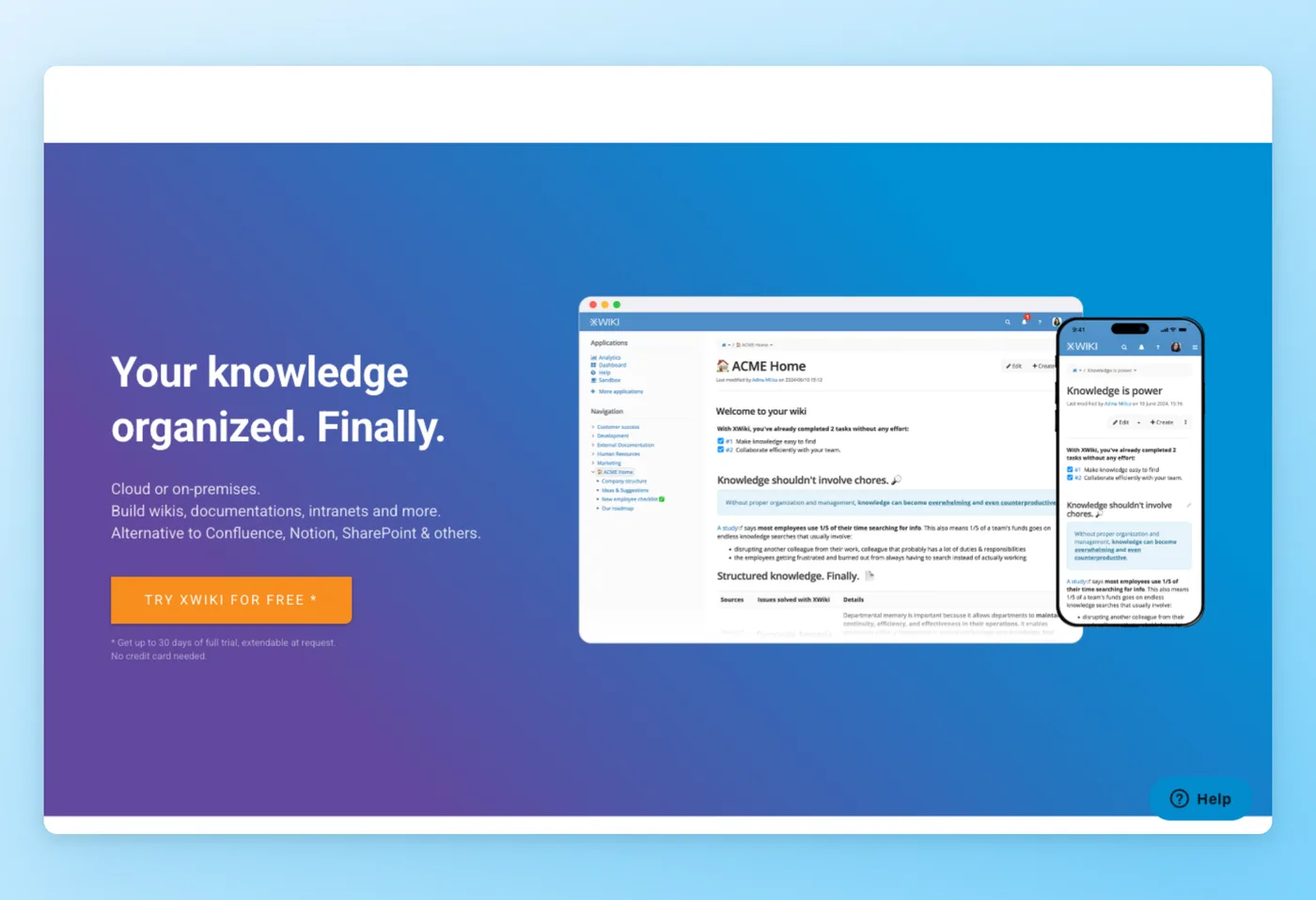
XWiki ("Your knowledge organized. Finally.") powers wikis and intranets either in the cloud or on your own servers, and pitches itself outright as an "Alternative to Confluence, Notion, SharePoint," counting Amazon, Lenovo, and SFR-Altice among its customers. Of the open-code Confluence rivals on this list, it is the most capable, and also the steepest to learn.
Key Features
- Structured apps: AppWithinMinutes builds no-code structured applications, with 700+ extensions and scripting APIs.
- Editing: Advanced WYSIWYG, macro and link editors, and real-time editing (Q1 2026).
- Governance: Full version history, permissions, AD/LDAP, and SSO.
- Collaboration: Built-in Meetings, Forums, Calendar, and Task Manager apps.
Strengths
- Open-source with no lock-in and self-hostable.
- Deep customization via structured apps and 700+ extensions, plus a marketed direct Confluence migration path.
Limitations
- Paid pricing is opaque, available only by custom quote.
- A steep learning curve, a default UI that needs work, and technical overhead for advanced setups.
Pricing
- Free tier: Yes. Community edition is free and self-hosted, up to 25 users and 1 sub-wiki.
- Paid plans: Starter, Basic, Business, and Enterprise are all custom-quote with no public figures, billed yearly or over three years. 50% NGO and academic discount.
Rated 4.7/5 on Capterra (25 reviews) · 4.4/5 on G2 (13 reviews) · 5.0/5 on Product Hunt (1 review)
"XWiki is not just a wiki, it is a extensible development platform to build online collaborative tools. But you don't need to be a developer to start using it, and even to develop small applications. And best of all, it is open source and therefore freely accessible." G2
Who It Suits
Large organizations after a knowledge base they host themselves, built on open code, with extensive structured-app customization and a charted route off Confluence.
XWiki vs. Confluence
XWiki matches and arguably exceeds Confluence on structured customization while staying open-source and self-hostable, which is the draw for teams avoiding vendor lock-in. Confluence wins on published, predictable pricing and a gentler setup, while XWiki wins on extensibility and data ownership. The main caveat is the custom-quote pricing, which makes budgeting harder than Confluence's posted rates. Anyone weighing Confluence vs XWiki is really choosing between predictable pricing and deep open-source extensibility.
Prices verified June 2026.
Wiki.js rounds out the self-hosted set with a modern Markdown focus.
Wiki.js: Modern Self-Hosted Markdown Wiki
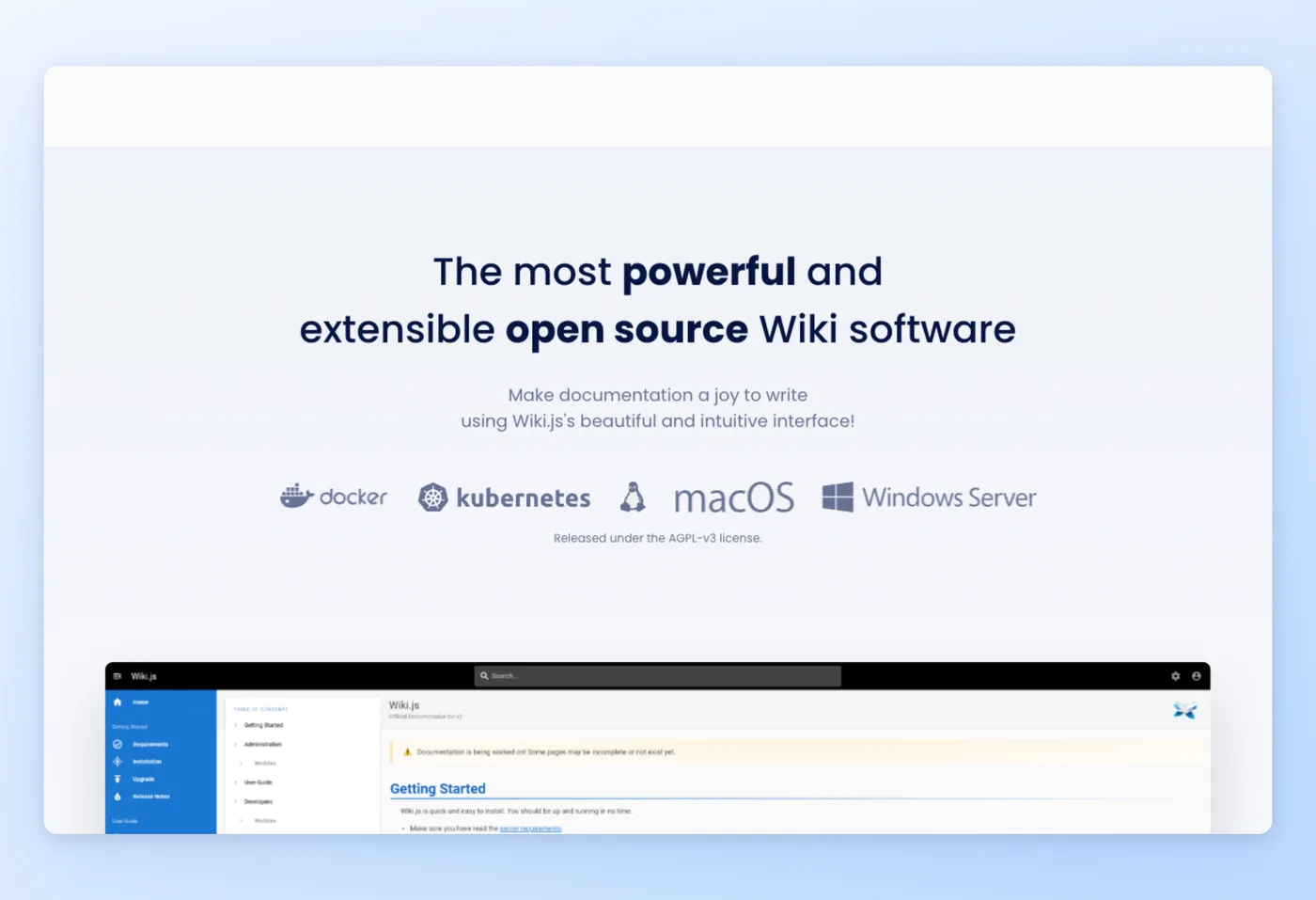
Wiki.js calls itself "the most powerful and extensible open source Wiki software," an AGPL-v3, Node.js wiki with a clean Markdown core. Alongside BookStack, it is a zero-licensing self-hosted pick, differentiated by Git sync and broad database flexibility.
Key Features
- Install anywhere: Docker, Kubernetes, Linux, macOS, or Windows, backed by Postgres, MySQL, MariaDB, MSSQL, or SQLite.
- Editors: Markdown, Visual, and HTML, with version history and diff.
- Content sync: Git plus S3, Azure, GCP, or DigitalOcean storage sync.
- Auth and reach: Multilingual including RTL, broad social and enterprise auth (LDAP, SAML, Okta, Azure AD), and 2FA.
Strengths
- Free with no licensing at any scale.
- Git-backed content with flexible database, storage, and auth, plus clean Markdown authoring and strong dark mode.
Limitations
- No managed cloud or vendor SLA.
- The release cadence has slowed (latest 2.5.31x dates to 2024, some editors still "coming soon"), with no real-time co-editing and a technical setup required.
Pricing
- Free tier: Yes. Fully free OSS under AGPL-v3, with no per-seat fees and no paid or cloud tier; you pay hosting only.
- Paid plans: None. Hosting costs are your only expense.
Rated 4.3/5 on G2 (16 reviews)
"The best 'feature' for me is the ability to self-host the software to maximize the security of my clients' confidential data. Composing pages using Markdown helps keep formatting consistent and less time-consuming. The software has a good variety of customization options and supports integrations with other software used internally." G2
Who It Suits
Technical teams running a current Markdown wiki on their own infrastructure, Git-backed, with room to pick their database and auth back ends, and no license cost no matter how many people use it.
Wiki.js vs. Confluence
Wiki.js is the cleanest modern self-hosted Markdown wiki of this group and costs nothing to license, where Confluence charges per seat. Confluence wins on vendor support, real-time co-editing, and a faster release pace, while Wiki.js wins on control, Git-backed content, and zero cost. Weigh its stalled release cadence honestly before you commit. The Confluence vs Wiki.js call usually comes down to paid vendor support against a free, Git-backed self-hosted wiki.
Prices verified June 2026.
Hinto AI vs Confluence: Where Each Wins
These two tools serve different jobs. Confluence is the destination wiki; Hinto AI is the authoring engine that feeds it.
| Category | Confluence wins when... | Hinto AI wins when... |
|---|---|---|
| Authoring method | You want humans to write and format pages collaboratively | You want docs generated automatically from a recording |
| Video as input | You use the Loom integration for async messages | You need a native video-to-documentation engine (Loom, Zoom, YouTube, MP4 in, structured SOP out) |
| Pricing model | You host org-wide at per-seat rates with unlimited users on paid tiers | Authoring volume, not headcount, drives cost, so flat per-plan pricing fits |
| Ecosystem | Your team lives in Atlassian (Jira, JSM, Trello) and needs governed spaces | You want SOPs published to Confluence (or hosted standalone) plus llms.txt and 50+ languages |
| Best as | The source of truth and home for docs | The engine that writes those docs from video |
The practical move is hybrid: keep Confluence as the governed home for your knowledge base, and use Hinto AI to remove the writing by generating the pages from a recording and publishing them to it.
Where Confluence Is Still the Best Choice
Some teams should stay, and Confluence earns its place for a specific profile.
Confluence remains the best option when:
- Your team or enterprise needs a structured, permission-controlled knowledge base with space and page-level access governance.
- You already run on Atlassian and want documentation linked to Jira tickets, Loom messages, and Rovo.
- You rely on real-time co-editing, templates and macros, and full page versioning and history as everyday tools.
- You want admin-grade security through Atlassian Guard (SSO, SCIM, SAML) and Atlassian Intelligence built in.
Reviewers back this up: Confluence holds a 4.1/5 on G2 across 4,359 reviews, where engineering teams repeatedly call it "the single source of truth." That governed-hosting strength is why the hybrid approach works. Keep Confluence as the home and let a tool like Hinto AI handle the writing.
What Confluence Users Actually Ask
These concerns come up repeatedly in product reviews on G2, Capterra, and Trustpilot. They point to where each alternative fits.
| Concern | Why it matters | Best direction |
|---|---|---|
| Search surfaces outdated or duplicate pages (G2 and Capterra cons) | A stale wiki erodes trust in the source of truth | Tools that auto-regenerate from current recordings (Hinto AI) or enforce structure (BookStack) |
| Pages get stale because updating is manual | Keeping SOPs current is ongoing labor | Hinto AI regenerates from a fresh recording instead of hand-editing |
| Per-seat or per-site cost scales fast | Cost climbs with headcount or spaces (Trustpilot billing complaints) | Self-hosted OSS (BookStack, Wiki.js) or flat-plan Hinto AI |
| Performance lag on large, media-heavy workspaces | Big knowledge bases get slow (Notion reviewers note the same) | Lighter self-hosted wikis or scoped spaces |
| Self-hosting burden | No managed cloud means you run, secure, and update the server | Cloud options (Confluence, Notion, GitBook, Hinto AI) if you lack ops capacity |
Reviewers on G2 and Capterra keep circling the same root issue: docs go stale because updating them by hand is work nobody owns. That is the gap Hinto AI closes by regenerating the page from a new recording rather than asking someone to edit it.
The Real Cost of Confluence Alternatives
List price is only part of the bill. For a 10-person team, here is what these tools actually run per year, and where the hidden costs hide.
| Tool | Price | 10-user annual | Hidden cost | What you get |
|---|---|---|---|---|
| Confluence Standard | ~$5.16/user/mo | ~$619/yr | Marketplace add-ons, Atlassian Guard | Governed Atlassian wiki |
| Confluence Premium | ~$10.34/user/mo | ~$1,241/yr | Same, plus higher tier gating | Advanced admin and security |
| Notion Plus | £8.50/member/mo | ~£1,020/yr | Read-only shares can add billable members | Flexible all-in-one workspace |
| GitBook Premium | $65/site + $12/user/mo | ~$2,220/yr (1 site) | Multiple sites multiply the base fee; metered AI translation | Developer docs and help center |
| BookStack | $0 software | Server + optional £450/yr support | You run and secure the server | Self-hosted open-source wiki |
| Wiki.js | $0 software | Hosting only | Ops time, no vendor SLA | Self-hosted Markdown wiki |
| XWiki | Community free to 25 users | Custom quote + self-host cost | Opaque paid pricing | Enterprise open-source KB |
| Hinto AI | Flat $15–$99/mo | ~$180–$1,188/yr | Generation-credit limits | Video-to-SOP engine, unlimited users |
The line most pricing tables skip is the labor of writing and maintaining pages by hand. A self-hosted wiki can read as "free," yet someone still spends hours authoring and re-screenshotting every SOP. Hinto AI prices on generation credits rather than seats and removes that authoring time, which is usually the larger Confluence cost. Prices verified June 2026.
Cut the biggest line item: authoring time
Generate SOPs from video on a flat plan with unlimited users, then publish them to Confluence.
How to Choose the Right Alternative
Three axes settle most of this decision: deployment (cloud or self-hosted), authoring model (write by hand or generate from video), and budget (per-seat, free OSS, or flat plan). Pin those down and the field of software like confluence narrows quickly.
Start with deployment. If you lack ops capacity to run and secure a server, stay in the cloud with Notion, GitBook, Confluence, or Hinto AI. If you want full data control and no per-seat licensing, the self-hosted apps like confluence (BookStack, Wiki.js, XWiki) fit better.
Then weigh the authoring model, the axis most comparisons ignore. Every wiki on this list expects someone to write the pages. If that ongoing labor is your real bottleneck, the question shifts from "which wiki" to "how do these pages get written," and generating them from video answers that directly.
Decision Framework
- Engineering and developer docs: GitBook, which pairs Git-synced code-driven authoring with AI-ready output.
- One adaptable cloud workspace: Notion, when documents, databases, and AI agents all need to live under one roof.
- No-cost wiki on your own server: BookStack or Wiki.js, both license-free with full data ownership.
- Large-scale open-code knowledge base: XWiki, for heavy structured-app customization and a route to migrate off Confluence.
- Stop hand-writing SOPs, keep Confluence for hosting: Hinto AI, which generates the docs from a recording and publishes them to it.
Download the migration checklist (PDF). step-by-step plan for switching away from Confluence.
Among these confluence analogs and other programs like confluence and confluence similar tools, the split comes down to who writes the docs. Teams converting recordings into structured documentation can use Hinto AI for that step.
Frequently Asked Questions
Is Confluence a wiki?
Yes. At its core, Confluence organizes Pages inside Spaces in a structured hierarchy, serving a team as both wiki and knowledge base and acting as a shared source of truth.
Among open-source Confluence replacements, which one performs best?
BookStack and Wiki.js are the simple, free, self-hosted picks. For an enterprise-grade structured knowledge base, XWiki is the most capable open-source option.
Is there a Confluence alternative with no price tag?
Need something free? BookStack and Wiki.js ship as open-source software that you host yourself without paying a license fee. Notion and Hinto AI each include a free cloud tier, so you can get going without spending anything.
Confluence vs Notion, which is better?
It comes down to what you value in the confluence vs notion call: pick Confluence for governed docs that plug into Atlassian, or Notion if you want a single adaptable workspace that bundles databases and AI.
Confluence vs SharePoint, how do they differ?
In confluence vs sharepoint terms, SharePoint is a Microsoft 365 document and intranet platform, while Confluence is a dedicated team wiki focused on structured documentation.
Confluence vs Google Docs, what's the difference?
For confluence vs google docs, Google Docs handles single-document editing, whereas Confluence organizes many pages into a structured, navigable knowledge base.
Confluence vs Jira, are they the same?
No. In confluence vs jira, Jira tracks issues and projects while Confluence holds documentation; the two integrate so tickets link to docs.
Can I self-host Confluence?
With Confluence Server now retired, the only way to run it on your own infrastructure is Data Center. If you want open-source options you can host yourself instead, look at BookStack, Wiki.js, and XWiki.
How do I move docs out of Confluence into another tool?
Most tools accept space and page exports. Hinto AI takes a different route: it regenerates SOPs from recordings and publishes them to Confluence or hosts them standalone.
Final Verdict
There is no single winner among these confluence alternatives. Match the tool to your deployment and authoring needs. For free, self-hosted control, BookStack, Wiki.js, and XWiki deliver zero per-seat licensing. For a flexible all-in-one cloud workspace, Notion fits, and for developer docs and help centers, GitBook is the specialist.
Confluence itself stays the best home when you need governed, Atlassian-integrated spaces. The standout shifts only when your bottleneck is creating and maintaining the docs rather than hosting them. In that case, keep Confluence as the source of truth and let Hinto AI generate the SOPs from a recording and publish them to it, or host them itself. That hybrid removes the writing without giving up the wiki you trust.

Founder of Hinto - passionate about making knowledge accessible and helping teams create better documentation.
Ready to Build a Better
Knowledge Base, Faster?
Get Started Free & Create Your First Article in Minutes