
How to Automatically Create Articles from Video and Submit to Google Search Console
This guide shows you how to automatically generate a complete set of help articles from a single video upload. You will also learn how to submit your documentation to Google with one click to improve your product's discoverability. You will need a screen recording of your product and an active Hinto project.
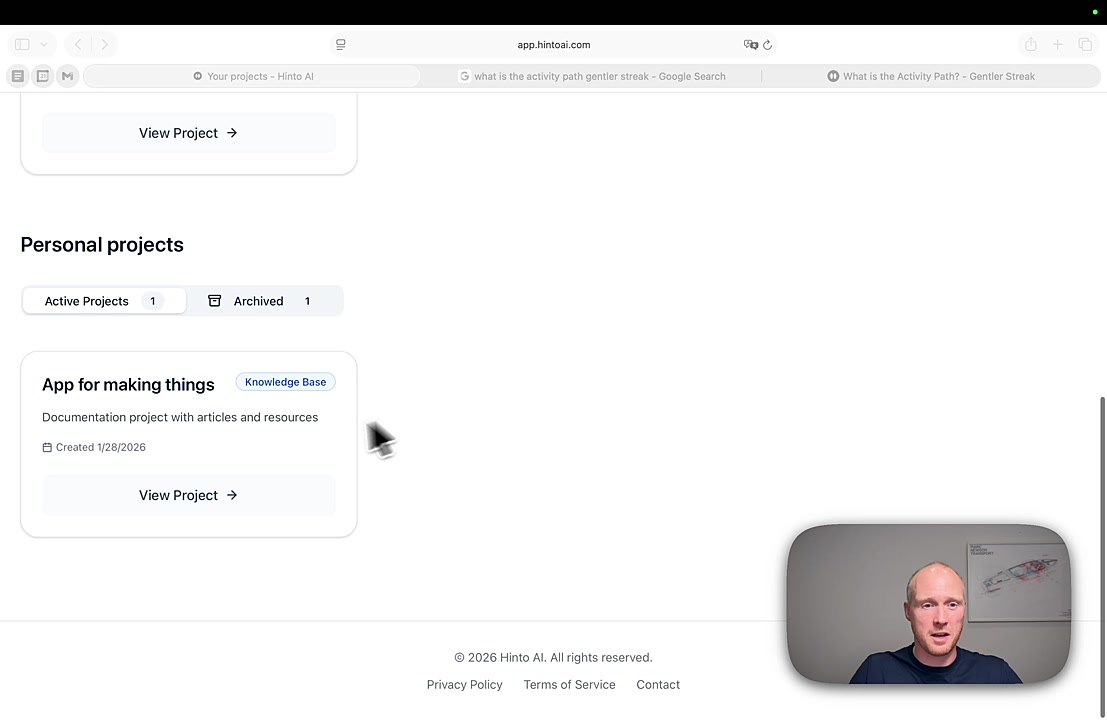
- Go to your Hinto dashboard and select a project. For personal projects, scroll down and click View Project.
- In your project, click Add content... and choose the option to generate articles from a video.
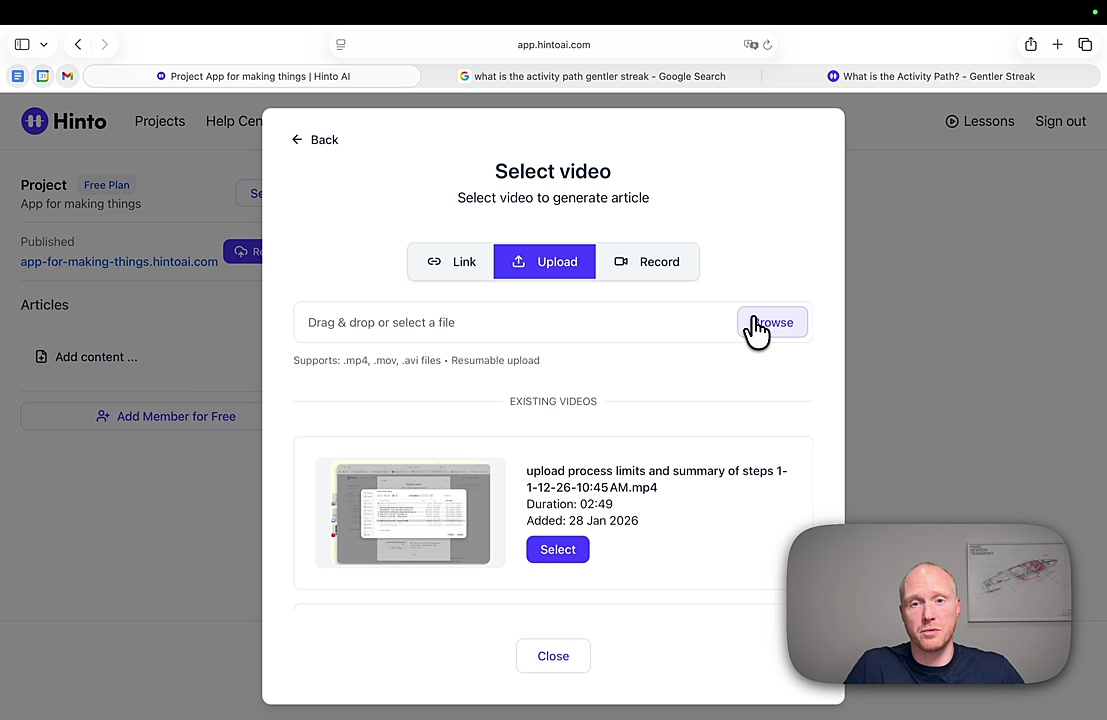
- In the Select video modal, navigate to the Upload tab and click Browse to select your screen recording.
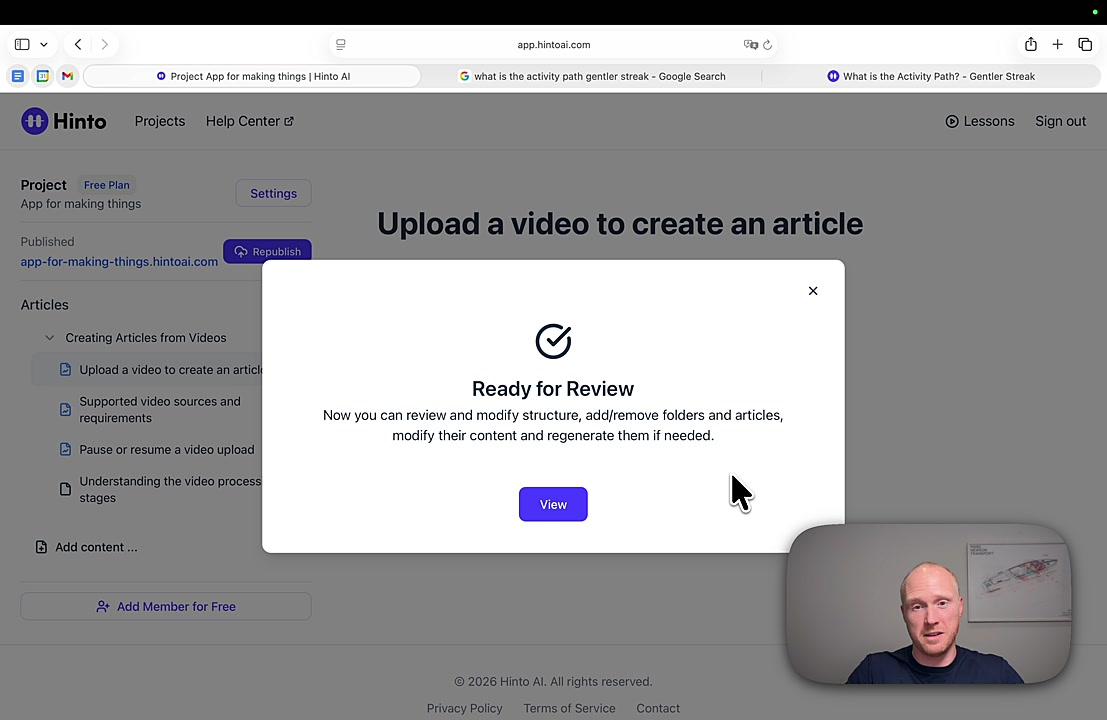
- Once uploaded, Hinto automatically processes the video, analyzes its content, and generates a full set of articles. A 'Ready for Review' notification will appear when it's done.
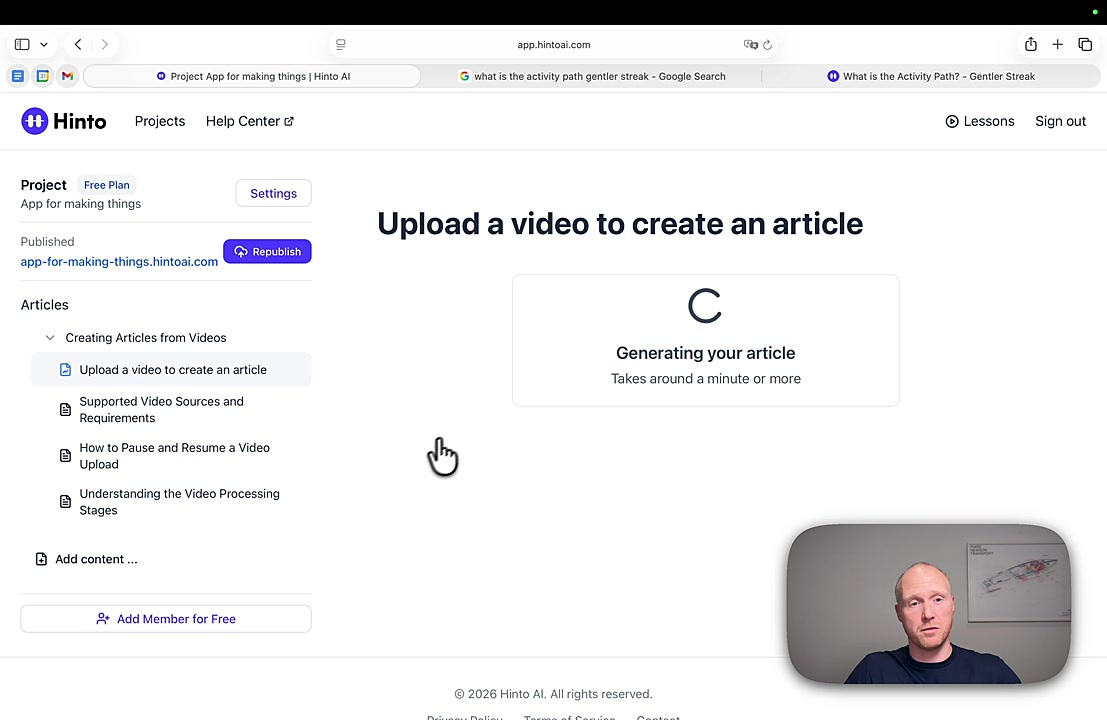
- Your newly generated articles will appear in the navigation panel on the left. Click any article to open and review it.
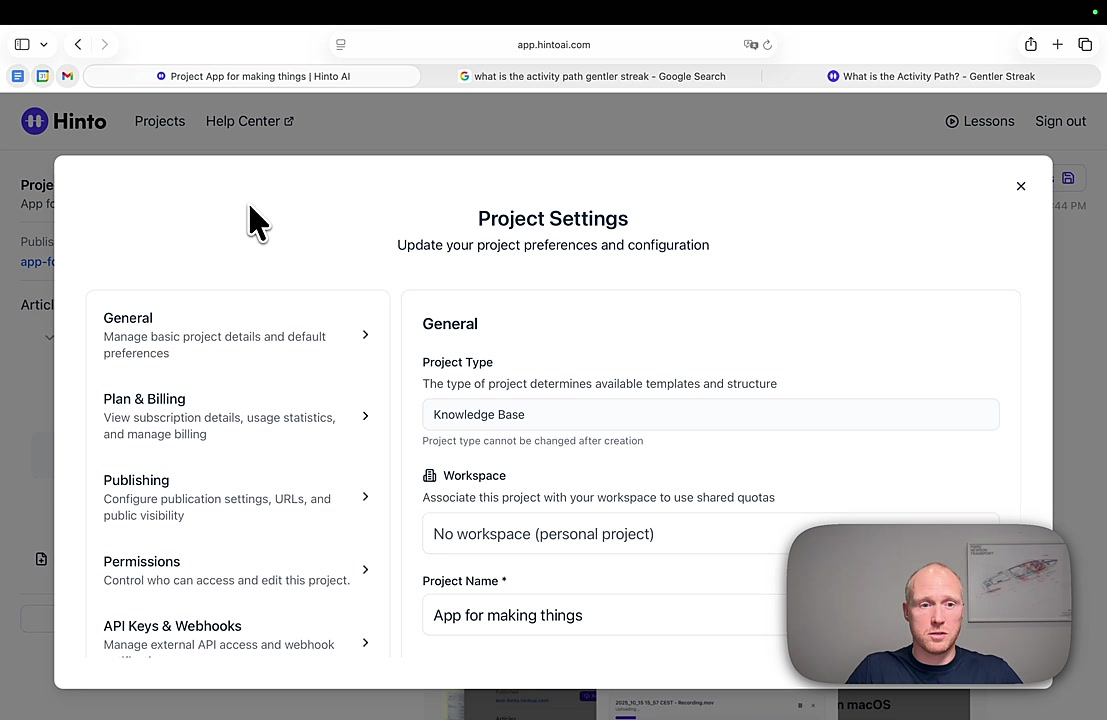
- To get your documentation indexed, click the Settings button at the top of your project page.
- Select the Publishing tab from the settings menu.
- Scroll down to the Search Engine Indexing section and ensure the toggle is enabled.
- Click the Submit Sitemap to Google button to send your documentation directly to Google for faster discovery.
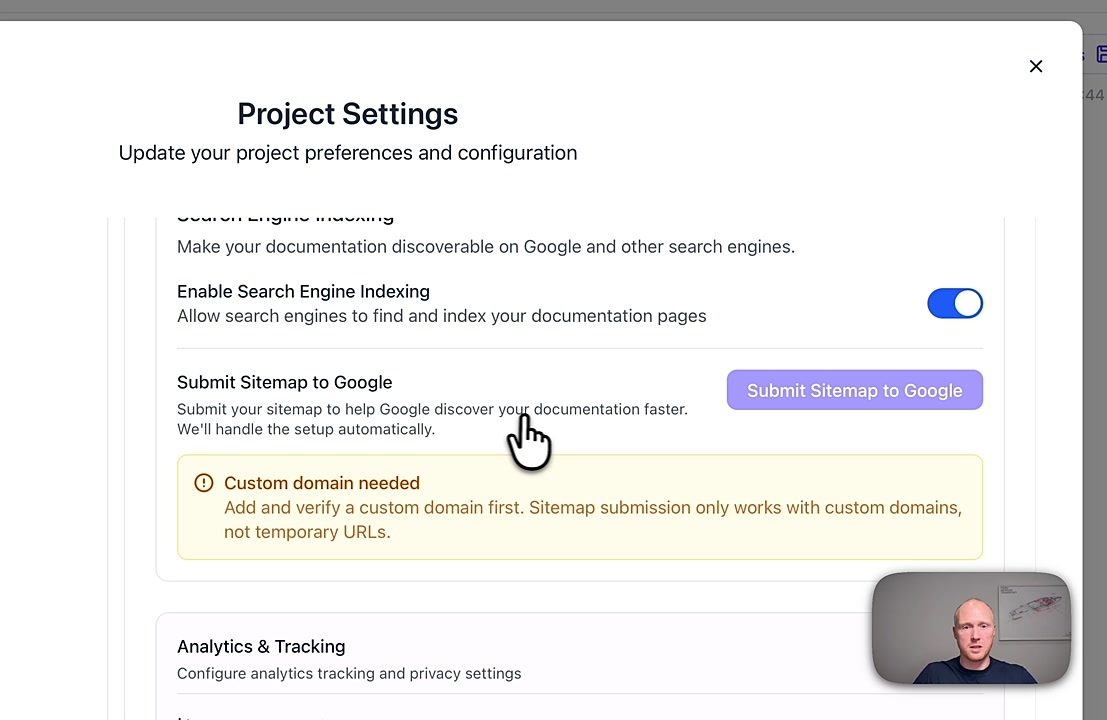
Important Note
The Submit Sitemap to Google feature requires a verified custom domain. You must set up a custom domain for your project before you can use this one-click submission tool.
Summary
This article details how to accelerate your documentation process by automatically creating multiple help articles from a single video. It also walks through the seamless, one-click process for submitting your sitemap to Google, which is crucial for improving SEO and helping potential customers discover your product features faster.
Related
Last updated:

Hinto Team
Product updates, feature announcements, and best practices from the Hinto product team.
On this page
Ready to Start?
Ready to Build a Better
Knowledge Base, Faster?
Get Started Free & Create Your First Article in Minutes